Is your Whirlpool front loading washer displaying the error code f20? Finding out what this fault code means will assist you to fix your washer yourself. Use the information below to identify, troubleshoot, and repair your Whirlpool washer.
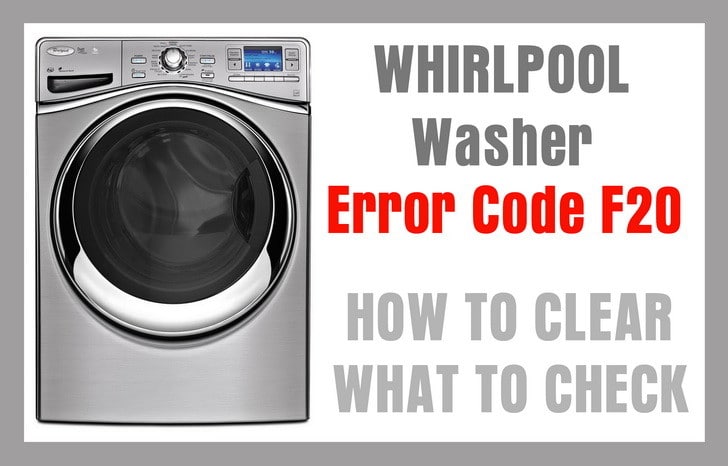 Whirlpool washer error code f20
The below 3 images are what will appear on your Whirlpool front
load washing machine when you get the f20 or fh error code.
 Whirlpool f20 error code
 f20 error flashing – whirlpool washer
 fh error flashing – whirlpool washer
Clearing F20 Error Code
To remove the F20 error code from your washer’s display, you have a few methods to try:
Method 1: Using Pause and Cancel
Press the Pause and Cancel buttons twice on the display panel. This often clears the error code, at least temporarily.
Method 2: Power Reset
If pressing Pause and Cancel doesn’t resolve the issue, proceed with a power reset:
- Unplug the washer from its power source for 2 minutes.
- Plug it back in.
- Choose a wash cycle and press the Start button.
It’s worth noting that when you start the washer for the first time after disconnecting it from power, it might initiate a draining cycle. During this 8 to 10-minute draining period, you won’t be able to use the pause or cancel functions. If the F20 or FH error code reappears, further diagnosis is required.
Verifying Water Valve Positions
Make sure both HOT and COLD water valves are fully open. Your washer’s water inlet valve needs pressure from both hot and cold water lines to function correctly. If only one hose is connected, the washer will not operate as it should.
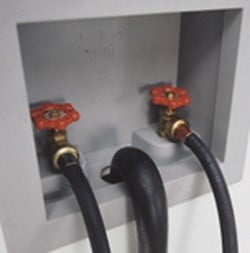 Washer water supply valves – Make sure they are fully open
Examining Water Hoses/Inlet Screens
Hose Condition
Ensure that the water supply hoses connected to your washer are not bent or kinked. A bent hose could restrict water flow, contributing to error codes and other operational issues.
Inlet Valve Filter Screen Check
To inspect the filter screens on the water inlet valve, follow these steps:
- Turn off the water supply at the valves.
- Disconnect the water hoses from the inlet valves located at the back of the washer.
- Locate the filter screens and remove any debris that might be obstructing them.
- Reconnect the hoses.
- Turn the water supply back on.
- Check for any leaks to ensure a secure connection.
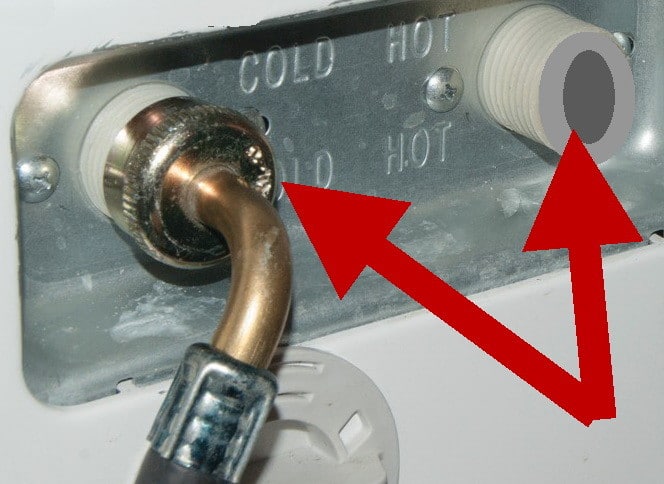 Clean Inlet Filter Screens if Clogged
Detergent and Water Supply
Using the Right Detergent
It’s crucial to use High Efficiency (HE) detergent in your washer. Always check for the HE logo on the detergent packaging before making a purchase. Using non-HE detergent can lead to excessive suds, which can interfere with the washer’s ability to detect incoming water. Remember that concentrated HE detergents require a smaller quantity.
 HE high efficiency washer detergent logo
Use Flood Preventing Hoses
These specialized hoses contain an internal check valve that triggers when water pressure exceeds 2 gallons per 60 seconds. If activated, the valve will halt water flow to the washer. This feature also comes into play if a hose becomes loose, increasing water flow and thereby closing the valve to prevent potential leaks.
Monitoring Water Pressure
Your washer needs a minimum water pressure to function correctly. If the water pressure is less than 11 psi, you’ll encounter operational issues. To ascertain your water pressure level, consult your local water company.
Need more help with your Whirlpool washer with the f20 error code on the display? Please leave a comment below and we will be happy to assist.