Garage door openers not working. A few days ago all of our remote garage door openers stopped working. It has happened all of a sudden, all transmitters stopped working at the same time. Both my handheld garage door opener transmitter and the one that is built into my car do not work. I thought maybe the transmitters needed to be reprogrammed. I reprogrammed the transmitters but that did not work. The garage door opener still works as it opens when I use the button wired directly to it in the garage. I know for sure that the transmitters are programmed correctly but still don’t work. My garage door opener is a Liftmaster 1/2 HP opener.
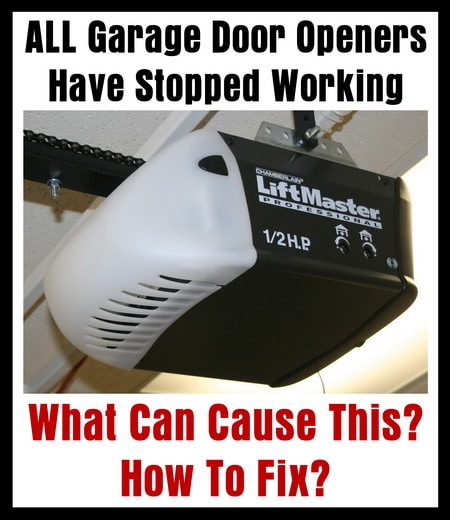
The most common reason for a garage door remote transmitter to stop working is a dead battery. However, if ALL the garage door openers stop working at the same time, then most likely the garage door antenna is not attached properly or the garage door opener itself needs to be reset. You can try to simply unplug the garage door opener from the wall for 30 seconds and see if that resets it.
Here is what to check when all garage door transmitters stop working at same time:
- Be sure nothing (such as a tree hanging over the garage) is blocking the transmitter signal from opening the garage door.
- Test or replace all batteries in handheld remote garage door transmitter(s) and built in car garage door openers.
- Check that the antenna on your garage door opener is securely attached and working.
- Try reprogramming/resetting all remote garage door transmitters.
- If all above test or check good, then reset or reprogram your garage door opener.
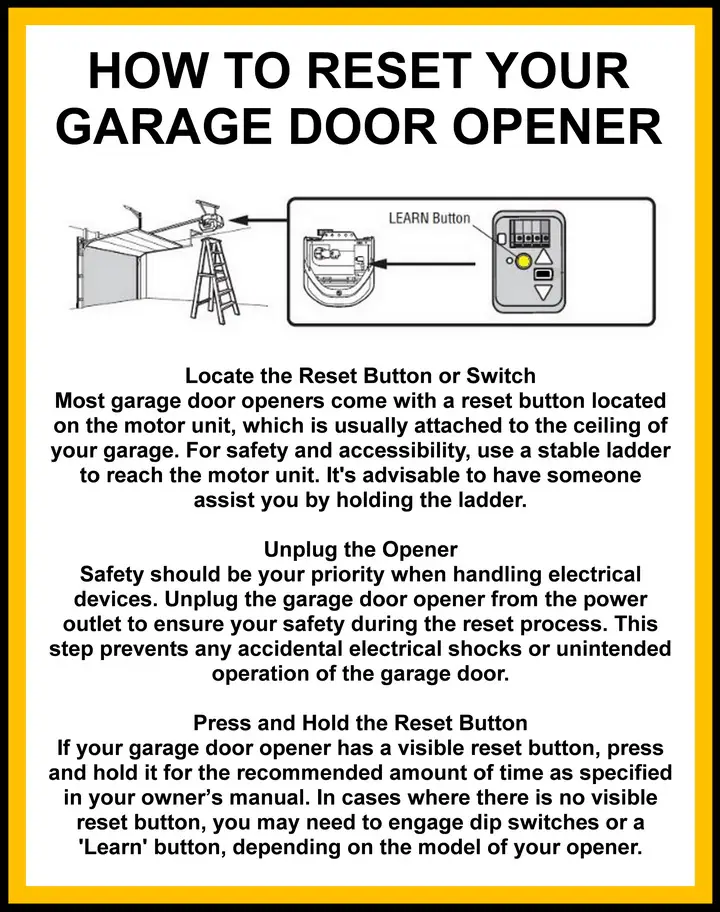
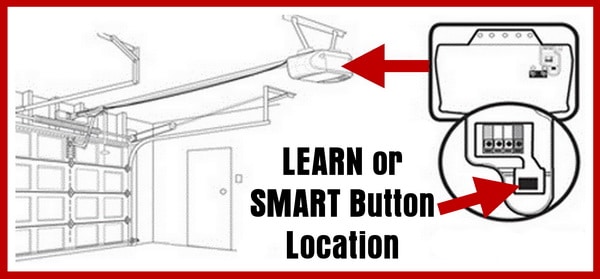 Garage Door Opener SMART or LEARN Button Location
Here is how to reset reprogram a garage door opener on LIFTMASTER, CHAMBERLAIN, SEARS:
- Press and release the SMART or LEARN button on the garage door opener motor. (Located on the actual garage door opener mounted on the ceiling)
- The SMART or LEARN indicator light will illuminate for 30 seconds. (The LEARN button is on the motor head next to the wire terminal strip)
- Press and hold the button on the garage door hand held remote control while the SMART or LEARN button is illuminated.
- When the motor light begins to blink, let go of the button on your garage door hand held remote control.
- The garage door opener has now been reset and has learned the new code.
- If your garage door opener does not have light bulbs, you will hear 2 clicks to confirm the opener has been reset.
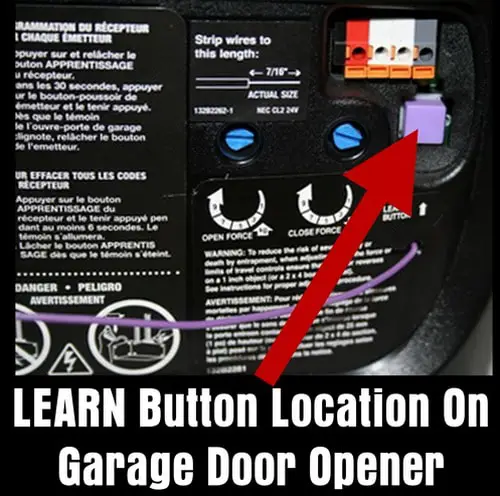 SMART button on LIFTMASTER garage door opener
NOTE: If your garage door has a keypad you will need to enter a 4 digit PIN number after you press the SMART or LEARN button and the light is illuminated. After entering the 4 digit PIN, press and hold the ENTER button. Let go of the button once you see the garage door motor light blink. The garage door opener has now learned the new code.
How To Easily Reset Your Garage Door Code
 Garage Door Opener Parts and Accessories
Need assistance with troubleshooting your garage door opener? Please leave your question below and we will be happy to assist.

Written by Keith Schneerer
Certified Appliance Tech · Founder, RemoveAndReplace.com
Keith has spent 30+ years repairing machines, starting as a military mechanic and later maintaining food processing equipment before moving into appliance repair. He founded RemoveAndReplace.com to share field-tested repair advice.
More about Keith →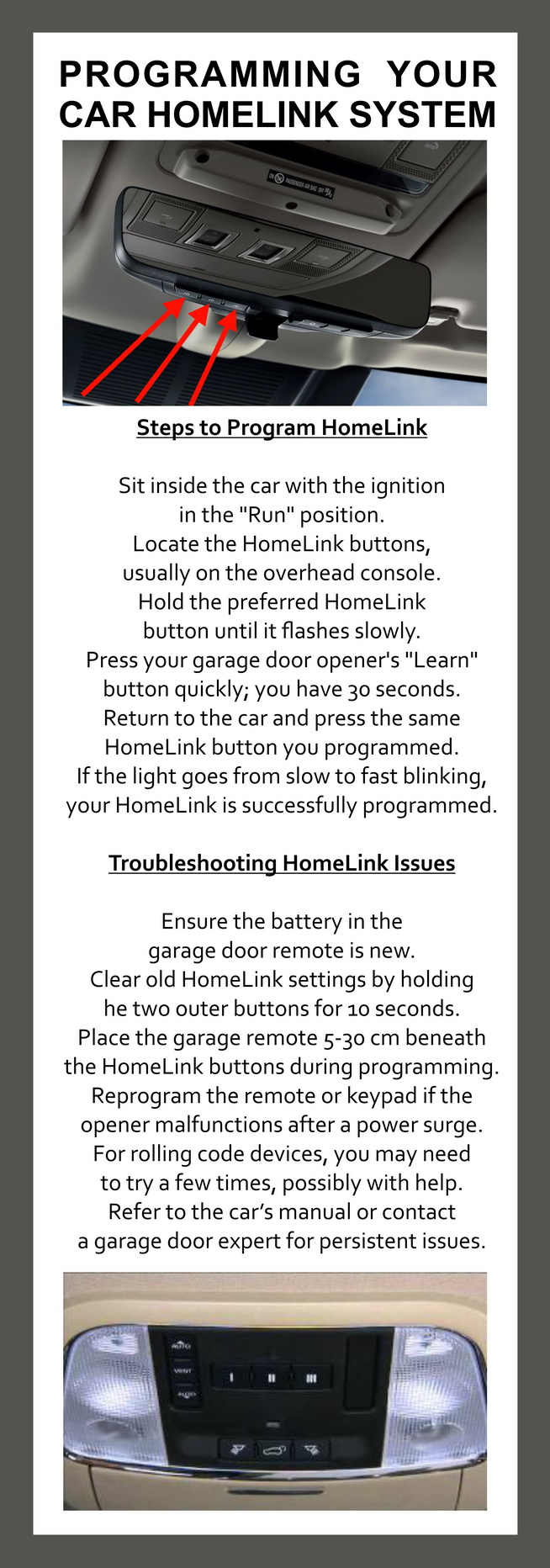
My garage door remotes and the wireless key pad all stopped working at the same time. Garage door repair man told me the mother board needed to be replaced. As it turned out, the LED light bulbs I installed when the old lights went out, interfered with the signal. I removed the light bulbs, reset the remotes and the key pad, and everything works just fine. Crazy!!!!
I have a lift master 3/4 hp opener. The remotes (2 wireless, 1 in a new car) stopped working all at the same time. I reprogrammed all including the key pad on the outside of the garage. They all work for about 30 minutes and then only the 2 wireless and 1 in car remotes stop working. The keypad however still works. That’s what has me stumped because I would think all the learned remotes would stop working at the same time.
I have remote that does not have a enter button then what should I do
Light on learn button turns on when button is pressed. Light remains on for over a minute and goes off even though the transmitter button is pressed. It does not learn a code. Attempted with a new logic board…same scenario. Tried three different transmitters, all of which worked until recently.
All 3 of my Liftmasters stopped working at same time after entering garage from rain, door closed halfway. Wall controls (3, no lights on them) and remotes don’t work. Flipped circuit breakers and CGI to no effect.
I have two genie openers. Both of them quit working. Neither of them have any functioning lights on on the opener. There is definitely power to both. One of them, the safety eyes are blinking. I’ve taken one of the openers down, rehooked the eyes and wall control and I get nothing but blinking safety beams. What is the best way to diagnose the circuit board and the safety beams?
Great info! Thanks for the troubleshooting tips.