Samsung washers use an electronic door lock. It’s supposed to release a couple of minutes after the cycle ends. When it stays locked, you’re not always looking at the same problem twice. Sometimes it’s just the safety delay working the way it’s supposed to. Other times it’s water sitting in the tub, a failed door lock switch, or a control board that’s lost its place in the cycle. Which one you’ve got decides the fix. So before you pull the washer from the wall or start unscrewing panels, it helps to know what you’re actually dealing with.
On most Samsung washers, a door that’s still locked after the cycle finishes will release on its own within 2-3 minutes while the control board finishes its shutdown sequence. If the door is still locked after 5 minutes, unplug the washer for about a minute and plug it back in — that hard reset clears a stuck Samsung washer lock cycle without opening the machine in a large share of cases. If it still won’t release after that, you’re probably looking at a failed door lock switch or standing water tripping the pressure sensor.
- Two free checks come before buying any parts: waiting out the delay, and a full unplug-and-replug reset.
- Standing water left in the tub after the cycle stops usually points at drainage, not the lock itself.
- A door lock switch that’s genuinely failed almost never fixes itself — it needs replacing.
- Some Samsung models built 2020 and newer don’t have a manual release cord behind the kick panel at all, so check your model before counting on one.

Here’s how the causes stack up against each other, before we get into each one:
| Cause | Likelihood | Fix Cost | DIY Time |
|---|---|---|---|
| Normal cycle-completion delay | Most common | Free | 2-5 min wait |
| Control board needs a hard reset | Common | Free | 5 min |
| Standing water tripping the pressure sensor | Occasional | Free-$15 | 15-30 min |
| Failed door lock switch/solenoid | Less common | $25-45 | 30-45 min |
The Lock Won’t Release Even Though the Cycle Already Finished
This is the version I run into more than any other, and it’s rarely the mechanical failure people assume it is. Samsung’s control board holds the door locked for a short window after the cycle ends — usually 30 seconds to about 3 minutes, longer on Sanitize or Steam cycles while heat and pressure clear. During that window, the display usually just sits steady on the end-of-cycle indicator, sometimes with the lock icon blinking slowly — no beep, no changing digits, just a quiet pause while the board finishes its sequence. After 19 years working on aircraft for the U.S. Air Force, I’ve learned a lock switch works kinda like an aircraft interlock — it’s either making contact or it isn’t. If you’re still locked out past that window, skip the toolbox — a full power-cycle reset clears this more often than anything else I’ve tried (see the Quick Fix box above for the exact timing).
If the reset doesn’t clear it, check whether you’re dealing with Child Lock instead — a separate feature with its own fix, covered in my full walkthrough on opening up a Samsung washer, top load or front load.

There’s Still Water Sitting in the Tub and the Door Won’t Budge
If you eventually get the washer open and find an inch or two of water still sitting in the tub, that’s usually your real answer — not a broken lock. Samsung’s pressure sensor won’t let the control board release the door until it reads an empty tub. So standing water after a stopped cycle keeps the lock engaged even when nothing else is wrong. A clogged drain pump filter is the usual culprit. On most front-load Samsung models, that filter sits behind a small access panel in the lower-left corner of the cabinet.
You’ll often hear the drain pump humming without the water level dropping. That’s the tell that it’s spinning against a blockage instead of pushing water out. The same thing shows up in a Samsung dishwasher that won’t stop draining — same pump, same kind of clog. Clear the filter and the washer usually finishes draining and releases the lock within a few minutes on its own. I put together a full breakdown on getting rid of standing water in a washing machine if you want the complete walkthrough, including what to do when the pump won’t drain at all.
Unplug the washer completely before you open the drain filter access panel or touch any wiring inside — don’t assume a dark display means it’s not live. Water left in the tub can also be surprisingly warm, depending on the cycle, so keep a towel handy.
The Door Was Fine Yesterday — Now It Won’t Open up At All
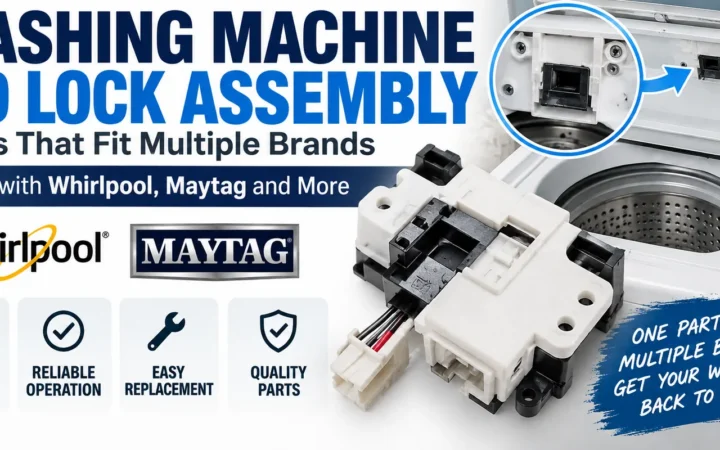
When the lock won’t release no matter how long you wait, and there’s no water in the tub, you’re most likely dealing with a failed door lock switch. Samsung calls it a door lock assembly or interlock switch, depending on the model. This is less common than the first two causes. But it’s also the one that turns a stuck Samsung washer lock cycle into an actual repair job instead of a five-minute annoyance.
Here’s how I check it before ordering any parts (I check this every single time before I let anyone spend $30-40 on a part they might not need):
- Unplug the washer completely.
- Pull the lock assembly — usually 2-3 screws behind the door boot on front-loaders.
- Set a multimeter to continuity or low-ohms mode.
- Touch the probes to the switch terminals with the door closed and manually engaged.
- Read the result: near-zero resistance means the switch is good; a dead short or no continuity at all means it’s failed.
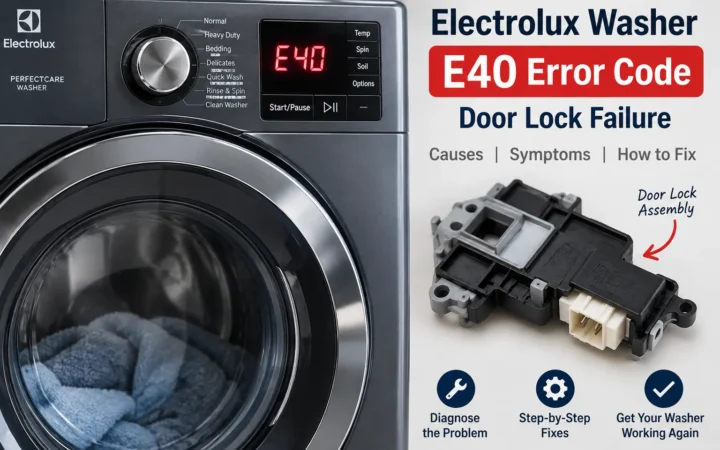
If your display is flashing a dC or dC code instead of just sitting locked, that’s Samsung’s door-sensing error. It means the control board isn’t getting a valid signal from the lock circuit at all. That points at the switch or the wiring feeding it, rather than a mechanical jam. Most articles on this topic barely mention that code, if they mention it at all. It’s worth writing down before you order parts, because it tells you exactly which side of the circuit to test first instead of guessing. (Don’t ask me how many of these I’ve torn into expecting a bad switch and found a corroded connector instead.)
The wrong move I see constantly is people prying at the door with a flathead screwdriver, trying to force it open. That plastic latch housing isn’t built for that kind of force, and I’ve fixed more than one cracked door boot flange from someone getting impatient with the lock instead of just resetting it first (patience is cheaper than a new door boot, trust me). You don’t gotta pry at it — a reset works way more often than force does.
Whoever decided these lock assemblies needed three different screw patterns depending on model year has never had to source a part at 5pm on a Friday. It doesn’t make sense for something this simple, and it’s one of the few Samsung design choices that still bugs me.
A replacement door lock assembly for most Samsung front-load washers runs $25-45 on RepairClinic. Swapping it in follows the same basic pattern every time:
- Unplug the washer and remove the screws holding the old lock assembly in place.
- Disconnect the wire connector from the old switch.
- Connect the connector to the new switch and set it into the housing.
- Reinstall the mounting screws and reseat the door boot if you moved it.
- Plug the washer back in and run a quick cycle to confirm the door locks and releases normally.
- Budget 30-45 minutes for the whole swap the first time you do it — it goes faster once you’ve done it before.
A service call for the same repair usually runs $150-250 once you add the diagnostic fee. If you’re comfortable with a screwdriver and a multimeter, you’re saving real money doing it yourself.
Why Won’t My Top-Load Samsung Washer Lid Open up?
Top-load Samsung washers use a completely different lock mechanism than the front-load switch I just described. The lid lock lives under the top panel near the hinge, not in the door frame. If a top-loader’s lid won’t release, try the same reset from the Quick Fix box above first. If that doesn’t clear it, here’s how to get to the switch on most models built since around 2015:
- Unplug the washer.
- Remove the 2-3 screws at the rear of the top panel.
- Lift the panel up on its hinges instead of fully detaching it.
- Locate the switch held to the underside with a couple of Phillips screws and a single wire connector.
- Test it the same way you’d test a front-load switch — continuity mode, near-zero reading when engaged.
You’ll sometimes hear a faint clicking near the hinge when the lock tries to engage or release and can’t quite get there. That’s the solenoid working against something instead of releasing smoothly. If you hear that clicking but the lid still won’t budge, treat it the same as a failed switch and test it the way I described above.
No Manual Release Cord Behind the Panel? Here’s What Changed
Older Samsung front-load washers had a manual release cord tucked behind the small access panel at the bottom-front of the cabinet — pull it, and it mechanically releases the door regardless of what the control board is doing. My first instinct used to be pointing everyone straight to that release cord, no matter the model year. Then I learned that a good chunk of newer Samsung front-load washers don’t have one at all — Samsung moved part of the lineup to a fully electronic release with no mechanical backup cord. That means a hard reset and a wait for the control board really are your only options if the lock won’t budge electronically.
Before you go hunting for a cord that isn’t there, check your model number against Samsung’s own troubleshooting guide — it’s worth confirming which release method your specific washer actually has before you start pulling panels apart looking for a cord that was never installed.
How to Keep This From Happening Again
Most stuck lock cycles trace back to two habits. The first is cutting the power mid-cycle, which confuses the control board’s shutdown sequence. The second is letting the drain filter go too long between cleanings. Pull that filter every 2-3 months — more often if you wash a lot of towels or pet bedding (trust me on this one — it’s the single most-skipped maintenance step I see). Always let a cycle finish on its own instead of unplugging mid-wash, too. The same power-cycle reset trick that clears a stuck washer lock also fixes plenty of Samsung dishwasher problems — I’ve got the full list of reset methods here if that’s the appliance giving you trouble.
This isn’t unique to Samsung, either. I’ve written the same walkthrough for a Whirlpool washer door that stays locked, and the underlying causes overlap more than you’d expect between brands.
When to Just Call a Pro
Most of what I’ve covered here is a reasonable DIY job. There are a couple of situations where I’d tell you to stop and call someone in instead:
- The wiring near the lock connector looks burned, melted, or chewed — that’s an electrical hazard, not a switch problem, and it’s not a DIY job.
- You’ve already replaced the door lock switch and it’s still throwing a dC code — that points at the control board itself, which isn’t a reasonable first repair for most people.
Frequently Asked Questions
How long is normal for a Samsung washer lock cycle to stay engaged after the wash ends?
Anywhere from 30 seconds to about 3 minutes is normal on most models, and Sanitize or Steam cycles can push that closer to 5 minutes while residual pressure clears. If it’s still locked past that, do the hard reset before worrying about anything mechanical.
Why does my Samsung washer say dC or dC on the display?
That’s Samsung’s door-sensing error code — it means the control board isn’t getting a valid signal from the door lock circuit. I always check the switch’s continuity before assuming it’s the wiring, since the switch fails a lot more often than the connector does.
Is it worth replacing the door lock myself, or should I call someone?
For most people, yes. I’ve walked people through this exact swap over the phone with nothing more than a screwdriver and a multimeter. It usually takes less than 45 minutes once the new switch is in hand. The only time I’d steer someone toward a pro is if the wiring near the connector looks damaged or melted — that’s a different repair, and not one I’d want a first-timer chasing blind. Otherwise, the part’s cheap enough and the access easy enough that it’s worth trying yourself first.
Does unplugging my Samsung washer reset the door lock?
Yes — it’s the single fastest fix for a stuck lock, and the exact timing is covered in the Quick Fix box at the top of this article. It won’t help a genuinely failed switch, but it’s always worth trying first since it costs you nothing.
Most of the time, this fixes itself before you ever need a screwdriver. If yours doesn’t, you now know exactly which of these scenarios you’re actually dealing with — and that’s half the battle with any lock that won’t let go.

Written by Keith Schneerer
Certified Appliance Tech · Founder, RemoveAndReplace.com
Keith has spent 30+ years repairing machines, starting as a military mechanic and later maintaining food processing equipment before moving into appliance repair. He founded RemoveAndReplace.com to share field-tested repair advice.
More about Keith →