If you have a broken LCD LED TV Screen that has any type of damage such as lines running vertically, spots or patches, cracks or breaks, this page will give you tips to get it fixed. Many TV’s nowadays (Plasma, LCD, LED) are large and delicate.
If a large flat screen TV is not attached to a wall, it has a higher chance of falling over and cracking the screen. If your flat screen LCD TV has fallen over, most likely the screen has taken a hit. See below for some ways to possibly fix this without having to buy a NEW TV.
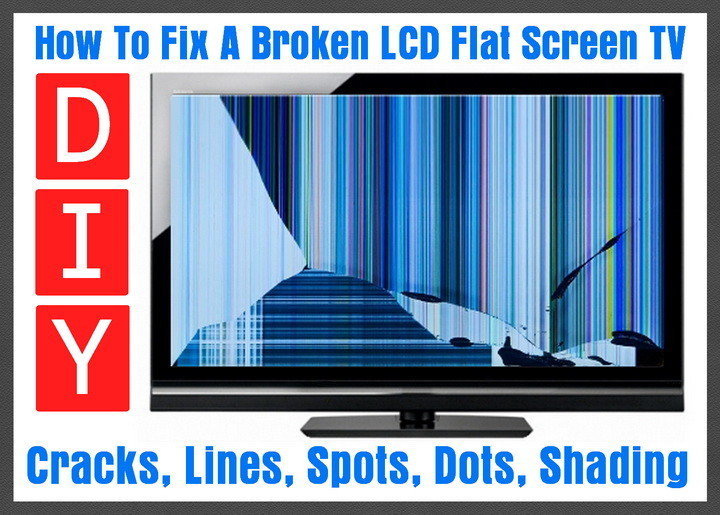
If your TV does not have a cracked screen and the problem has just appeared on its own, you may be able to fall back on the TV manufacturers warranty. If your TV screen has developed spots, vertical lines, small dots, unusually bright pixels, fading, distorted shading, or color issues, you may be able to use the warranty.
To make contacting your TV manufacturer easier, we have included links to most TV manufacturers below. Be sure to have your purchase receipt, and take note of the model number and serial number on the back of your TV.
TV brand links for warranty claims listed by popularity: Samsung, Vizio, LG, Sony, Sharp, Panasonic, Insignia, Toshiba, JVC, Philips, Magnavox, Sanyo, and Emerson. These links will help you to contact the manufacturer to file a warranty claim. If the TV has a been cracked or a hit to the screen has caused colorful vertical lines, then this is something that has happened from physical damage and is not covered under warranty.
If your flat screen TV has the dreaded vertical lines, half of the screen has turned darker, the screen is cracked, or the screen is broken, this can be repaired but may cost more than you paid for the complete TV. If your screen is cracked or broken, you can try replacing the Screen, LCD, Plasma, or LED part. On some flat screen TVs there is a glass panel on top of the actual screen. You need to determine which is broken before you attempt to order parts.
Repairing a Broken Flat Screen TV
If you are going to be repairing a flat screen TV there are certain problems you may encounter. The most likely issues on broken TV’s will be a cracked screen, picture lines or black spots, or image distortion problems. If the damage to the screen has NOT gone past the screen, and has NOT gone into the LCD, LED, or Plasma behind the screen, then fixing the flat screen TV is going to be possible if you get the parts you need cheap.
If your TV screen is severely cracked and the damage has penetrated beyond that, then it is deep enough to have damaged the LCD, LED or Plasma. If this is your case, then it may cost more to repair your TV than to replace it.
There may be some LCD LED PLASMA TV repair shops near you that can answer some questions for you. Some flat screen repair shops do not repair broken screens as the cost is not worth it. They will however replace different internal parts in the TV that may have failed. These failed parts in the TV may have caused the TV to not display the screen correctly, ghosting, or a screen that is not turning on.
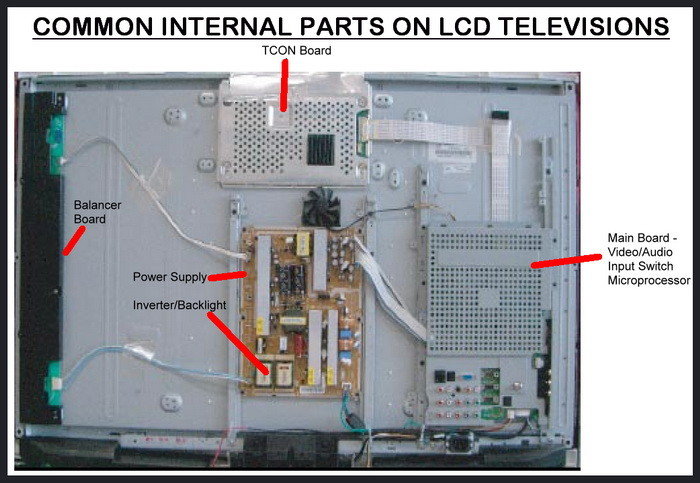
If the screen is not broken but the screen does not come on but your warranty is no longer valid, here are some things you can do. One single part has probably failed in your flat screen TV. There are many circuit boards and wiring harnesses inside your flat panel TV. Some of the parts in an LCD or LED TV are power supplies, t-con boards, capacitors, inverters, controller boards, IR sensors, signal inputs, and more.
One of the best places to purchase TV replacement screens is on eBay. If you need parts like control circuit boards and wire harnesses, useful parts online has LED, LCD, and Plasma TV replacement parts at good prices.
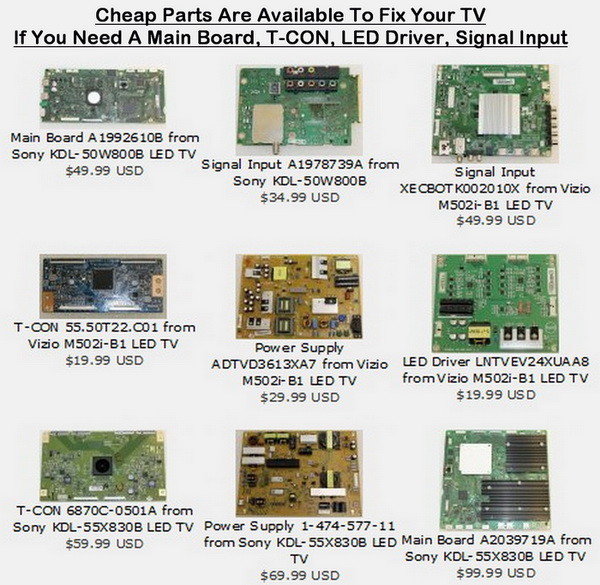 Cheap TV replacement parts are available to fix your TV.
If you need a main board, T-CON, LED driver, or signal input board.
One of the parts may have failed in your TV therefore causing the screen to not turn on. Determining which part that may be bad inside your TV may be difficult. It can be done but is not recommended if you have no knowledge of using a multimeter or have no electronic repair experience. However if this is your situation, you can take the TV to a repair shop and they can troubleshoot the issue for you.
Have them tell you the part that has gone bad, pay them the $40 or so bucks it cost to troubleshoot, and go home and buy the part online yourself. This will save you money and your TV should work like new.
If your TV is NOT fixable, most people take out the circuit boards and part them out. Selling the audio and video components in your broken TV may be the only way to try and recoup the cost of the value of your TV. This is not recommended as some used TV parts are not worth very much. If you do decide to remove the parts, you could try selling them on eBay.
To see how to take apart and repair a flat screen TV or monitor, there are a few videos below which can guide you in the right direction. Be careful when taking apart a television as power may still be stored in some of the parts which can cause electrocution.
LED TV Repair Tutorial – Common Symptoms & Solutions
LED LCD TV FIX, How To For Double Image, Black Vertical Lines, Screen Problem
LCD TV fix: bad picture screen rainbow colors
 Discount 4K Ultra HD TVs ON SALE!
If you have some advice to repair a broken flat screen TV or monitor, please help out our other readers with the same TV problems and leave a comment or a helpful tip below.

Written by Keith Schneerer
Certified Appliance Tech · Founder, RemoveAndReplace.com
Keith has spent 30+ years repairing machines, starting as a military mechanic and later maintaining food processing equipment before moving into appliance repair. He founded RemoveAndReplace.com to share field-tested repair advice.
More about Keith →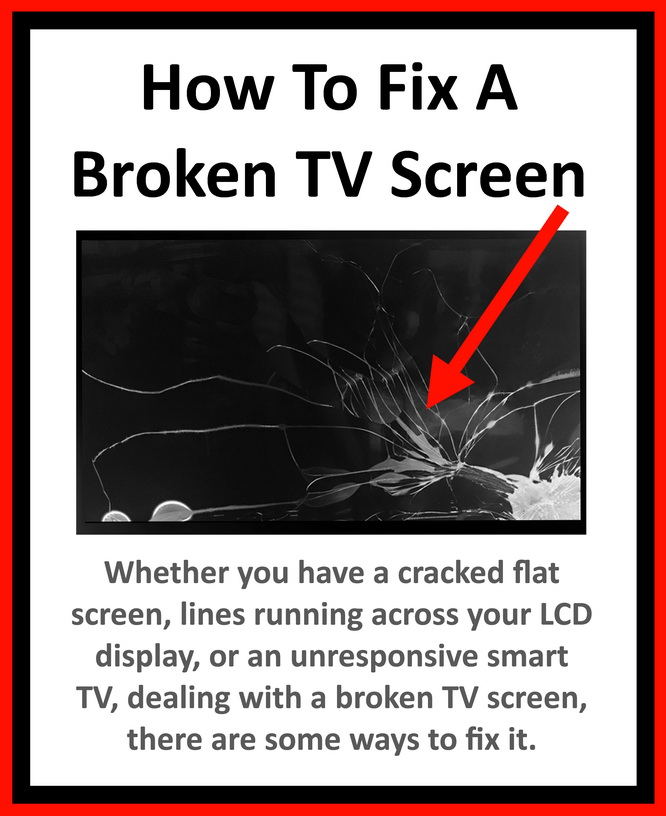
Kirk,
Is it a complete 50/50 (a complete half screen 50%) when you say your Samsung UN55’s right side of the screen is darker? This is an on and off issue? Is the TV turned on for long long periods of time? The screen is not cracked, correct? It is just a brightness/color/shading issue? Does it tend to happen when the TV is turned on right away, or after some time of the TV being turned on?
-RR
I have a Samsung Model number UN55D8000YFXZA. It comes and goes, but the right side of screen goes darker, but not completely dark, probably because it’s getting light from the other side of the screen. I assume that the LED strip on that right side of the screen is going out or the connection isn’t always making contact. I don’t see anything that addresses this in your tutorials. Can you offer any advice?
Nick,
Be sure the ribbon connectors are not damaged. The other t-con may work, you just have a connection issue. However the new board you have may NOT be the exact one the TV needs. Recheck connections before anything else.
-RR
With the old T-Con board I was having issues with the vertical lines most likely on the right side of the scene. With the new T-Con board installed those vertical lines were gone but now there are two wide lines in the middle of the screen.
I also compared the old T-Con board with the new one and I notice there are two numbers on the board. The old one has number S240LABMB3V0.7 and the new one has S240LBMB3V0.6.
So I am assuming because that last number, the new T-Con board may not work
Nick,
We would recommend to ALWAYS use the exact model number part for the TV you are replacing. Sometimes a t-con board that is made by the same company, and is said to work on many different same TV models is not always the case. Is the issue you are having the EXACT same as when the old t-con board was installed?
-RR
I have recently replaced T-Con board in my Samsung UN55D7000. I was unable to find a new same part so I had to order a substitute part. I was told the part is substitute and would work for D7000 and D8000 model.
When I connected it to the main board I got a picture and the sound, no more vertical lines on the screen like it was before with the old T-Con board but now I could see two wide lines in the middle of the screen, from top to the bottom like 3-4 inches wide. One is totally black and other one is like blurry. I first thought it could be the ribbon cable which connect T-Con board with the screen but after switching left with the right I had the same issue.
Also when I had TV on with that new T-Con board I tried to go to the TV menu (Picture, Advance Settings) to see can I adjust anything like Motion lightning or other options but I was unable to select anything.
My question would be, is it possible that new T-Con board doesn’t work because is only the substitute part. It says the part is good for D7000 and D8000 model. As you answered on my question before, I may be able to use a T-Con board made by the same TV maker if it is one model number difference, but it may not work.
Nick,
If you replaced the t-con and the picture reappeared, then yes a ribbon cable is most likely causing your issue. Try using a new or other cable for the connection and see if that fixes your problem.
-RR