Maytag Bravos dryer error codes are shown on your dryers display to help you troubleshoot the problem with your dryer. Our error codes below will help you to identify what is wrong with your Maytag Bravos dryer. Once you have identified the error code, this will tell you which part is causing the issue. You can then check the part in question and clean or replace it if needed. Maytag Bravos dryer help videos are here if needed.
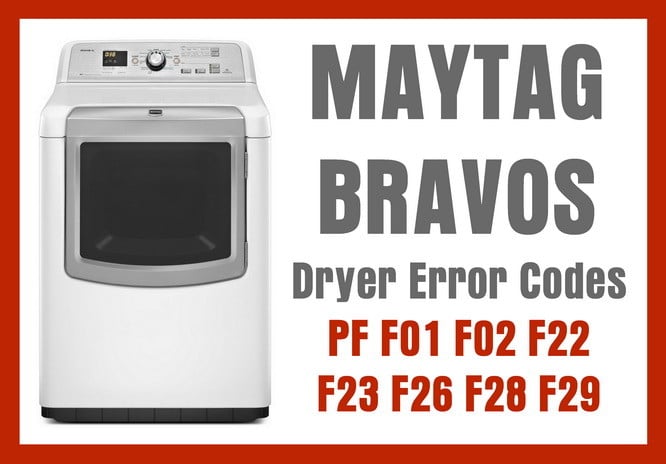 Maytag bravos dryer error codes
Maytag Bravos Dryer Error Code = PF
Error Condition = Power Failure
Check or Repair Needed = Power failure while the dryer was in cycle. Press the Stop button to clear the display. If you experience common power failures on your dryer be sure to check the electrical outlet cord.
Replacement Parts = Outlet Cord
Maytag Bravos Dryer Error Code = F01
Error Condition = Main Electronic Control Board Fail
Check or Repair Needed = Remove the dryer from power for 10 minutes. Apply power back to the dryer and if the code returns you need to replace the main electronic control board.
Replacement Parts = Main Electronic Control Board
Maytag Bravos Dryer Error Code = F02
Error Condition = Keypad or User Interface Fail
Check or Repair Needed = A button on the keypad may be stuck on one of the user interface controls. If the button cannot be unstuck then replace the user interface control assembly.
Replacement Parts = User Interface Control Assembly
Maytag Bravos Dryer Error Code = F22
Error Condition = Exhaust Thermistor (Temp Sensor) Fail
Check or Repair Needed = Remove power from the dryer. Use a multi-meter and check the resistance of the thermistor (0,000 ohms). If the thermistor is bad then replace it.
Replacement Parts = Thermistor (Temp Sensor)
Maytag Bravos Dryer Error Code = F23
Error Condition = Exhaust Thermistor (Temp Sensor) Fail
Check or Repair Needed = Remove power from the dryer. Use a multi-meter and check the resistance of the thermistor (0,000 ohms). If the thermistor is bad then replace it.
Replacement Parts = Thermistor (Temp Sensor)
Maytag Bravos Dryer Error Code = F26
Error Condition = Drive Motor Fail
Check or Repair Needed = Remove power from the dryer. Check wiring connections between the main electronic control board and the drive motor. If the wiring connections are not damaged and connected then replace the drive motor.
Replacement Parts = Drive Motor
Maytag Bravos Dryer Error Code = F28
Error Condition = Moisture Sensor Fail
Check or Repair Needed = Remove power from the dryer. Check the wiring harness on the moisture sensor visually and with a multi-meter. If the wiring connections are okay then replace the moisture sensor.
Replacement Parts = Moisture Sensor
Maytag Bravos Dryer Error Code = F29
Error Condition = Moisture Sensor Fail
Check or Repair Needed = Remove power from the dryer. Check the wiring harness on the moisture sensor visually and with a multi-meter. If the wiring connections are okay then replace the moisture sensor.
Replacement Parts = Moisture Sensor
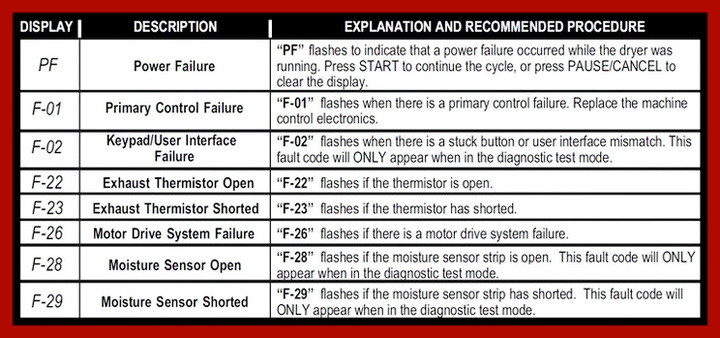 Maytag Bravos dryer error code chart
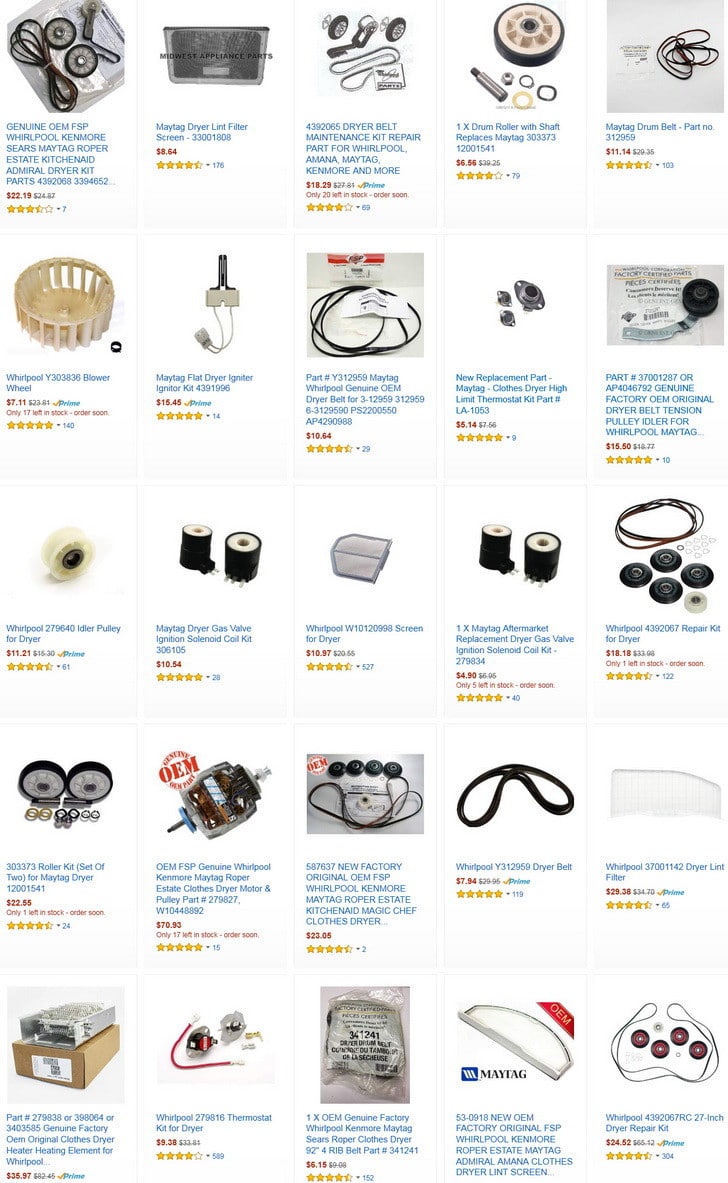 Maytag Dryer Parts
More clothes dryer troubleshooting for Frigidaire Dryer Error Codes, GE Dryer Error Codes, Kenmore Dryer Error Codes, LG Dryer Error Codes, Maytag Dryer Error Codes, Samsung Dryer Error Codes, and Whirlpool Dryer Error Codes.
If your Maytag Bravos Dryer error code is not listed here or you have issues with any Maytag Bravos Dryer Error Code, please leave a comment below and we will be happy to assist you with your dryer error code problem. If you have a different Maytag Dryer, you can ask error code questions about that model dryer also and we can further assist.
Please Share The Love


Written by Keith Schneerer
Certified Appliance Tech · Founder, RemoveAndReplace.com
Keith has spent 28 years repairing machines, starting as a military mechanic and later maintaining food processing equipment before moving into appliance repair. He founded RemoveAndReplace.com to share field-tested repair advice.
More about Keith →

We have a Maytag Bravos that is not showing an error code but still doesn’t work. When turned on as usual, by pressing power, selecting the dryer setting (right now it’s a 24 minute rapid dry), pressing start and the dryer beeps when I press the button but will not spin. The light above “sensing” is lit and the timer counts down as if it’s running a normal load, but again it doesn’t spin. We’ve checked both buttons in the door lining and they’re fine and working. Any advice is greatly appreciated since it’s Saturday and we have work and school on Monday.
Hi,
My power went out briefly the other day. My dryer flashed what I believe was F73 exactly when the power returned. I have not been able to reproduce the code. My timer will not come on unless I turn the dial to steam. The dryer will not come on but all other lights and noises work. Any ideas?
My bravos dryer when started stays on “sensing” for 30 seconds. It then repeatedly flashes a “F” then a “1” but will not run. The error codes listed in my owner’s manual and on the website identify a solid “F01” error code, but not an alternating “F” and “1”. Are they the same?
We have the Bravos XL washer/dryer set, and our dryer is giving us from time to time codes e03/f03 alternating, and sometimes will not dry a load, but can restart and will continue to dry. Cannot find any info on these codes, other than maytag says when e code followed by f code to contact a maytag service person. Any help will be appreciated.
Have a Maytag Bravos XL dryer that won’t run.
I can’t figure out how to find the error codes.
How do you get them to be displayed?
I own a Maytag MVWB800VQ0 washer (8 years old).
When I go into the diagnostic mode using the 3 seconds on 3 seconds off, 3 seconds on, 3 seconds off, 3 seconds on method, and after all the lights come on and the 88 appears, I get an error code that was stored in memory.
The error was fixed and the machine runs fine now, but when I go into the diagnostic mode the error is still showing up.
Unplugging the machine for 1/2 hour did not erase the stored error code.
What button sequence do I need to use to erase all old stored error codes?
How do I clear the stored error code in memory on this machine?
How can erase a error code to Maytag Dreyer