What does OF OF mean on a Samsung refrigerator? The Samsung fridge OF OF code means the refrigerator is in Display Mode, Demo Mode, or Showroom Mode. These modes are meant for displaying the appliance in a store or showroom, such as on the showroom floor at Home Depot, Lowe’s, Best Buy, etc. This “Showroom Mode” is incorporated into all Samsung refrigerators with a digital display panel. The OF OF code is meant to not let the compressor run when the refrigerator is being displayed for demo purposes.
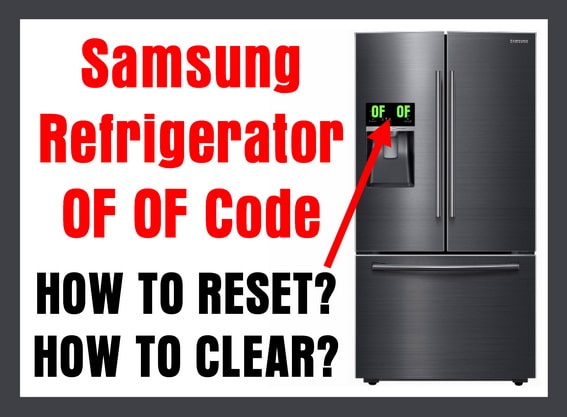 Samsung Refrigerator OF OF Code On Display – How To Clear?
If the Samsung refrigerator is in Showroom Mode, the interior lights and the display panel will illuminate, but the compressor will not run. This is done purposefully so the compressor does not run when the fridge is displayed at a store or on a showroom floor. This lets the refrigerator be displayed with all the lights working, but no cooling taking place. You will also notice that the ice maker and water dispenser will not work. When the OF OF code is shown, the fridge is not cooling.
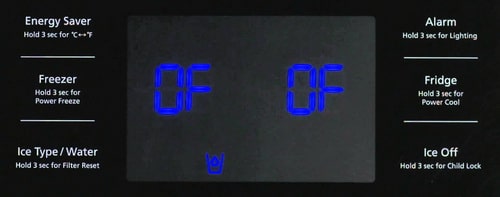 Samsung fridge OF OF code
When you see the OF OF code on the refrigerator display panel, it may have been accidentally set. Many times the OF OF will display if you buy the refrigerator off the showroom floor, also known as a “Floor Model”. When the OF OF is shown, and your Samsung refrigerator is not cooling, you will need to reset the refrigerator using the display panel to get the fridge back to normal and cooling again. When your Samsung refrigerator shows the OF OF or OFF code, here is how to reset it…
Refrigerator Troubleshooting – How-To-Video – Demo Mode
How to Reset Samsung Refrigerator OF OF Code?:
ON THE DISPLAY PANEL…
1 – Press the POWER FREEZE and the FREEZER buttons at same time.
2 – Hold the 2 buttons for 3 to 5 seconds.
3 – This will reset the refrigerator back to normal and the fridge will begin cooling again.
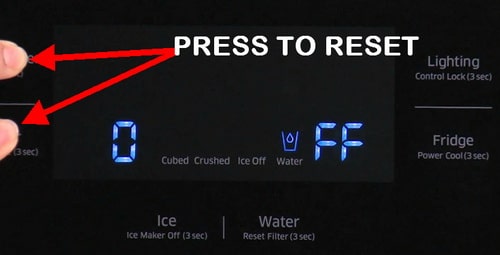 Samsung refrigerator O FF error code
OR depending on refrigerator model…
-Press the ENERGY SAVER and the POWER FREEZER buttons until you hear an audible beep.
OR depending on refrigerator model…
– Press the two buttons on the left side of the display panel. (top left button and the button below it)
– Hold the 2 buttons for 3 to 5 seconds or until you hear a bell sound.
– This will reset the refrigerator back to normal and the fridge will begin cooling again.
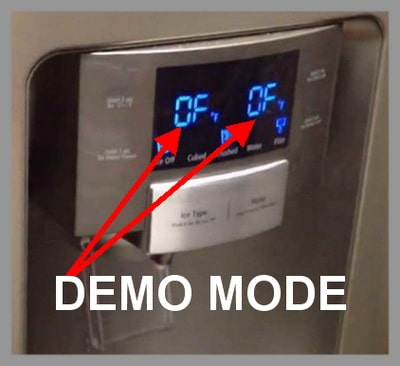 Samsung refrigerator OF OF error code help
More methods and options for clearing the Samsung Refrigerator OF OF code or DEMO MODE:
- Press and hold the EXPRESS FREEZE and REFRIGERATOR TEMP CONTROL buttons simultaneously for 3 to 5 seconds.
- Press and hold the LIGHTING and FREEZER buttons simultaneously for 3 to 5 seconds.
- Press and hold the POWER FREEZE and FREEZER buttons simultaneously for 5 to 10 seconds.
- Press and hold the HOME and HELP buttons simultaneously for 3 to 5 seconds.
- Open fridge door, press and hold the ICE PLUS ULTRA ICE and REFRIGERATOR TEMP buttons simultaneously for 3 to 5 seconds.
- Press and hold the ICE PLUS ULTRA ICE and UP DOWN buttons simultaneously for 3 to 5 seconds.
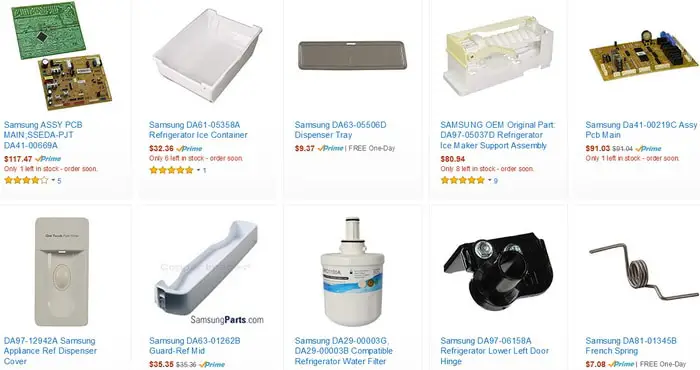 Samsung Refrigerator Spare Parts
Have questions concerning a Samsung refrigerator with the OF OFF code or how to reset the display panel? Please leave your question below and we will be happy to assist you.

Written by Keith Schneerer
Certified Appliance Tech · Founder, RemoveAndReplace.com
Keith has spent 30+ years repairing machines, starting as a military mechanic and later maintaining food processing equipment before moving into appliance repair. He founded RemoveAndReplace.com to share field-tested repair advice.
More about Keith →
Hello. I have a Samsung model rf4287hars/xaa. Today I noticed water dripping from the ice maker and the food inside starting to thaw. On the screen panel, it showed “OF OF” (not flashing). I reset this by holding the energy and freeze buttons, and the “OF OF” went away. However, there still isn’t any cooling going on. No ice, and fridge not cooling. Is there any other reason to get this indication?
My Samsung refrigerator model RF 4287 series has a display 6 E
Can you please let me know what is wrong or if I can reset it?
Thank you
Ana
My fridge has the of of on display and I’ve tried and tried to get it to come out of that mode it seems to be stuck. Any suggestions
Thank you! I used the chat-line type help that Samsung has but they couldn’t help me. This site had me press a different combination and it worked!
OF OF codes won’t clear.
The freezer button and power freeze won’t light up to reset.
Thank you! The demo setting somehow got switched on today and I couldn’t figure out what on earth was wrong, as this isn’t in the manual. What a ridiculous “feature” to include in the easily-accessed door panel! I have five small kids and who knows if it was one of them or someone accidentally leaning on the panel who turned on the display mode. You shouldn’t be able to turn your fridge off (and yet have it appear to be working) so easily!