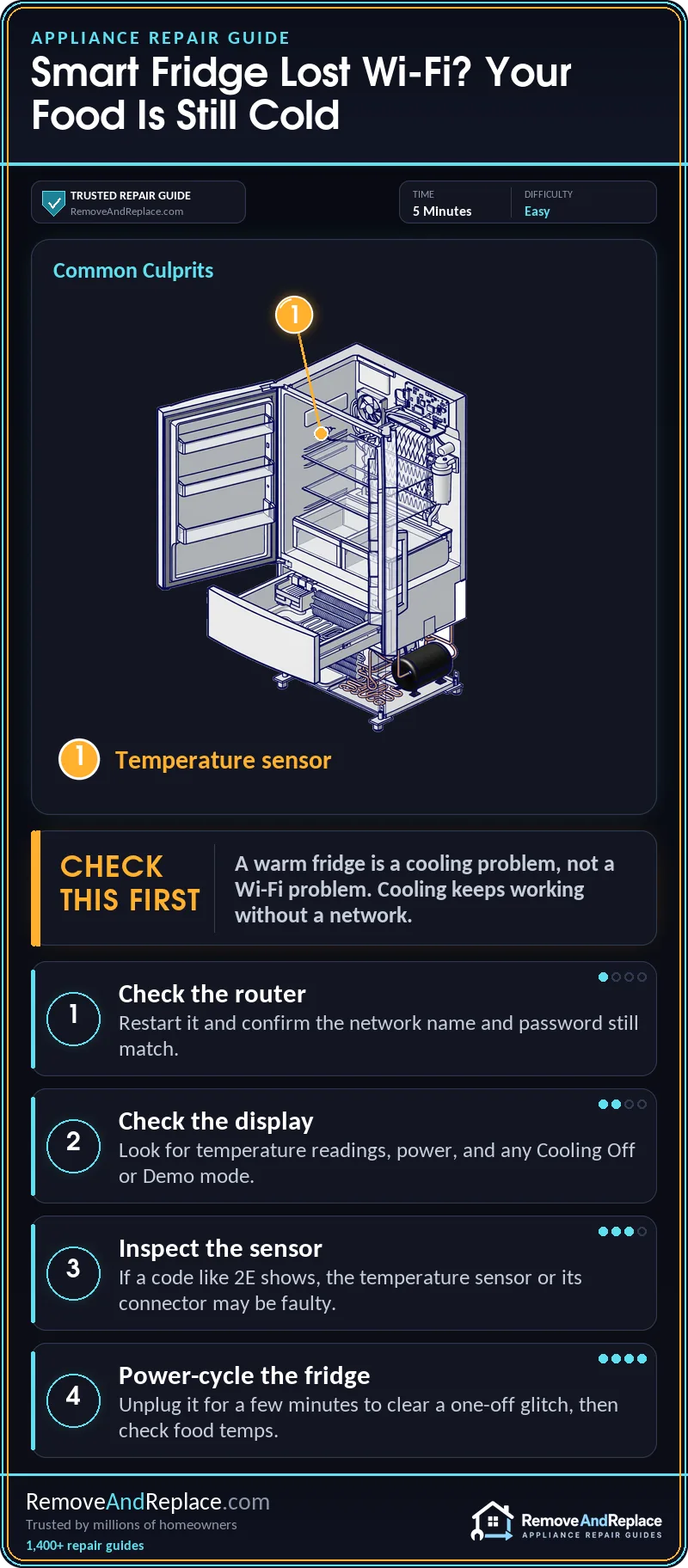
Start with the free check: look at your router and the fridge’s Wi-Fi icon, because a smart fridge no wifi situation doesn’t normally affect cooling. Cooling, freezing and the controls on the door keep working. If the fridge is actually warm, treat it as urgent for your food: check the temperature display, power and any Cooling Off or Demo mode first, then look for a sensor or fault code.
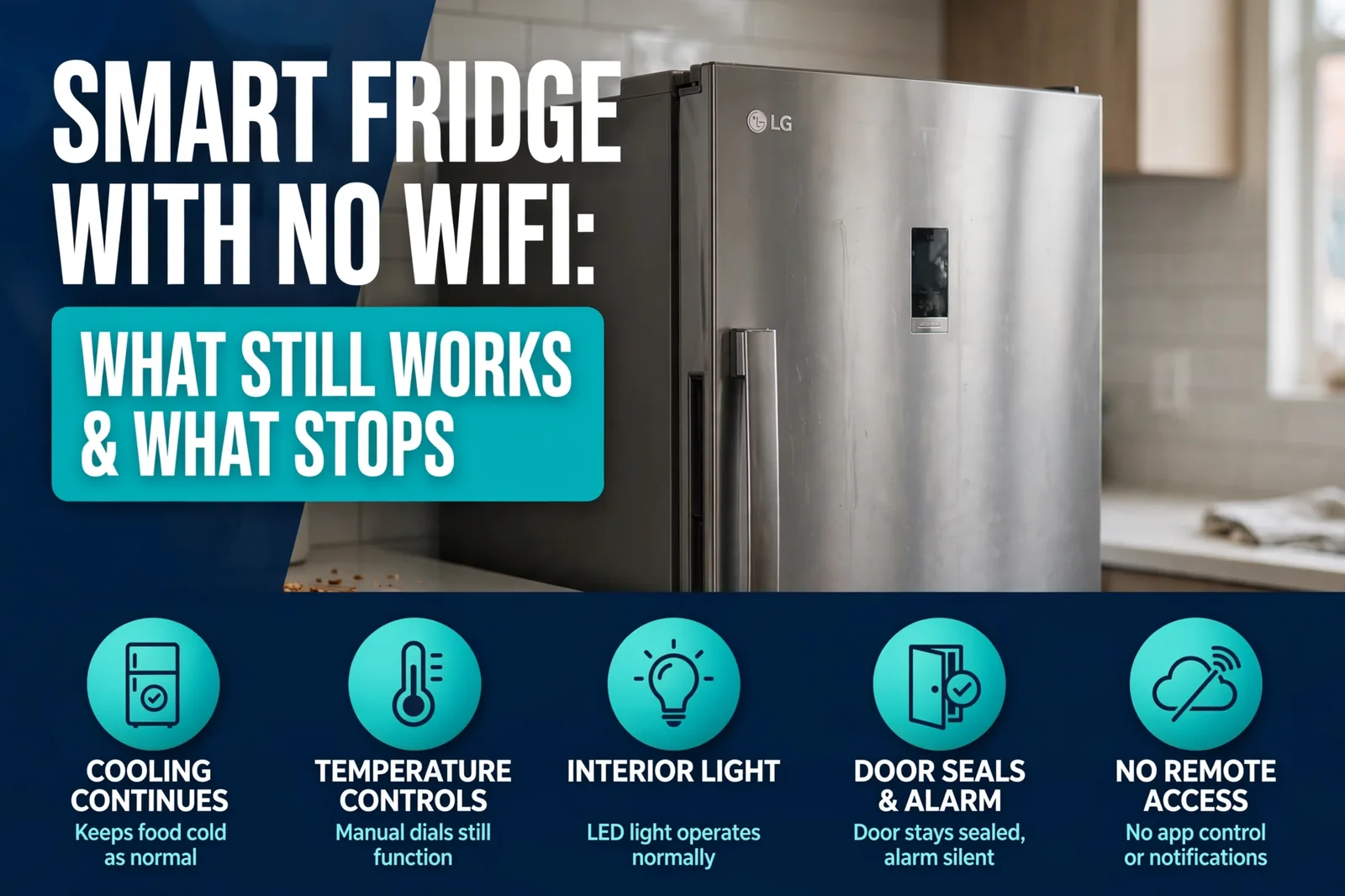
- App control, voice commands, cameras and remote alerts stop; the cold side doesn’t.
- Model-specific behavior varies, so the rating plate and manual have the final word.
- Months offline mainly cost you filter reminders and firmware updates, but check your model’s manual for specifics.
- A warm fridge is a cooling problem, not a Wi-Fi problem.
What Happens Inside a Smart Fridge With No WiFi?
Inside the cabinet, two jobs run on separate tracks. The main control board runs the compressor, evaporator fan, defrost heater and temperature sensors, and decides what they do based on sensor readings. Newer models may use extra inputs such as door switches, but none of that is your home network. On many smart fridges the Wi-Fi module is an optional add-on (GE’s Connect Module is sold separately, for example), while other models have Wi-Fi built in. Either way it reports to your phone and takes commands from it. When the signal drops, only the connected features lose their link. Core refrigeration control is a local loop from sensor to compressor and doesn’t depend on a network, though smart models may use the app or cloud for extra features and remote commands. I spent 11 years repairing commercial food service equipment, and the same basic idea applies there: a sensor-driven control loop does the cooling, though commercial units often use more advanced digital controllers. So a smart fridge no wifi setup still cools, freezes and makes ice. What disappears is everything that needed the internet: the app, voice assistants, remote temperature alerts and any camera feed. This overview of whether a smart refrigerator needs Wi-Fi covers the same basics.
What Still Works and What Stops
The popular assumption is that a fridge without Wi-Fi is “just a regular fridge.” Mostly true, but not a promise. This is the split on typical smart models:
- Keeps working: cooling and freezing, door-panel temperature settings, the ice maker and water dispenser, door alarm beeps, and the built-in control display on most models.
- Stops: phone app control, voice assistants, remote door-open and temperature alerts, camera views inside the fridge, and any screen feature that pulls live content.
Brands differ here. Samsung’s touchscreen Family Hub models, LG ThinQ models and plainer app-connected fridges don’t all handle an offline screen the same way, and I won’t claim exact behavior for a model I can’t verify. The manual’s “without a network” section is the real answer.
One thing I’d flag: a Best Buy Q&A thread about a Samsung smart fridge, asking whether the fridge can be used without Wi-Fi, includes a report of a unit that shut down when its panel lost the connection. I can’t verify that report, but a fridge shutting down because it lost Wi-Fi is not normal behavior. If it happens to yours, treat it as a fault that needs service, and check your food temperature after any connection drop instead of assuming.
And if the display shows a code like Samsung’s 2E sensor error, that points to a temperature sensor fault: the sensor has failed or lost signal to the control board. Sources differ on whether it’s the fridge or freezer compartment, and newer models may show it differently. The cause is the sensor, its wiring, a loose connector or the board, not Wi-Fi, and a power-cycle can clear a one-off glitch.
Why Does a Smart Fridge Lose Its Connection?
Work through these in order, free first.
| Cause | Likelihood | Fix Cost | DIY Time |
|---|---|---|---|
| Router restarted, renamed or password changed | Frequent | Free | A few minutes |
| Weak signal at the fridge | Common | Often free; an extender or mesh node costs more | Minutes to an evening |
| Wrong band or router setting | Common | Free | Minutes |
| Failed Wi-Fi module or panel | Rare | Higher; parts or service | Check your manual; may need a pro |
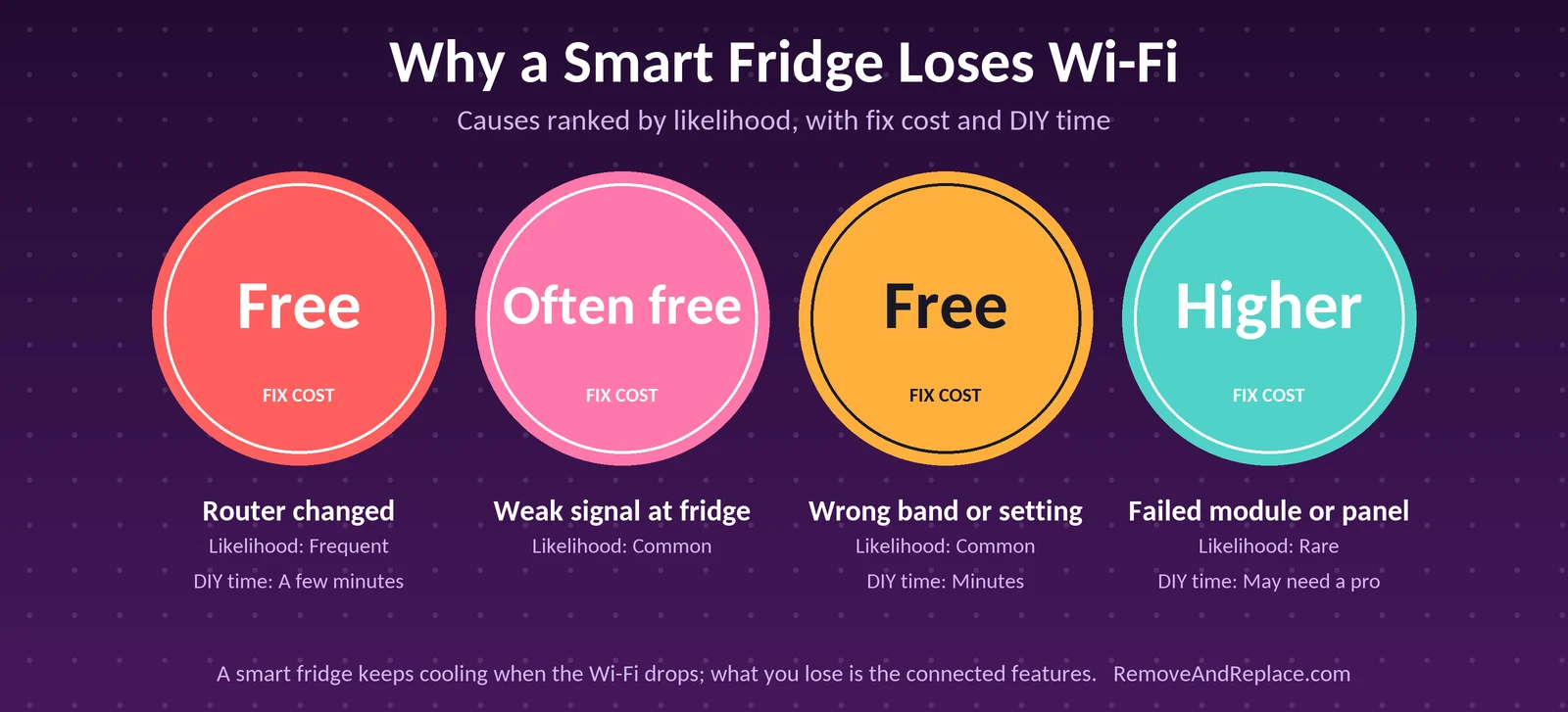
The router change is a frequent culprit. A new password, a replaced router or a changed network name leaves the fridge hunting for a network that no longer exists, and re-entering the credentials costs nothing. Weak signal and a band mismatch are close behind. Kitchens are rough on signal: the fridge is a big metal box, often against an exterior wall or in a corner far from the router. Many smart appliances only join the 2.4 GHz band, so a router that merges bands or pushes devices to 5 GHz can leave the fridge out. Your manual states what yours supports.
The rare case is a failed module or panel. If the fridge can’t see any network, even after the router is ruled out, and the display behaves strangely, that points to hardware.
This video walks through the reconnection process on a smart fridge, which is the step people tend to get stuck on. Watch it before you start, then follow the steps below on your own model, since menu names differ by brand.
How to Get It Back Online
- Check another device. If your phone can’t get online either, the fridge isn’t the problem.
- Restart the router and give it a few minutes to fully come back.
- Look at the fridge’s network settings on the display or in the app, and confirm it’s pointed at the right network and password.
- Move the signal closer. Test with a phone hotspot or place an extender nearer the kitchen.
- Re-run the setup through the app only after the first four steps. Have your model handy: this page shows where to find a Samsung refrigerator model number, and the rating plate on other brands is usually inside the cabinet.
If you need to reach the back of the fridge, unplug it first. Don’t open a control panel or touch the board with power connected.
Common mistake: Factory-resetting the fridge’s network settings, or removing it from your account, before checking the router. That can throw away settings that were fine and turn a quick fix into a full re-setup. Also don’t unplug the fridge over and over hoping it reconnects. One restart is fine, but keep an eye on food temperature if you power it off repeatedly.
What Happens When the Panel Acts Strange Offline?
If the panel misbehaves with no Wi-Fi, work through it in order:
- Note what you see: a Wi-Fi error, a setup prompt on the display, or in rare cases a panel that misbehaves. The display software keeps trying to reach the network and can throw prompts or errors when it can’t.
- Check the temperatures: feel the fridge and freezer, and use a thermometer if you have one.
- Read the manual’s offline section. Prompts and error messages are usually just a nuisance, but a shutdown is not something offline mode should cause.
- Call for service if the unit really is shutting down. That’s a hardware or software fault, not something to wait out.
What Do You Lose After Months Offline?
What you’ll see: no filter reminders, a stale display and no firmware updates. What’s happening: the fridge can’t talk to the manufacturer, so updates and app-based alerts never arrive. Cooling itself shouldn’t be affected. What to do: track the water filter yourself, using a calendar reminder, and match the part to your model with this list of refrigerator water filters by brand and model number. The ice maker also runs offline, though a jam is a mechanical problem; see ice stuck in the door chute.
One habit makes the biggest difference: write the filter change date inside the door. Offline fridges don’t nag you. A smart fridge no wifi owner has to do that tracking by hand.
FAQ
Will my food spoil if the fridge has no Wi-Fi?
No, not from the missing connection. The cooling system runs on its own controls. Still, feel the fridge and freezer after a drop, especially if the panel acts up.
Can I use a smart fridge without ever connecting it?
Yes, in most cases. You skip the app features and the remote alerts. I’d still read the manual first, because setup prompts may appear on some models.
Why does my fridge say “disconnected” when the Wi-Fi is fine?
Usually the fridge can’t reach the router, not the other way around. Try the band, the password and the distance. In my experience, the fridge sitting far from the router is more common than a broken module.
Does a Wi-Fi failure affect the ice maker?
No. The ice maker works off the fridge’s own controls. If it stops making ice, treat that as a separate mechanical or water supply problem.
Is it worth paying for service on a Wi-Fi module?
Only if you actually use the connected features. If you just want a cold fridge, I’d skip the repair and run it offline, since the parts and service are the expensive part.
Call a pro if the fridge shuts down or runs warm and you’ve already ruled out the router and power.

Written by Keith Schneerer
Certified Appliance Tech · Founder, RemoveAndReplace.com
Keith has spent 30+ years repairing machines, starting as a military mechanic and later maintaining food processing equipment before moving into appliance repair. He founded RemoveAndReplace.com to share field-tested repair advice.
More about Keith →