Most people go hunting for their refrigerator model number after something’s already gone wrong — an error code on the display, an ice maker that quit, or a call to order a part — and can’t find it anywhere. On Samsung fridges the label almost never sits where people expect it, and I’ve had folks pull the whole unit away from the wall before realizing it was inside the fresh food compartment the whole time.
Here’s a short video walking through exactly where Samsung hides these labels across different models, which is worth watching before you start pulling the fridge apart.
Where Samsung Actually Puts the Label
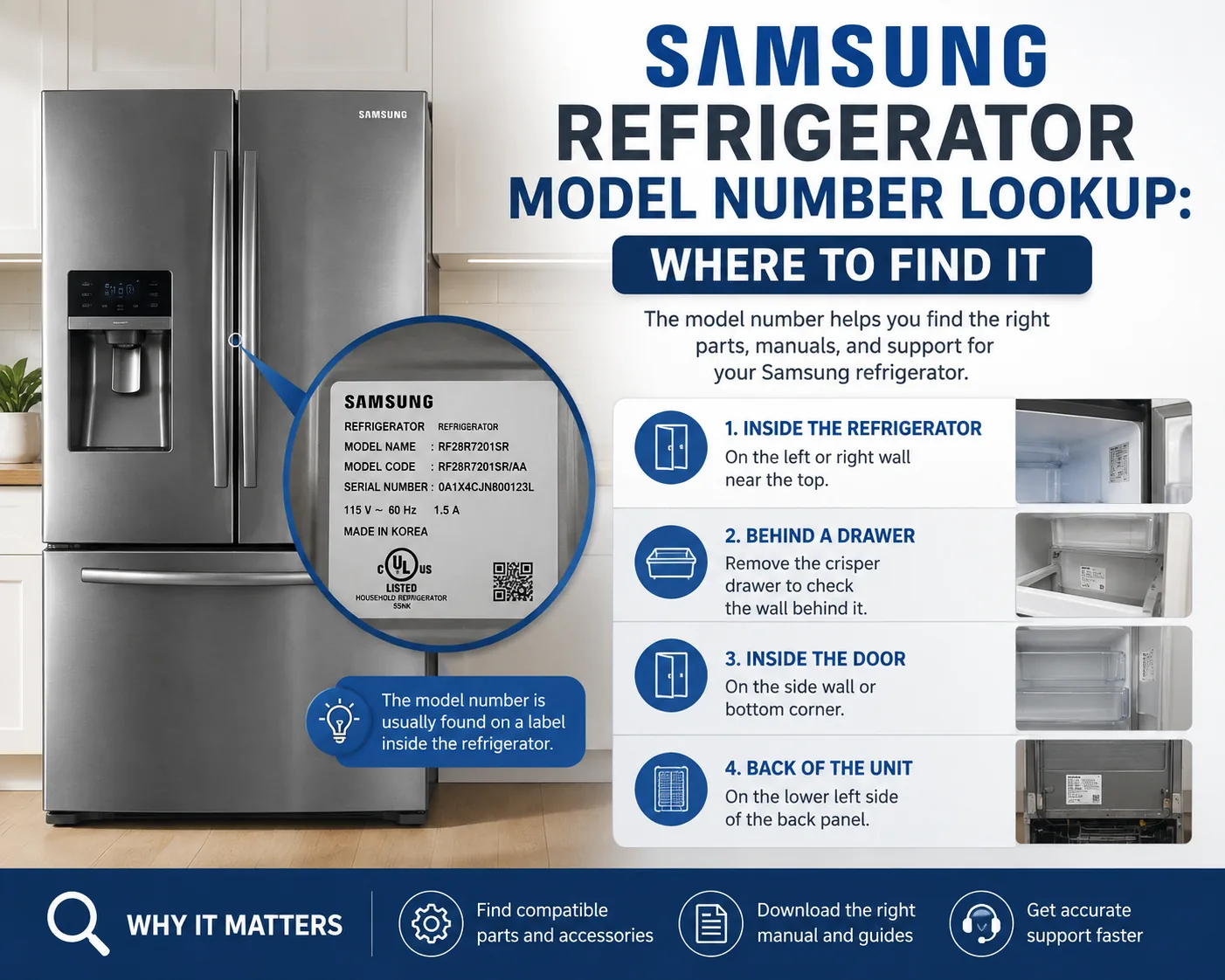
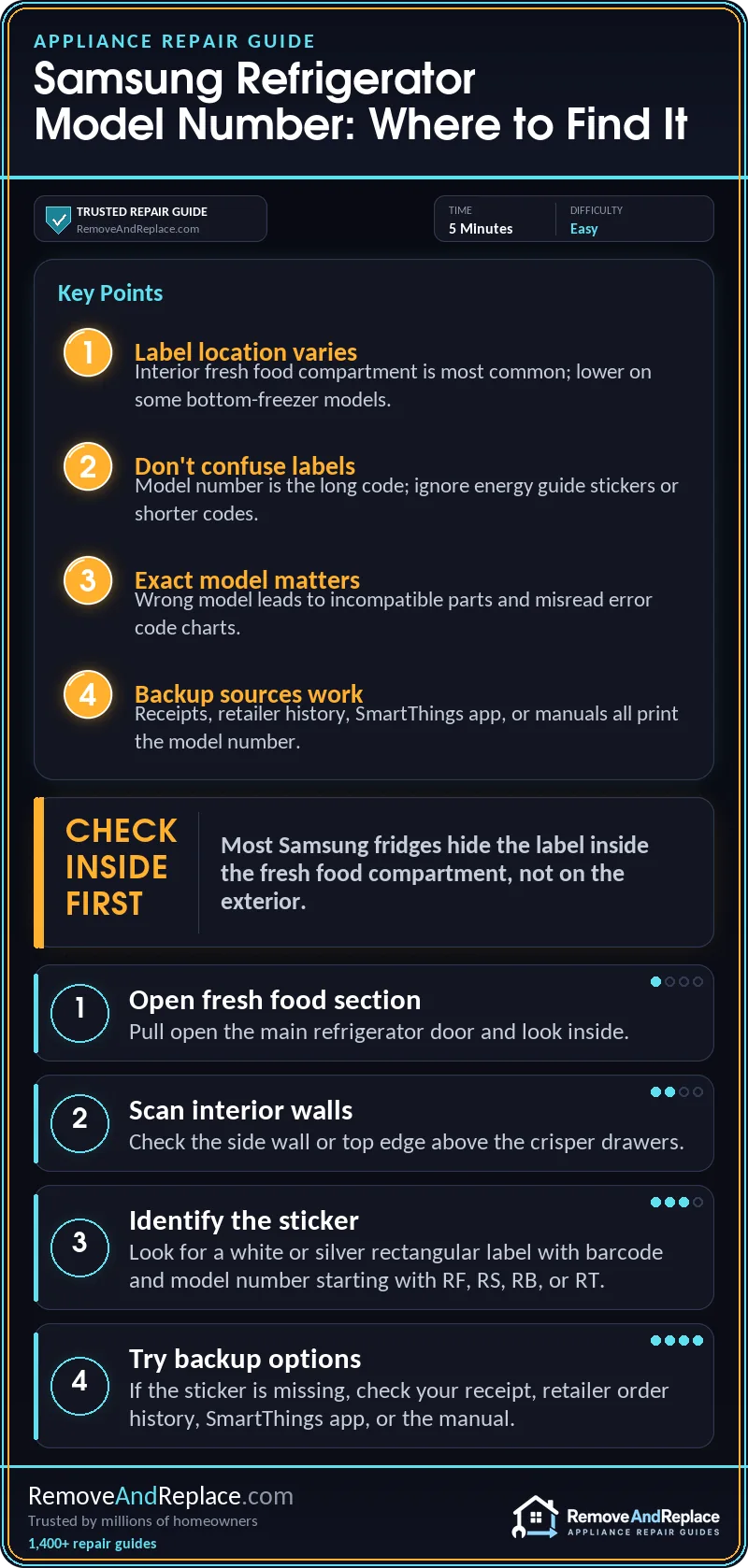
In three decades of pulling appliances apart for a living, I’ve learned that manufacturers rarely put the label where common sense says it should go, and Samsung is no exception. On most French door and side-by-side models, the sticker with the refrigerator model number is inside the fresh food compartment, usually on the interior side wall or along the top edge above the crisper drawers. On some bottom-freezer models, it’s mounted on the wall of the fresh food section too, but lower down near the bin rails.
If you’re pulling drawers out to get a clear look, it’s also a decent moment to check the ice maker area while you’re in there — this is the same general zone people end up inspecting when the auger motor runs but no ice actually dispenses.
What the Label Looks Like
The label itself is a white or silver rectangular sticker, usually with a barcode, and it lists both the model number and the serial number stacked close together. Samsung model numbers typically start with letters like RF, RS, RB, or RT depending on the fridge style, followed by a string of numbers and letters — something like RF28R7351SG. Don’t confuse this with the shorter code sometimes printed on a separate energy guide sticker; that’s not the same thing, and parts lookups will reject it.
Samsung’s own support page has a walkthrough with photos for different door styles if the sticker location on your unit doesn’t match what I’ve described here — worth a look at Samsung’s official model/serial number guide for your exact configuration.
Other Places to Check If the Sticker Is Missing or Worn
Labels do wear off, get peeled during a move, or end up covered in grease near the hinge area over the years. If that’s happened to yours, a few backup options usually work:
- Check the original purchase receipt or the box, if either is still around.
- Look up the order history on the retailer’s website if you bought it online.
- Check the SmartThings app if the fridge is WiFi-connected — registered appliances often show the model number under the device settings.
- Pull up the manual, if you still have it, since Samsung usually prints the model number on the cover page.
PartSelect also has a general breakdown of where refrigerator labels tend to hide across brands, which is useful if you’re not 100% sure you’re even looking at a genuine Samsung unit versus a rebadged one — see their refrigerator model number lookup guide for reference photos.
Why the Exact Model Number Matters
I get why this feels like a minor detail, but the exact refrigerator model number is what determines which parts, filters, and even which error code charts apply to your unit. Samsung reuses very similar part numbers across model families, and ordering the wrong water filter or door bin because two model numbers looked “close enough” is one of the more common mistakes I see. It also matters if the fridge starts throwing a fault code — for example, if the display starts flashing 88 or 8E, the exact model tells you whether that’s a communication fault or a sensor issue, which is covered in more detail in this piece on Samsung fridge 88 or 8E error codes.
The same goes for troubleshooting the blue indicator light some Samsung models have near the water dispenser — people assume it means the same thing across every model, but it doesn’t, and knowing your exact model number is the fastest way to confirm what the blue plug light is actually telling you.
A Few Things to Double-Check Before Ordering Parts
Once you’ve got the number, take a photo of the label with your phone before you close the fridge back up — you’ll likely need to reference it more than once if you’re ordering a part, filing a warranty claim, or troubleshooting something like the ice maker not making ice at all. In my experience, having that photo saved saves a second trip back to the kitchen every single time. PartSelect also keeps a running list of the more confusing model number questions people run into, which is a decent resource if your label has extra codes or suffixes you don’t recognize — see their model number FAQ page for that.
If your fridge is also making unusual noises on top of whatever sent you looking for the model number, that’s a separate issue worth chasing down on its own — a lot of the same diagnostic logic that applies to a Whirlpool refrigerator making loud noise carries over to Samsung units mechanically, even though the parts themselves aren’t interchangeable.
And if the actual reason you went digging for the model number in the first place was a dead ice maker, it’s worth reading through the more complete rundown on Samsung refrigerator ice maker not working once you’ve got your exact model confirmed, since the fix often depends on which generation of ice maker assembly your specific model shipped with.

Written by Keith Schneerer
Certified Appliance Tech · Founder, RemoveAndReplace.com
Keith has spent 30+ years repairing machines, starting as a military mechanic and later maintaining food processing equipment before moving into appliance repair. He founded RemoveAndReplace.com to share field-tested repair advice.
More about Keith →