When a microwave stops working completely, the cause is usually one of five parts: a failed door interlock switch, a blown thermal fuse, a bad power cord or outlet, a failed high-voltage capacitor or diode, or — least often — the control board. Most of these are $10-$40 parts and a 20-45 minute repair, not a reason to replace the unit.
Before You Start
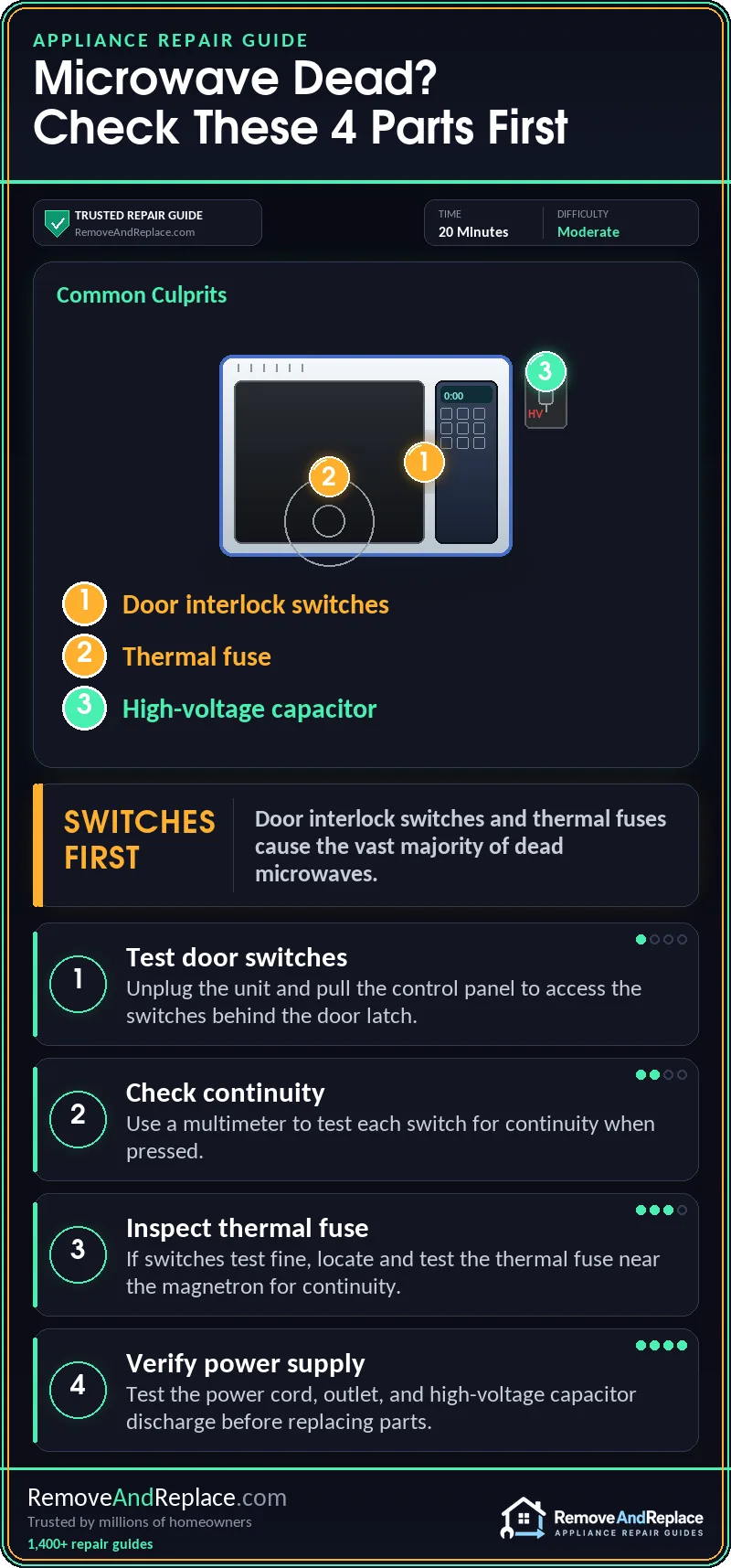
- Door switches and thermal fuses cause the vast majority of dead microwaves, and both are inexpensive fixes.
- A humming sound with no heat points to the capacitor or diode, not the fuse — that’s a different repair entirely.
- The high-voltage capacitor can hold a dangerous charge even after unplugging the unit — don’t skip the discharge step.
- If the microwave is older and the control board turns out to be the problem, a new unit is usually the smarter move.
After nine years of hands-on commercial food service equipment repair, here’s what I’ve found is actually happening inside that box on your counter. A microwave doesn’t heat food directly. It uses a high-voltage transformer, a capacitor, and a diode to step your household 120 volts up to around 4,000 volts. That power feeds the magnetron, which generates the microwaves themselves. Around all of that sits a set of safety switches on the door, a thermal fuse to prevent overheating, and a control board tying it all together. When any one link in that chain fails, the whole unit goes dead — no light, no turntable, no hum, nothing. I treat microwaves like anything else with a power chain: start at the switches, then work your way in.
Everyone assumes a dead microwave means a fried control board or a burned-out magnetron. In my experience that’s rarely it — those two parts are actually the least common failure point, not the most likely one.
| Cause | Likelihood | Fix Cost | DIY Time |
|---|---|---|---|
| Door interlock switches | Very common | $8-20 | 20-30 min |
| Blown thermal fuse | Common | $6-15 | 15-20 min |
| Power cord or outlet | Occasional | Free-$15 | 10 min |
| High-voltage capacitor or diode | Less common | $15-40 | 45-60 min |
| Control board | Rare | $80-200 | 60+ min |
Why Did My Microwave Suddenly Stop Working?
When a microwave stops working completely — no display, no light, no hum — I always check the door interlock switches first. In my experience, they cause more dead microwaves than anything else on this list. Most countertop and over-the-range microwaves use two or three switches wired in series behind the door latch. These switches cut all power the instant the door isn’t fully closed and locked. Over years of use, the little plastic actuator tabs wear down. Or the switch contacts pit and stop making a clean connection. You’ll often notice the door doesn’t feel as snug as it used to. Sometimes you have to push it harder than you remember just to get the unit to start. I’ve seen this wear show up especially fast on older GE and Panasonic over-the-range units, where the latch takes a beating from daily use. The fix is a straightforward swap. Unplug the unit, pull the control panel, and test each switch with a multimeter for continuity when pressed. Replacement switches run $8-20, and the job takes 20-30 minutes once you’re past the panel screws.
If you’re also hearing a grinding or clicking noise before the unit went dead, that’s usually a different issue. I’d start with what parts cause a noisy microwave for that particular fix.
The Thermal Fuse Cuts Power With No Warning
If the door switches test fine and the microwave is still completely dead, I move on to the thermal fuse next. It’s a close second on my list of usual suspects. This little fuse sits near the magnetron or in the exhaust duct. It’s designed to blow if the unit overheats — usually from blocked vents, a struggling magnetron, or years of grease buildup restricting airflow. Once it blows, it doesn’t reset itself. The whole microwave goes silent, with the same symptoms as a bad switch. Test it with a multimeter for continuity. If it shows open, that’s your answer. Fuses run $6-15 and take maybe 15-20 minutes to swap once you’ve found it, usually behind a metal cover near the magnetron housing. I never just replace the fuse and walk away, though. If something else caused it to overheat in the first place — like a grease-clogged vent — you’ll blow another one within weeks.
This is closely related to a microwave that shuts off two or three seconds after starting. I’d point you to that guide too — same door switch and fuse suspects, just a different symptom to watch for. I also like this walkthrough on microwave-combo units if yours is built into a range.
Is the Outlet or the Power Cord the Actual Problem?
Before you pull the microwave away from the wall and start taking anything apart, plug a lamp or phone charger into that same outlet. If nothing powers up, the outlet itself is dead. Check the breaker panel and any GFCI reset buttons in the kitchen first. In my experience, outlets on a shared kitchen circuit trip more often than people expect, especially if a toaster or coffee maker shares the same line. Reset the breaker and test the outlet again. If it’s still dead, have an electrician look at the circuit rather than assuming the microwave itself failed. On the appliance side, a frayed or kinked power cord can also cause this. I always inspect the cord for scorch marks or a faint burnt-plastic smell near the plug, especially on units that get shoved back against the wall repeatedly.
For a broader rundown of failure points, I like RepairClinic’s guide on microwave failures, which covers similar ground.
The High-Voltage Capacitor and Diode Can Fail Silently
When you plug the microwave in and hear a hum but get no heat, that’s usually the capacitor or diode — not the fuse or switches. This is where I’d stop and think hard about whether it’s a DIY repair. A common mistake: people grab a multimeter and start poking around the capacitor terminals with the unit still plugged in, or right after unplugging it, assuming it’s already safe. I’d never do that. A microwave capacitor can hold a charge well over 2,000 volts, even after being unplugged for hours. That’s enough to send a serious shock through your hand if you touch the wrong terminal. Discharge it properly first. Use an insulated screwdriver to bridge the terminals, or better, a discharge tool with a resistor built in, before you touch anything else in that compartment.
Always unplug the microwave and discharge the high-voltage capacitor before touching any components near the magnetron. The capacitor can hold a lethal charge even with the unit unplugged for hours. If you’re not comfortable with this step, hand it off to a professional.
If the issue is specifically a lack of heat rather than a completely dead unit, I’d send you to PartSelect’s no-heat troubleshooting guide, which walks through the same capacitor and diode checks in more detail.
The Control Board Is the Least Likely Culprit
The control board gets blamed first and deserves the blame last. In my experience, it’s the least common cause of a microwave that won’t power on at all. It’s a sealed, low-stress component. It just doesn’t fail as often as switches, fuses, or capacitors, which deal with constant mechanical wear or high voltage. When it does fail, you might see a blank display with no response to any button. Or you might hear relays clicking randomly with no other symptoms. Boards run $80-200 depending on the model. I always run the numbers for people before they buy one: by the time you factor in a new board plus your own time, you’re often close to the cost of a new microwave entirely.
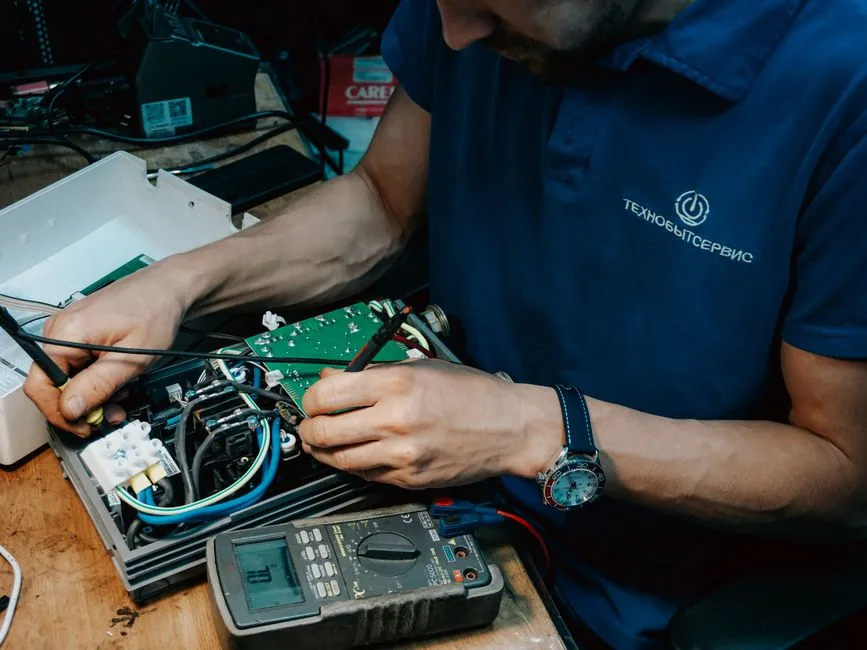
Door switches, thermal fuses, and even the power cord are repairs you can reasonably do yourself with basic tools. Parts run $6-20, while a service call for the same fix typically runs $150-250 once you add the technician’s time. The capacitor and diode are a different story. Parts are cheap ($15-40), but if you’re not confident discharging a high-voltage capacitor safely, the $75-125 diagnostic fee for a professional visit is money well spent. And if it turns out to be the control board on an older unit, a new microwave for $150-300 usually makes more sense than an $80-200 board plus labor.
How to Keep This From Happening Again
Most of what kills a microwave early is preventable. I always tell people to wipe down the door seal and latch area every few weeks so grease and grime don’t build up on the switch actuators. That buildup is a big part of why door switches wear out early. Clean the vents and the area around the magnetron housing every couple of months so airflow stays steady. This matters especially over a range, where grease from cooking below collects on the intake vents faster than most people realize. And don’t slam the door. It’s a small habit, but it’s one of the biggest reasons those interlock switches wear out ahead of schedule.
In my experience, most of the time a microwave stops working because of a $10 switch, not a fried board. That’s what I check first, and that’s usually where the trail ends. Twenty minutes with a screwdriver usually gets you back in business.
Frequently Asked Questions
Why did my microwave stop working with no warning at all?
In my experience, a sudden total failure — no lights, no turntable, no hum, nothing at all — points to the door switches or thermal fuse first. If the microwave still hums when you start it but doesn’t heat, that’s usually the capacitor or diode, and that failure tends to show up just as suddenly, not as a slow decline.
Can I test the door switches myself without special tools?
Yes — a basic multimeter set to continuity mode is all you need. I’d unplug the unit, remove the control panel, and press each switch by hand while testing for continuity; a switch that doesn’t click cleanly or show continuity is bad.
Is it safe to open a microwave and check the fuse myself?
I’d say yes, as long as you unplug it first and stay away from the capacitor entirely. The thermal fuse itself carries no charge once the unit’s unplugged, and it’s usually just a couple of screws away from the magnetron housing.
How do I know if it’s the capacitor and not the fuse?
A blown fuse means totally dead — no hum, no lights, nothing at all. A bad capacitor or diode usually still hums when you start a cycle; you just don’t get any heat. I always listen for that hum without heat — it’s the tell.
Is it worth repairing an older microwave instead of replacing it?
If the fix is a switch or fuse, I’d repair it every time — those are cheap parts and quick jobs. Past that, especially with a control board or magnetron problem, just invest in a new microwave instead.

Written by Keith Schneerer
Certified Appliance Tech · Founder, RemoveAndReplace.com
Keith has spent 30+ years repairing machines, starting as a military mechanic and later maintaining food processing equipment before moving into appliance repair. He founded RemoveAndReplace.com to share field-tested repair advice.
More about Keith →