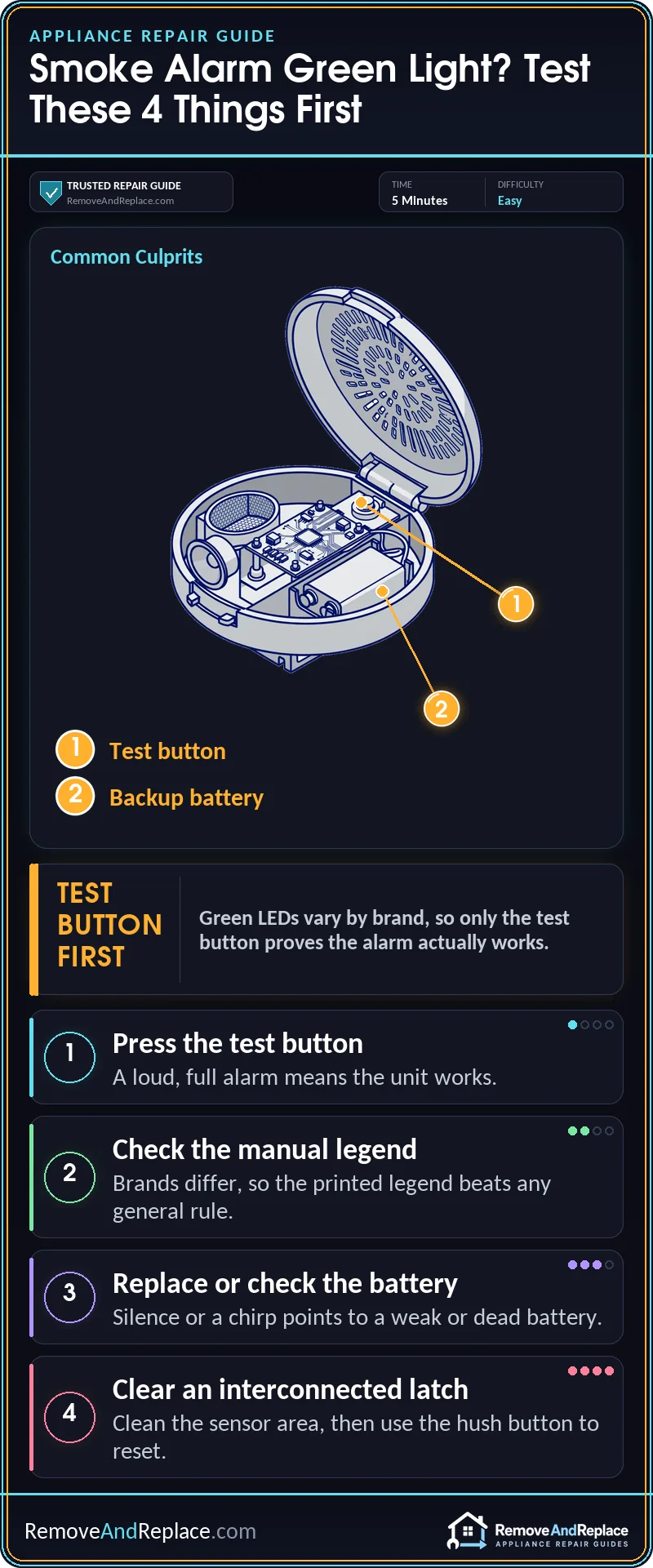
Most green lights on a smoke alarm are status signals, not faults. Press the test button first. A loud, full alarm means the horn and sensor work. Silence, a weak sound, or a chirp points to the battery or a failed unit. Brands assign green differently, so the manual’s legend has the final word.
Before you start
- Your manual’s legend beats any general rule, because brands disagree on what green means.
- A light that changes state (flashing to solid, or the reverse) tells you more than either state alone.
- Green never proves the sensor works. Only the test button does.
What is a green light on a smoke alarm actually telling you?
Inside the alarm, a small circuit board watches the power source and the sensing chamber, and the green LED reports that board’s status. Some designs blink it periodically to show the unit has power and is standing by. Others hold it steady to show AC power is connected. Because brands differ, the same color can mean different things on different models. A green light shows the board has power. It does not show that the sensing chamber is clean or that the horn works. My background includes 19 years in U.S. Air Force aircraft maintenance.
For the standard LED meanings across common alarms, this LED indication guide is a useful companion to what follows.
Safety first. Before you touch a hardwired alarm, switch off its circuit at the breaker or panel, then twist it off the bracket or disconnect the wiring. Battery-only units need no breaker, but still take them down gently.
The likely causes, ranked from most to least likely:
- A normal status blink.
- A steady green power light.
- A latched “I detected smoke” flash on an interconnected system.
- A light that changed state after a battery swap or reset.
- A green light sitting on a unit that has quietly failed.
If you want to see the blink pattern and the test in action, this walkthrough covers what a green blink means and what to do about it:
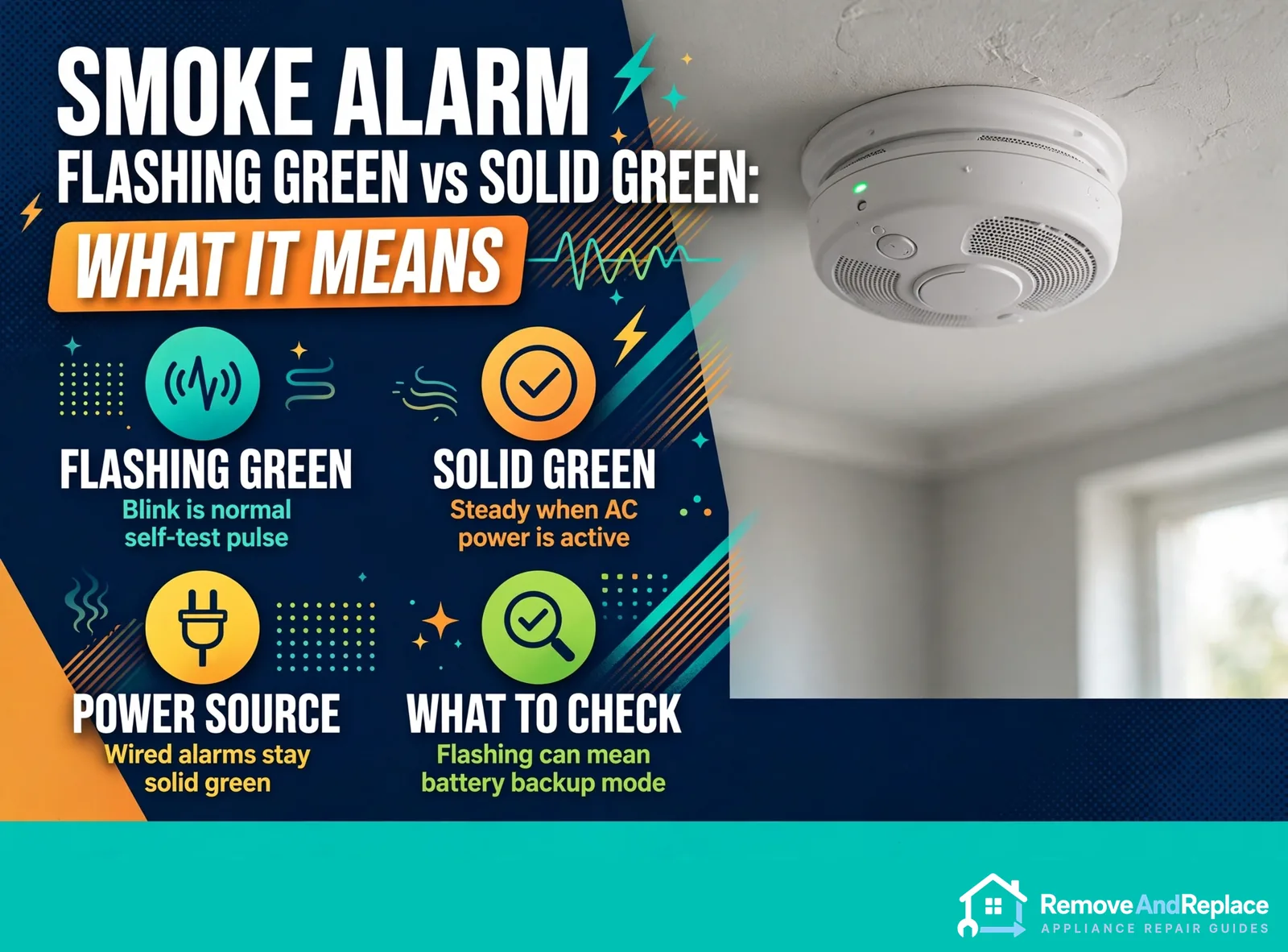
A flashing green light that’s just the normal standby blink
What you’ll see: a green LED that pulses every so often, with no beeping and no other color. What’s happening: on many alarms, that blink is the unit confirming it has power and is monitoring. Whether yours does this at all is brand-specific, so check the legend printed in the manual or on the back of the alarm.
What to do:
- Press the test button.
- Listen for a loud, full alarm.
- If you get one, leave the unit alone.
X-Sense publishes a blinking green explainer for its own models, and it shows how much a single brand’s meaning can differ from the next one’s.
Solid green on a hardwired alarm
What you’ll see: a steady green LED that never blinks. What’s happening: on a lot of hardwired alarms, solid green means the unit is getting house power, and the battery inside is just backup. What to do: nothing, as long as the test button gives a proper alarm.
If the solid light goes dark during a power outage and the unit then chirps, the backup battery is likely weak or missing. A chirp every so often is a separate signal from the LED, and this hardwired chirping guide walks through it.
Why is only one alarm flashing green on an interconnected system?
What you’ll see: several linked alarms went off earlier, the noise stopped, and now one unit is flashing green while the others look normal. What’s happening: some interconnected hardwired models latch a flash on the unit that first sensed smoke, so you can tell which one started it. Not every brand does this, and the exact wording varies.
What to do:
- Look at that unit’s area for steam, cooking smoke, or dust.
- Use the test or hush button as the manual describes to clear the latch.
- If it keeps coming back, read this interconnected-system troubleshooting guide to isolate the unit causing it.
A flash that clears and then returns on that same unit usually means that unit sees something the others don’t. Take it down and clean it before you blame the wiring.
When the light changes state after a reset or battery swap
This is the pattern most people never get an answer about. A light that flashes and then goes solid after a battery change often means the unit finished powering up and settled into its normal state. A steady light that starts flashing can mean it picked up a new condition: a latched alarm, a power change, or a self-check result. Flashing green with a few beeps is brand-specific, so match the chirp pattern against your manual rather than guessing.
If the beeping is what’s bugging you, the timing helps narrow it down. This guide on beeps every 20 seconds and the one on every 30 seconds cover the common causes for each pattern.
Common mistake: trusting green as an all-clear
Many people see green, assume the alarm will protect them, and never test it. But the LED only reports that the board has power. A dust-clogged sensing chamber or an aging unit can still show a steady green light while it fails to sound. Another common mistake is pulling the battery from a linked unit and leaving the breaker on, expecting that to silence it. That can leave the system confused rather than fixed.
Green means powered, not protected. Only the test button tells you the alarm will sound.
Before you buy a new alarm
Run one check first, because it’s free. Press and hold the test button until it sounds. Pass: a loud, full alarm from the unit (and from the linked units, if interconnected). Fail: silence, a weak or stuttering sound, or a light that stays dark after you reseat the battery. Then look at the back of the unit for the manufacture or replace-by date, and the model number for finding the right replacement.
Don’t buy a replacement by brand name alone. Hardwired alarms often need a matching model or adapter to connect to the existing wiring, so the label or manual should decide the part, not a guess.
Keeping the green light honest
Test each alarm on a regular schedule, monthly being the usual advice. Gently vacuum the vents with a brush attachment if dust is building up, and swap the backup battery on the interval the manual gives. Write the install date on the unit so you can see its age at a glance.
When to call a pro. Call a licensed electrician if a hardwired alarm shows no power light, if wiring at the bracket looks scorched or loose, or if linked alarms keep setting each other off after you’ve cleaned and tested them. Those are wiring problems, not LED questions.
FAQ
Is flashing green better than solid green?
Neither is better, because each brand assigns its own meaning. On some alarms a blink is the normal standby pulse, and on others steady means AC power is present. Check the legend for your model.
Does smoke alarm flashing green vs solid green mean the battery is low?
Usually not. Low battery is usually signaled by a periodic chirp, typically once every 30 to 60 seconds, and the green light is normally just a power indicator. Some models use a different light pattern for a battery condition, so check your manual. If you hear chirping alongside the light, treat the battery as the first suspect and replace it.
How do I stop one alarm flashing green after the others went quiet?
Check that unit’s area for the source, then press its test or hush button as the manual instructs. If the flash keeps returning on the same unit, clean that unit or replace it. A repeat flash on one unit usually points to that unit’s sensor, not the wiring.
Can I silence a green light by removing the battery?
Not reliably. Hardwired units draw house power, so the light may stay on. If you do open one up, shut off its breaker first.
My alarm flashes green and also beeps. What now?
Count the beeps and the gaps between them, then match that against your manual’s chirp chart. Brands differ on this combination, so a guess can leave you with a dead alarm. The Universal Security Instruments FAQ is a decent reference for how one manufacturer handles it.
How often should I replace a smoke alarm showing green?
A green light doesn’t change the schedule. Replacement timing is set by the manufacture date printed on the back of the unit, and it’s generally due 10 years after that date, or sooner if the manufacturer or a failed test requires it. It isn’t based on the green light or the installation date. Retire any alarm past that date, even if it still looks fine.
A green light is a clue, not a clearance. Press the test button and confirm the alarm sounds before you trust the color.

Written by Keith Schneerer
Certified Appliance Tech · Founder, RemoveAndReplace.com
Keith has spent 30+ years repairing machines, starting as a military mechanic and later maintaining food processing equipment before moving into appliance repair. He founded RemoveAndReplace.com to share field-tested repair advice.
More about Keith →