

My smoke alarm detector has been beeping and chirping every 30 to 45 seconds and I don’t know what to do. This smoke detector will not stop beeping. What is wrong with it and how do I get it to stop? It has kept me up all night with its high pitched beeping. There is no on or off switch. It’s been doing this all night. The apartment maintenance man won’t be available until tomorrow! Do you know how to make it stop beeping?
 Smoke Detector Alarm Keeps Beeping Chirping – How To Reset
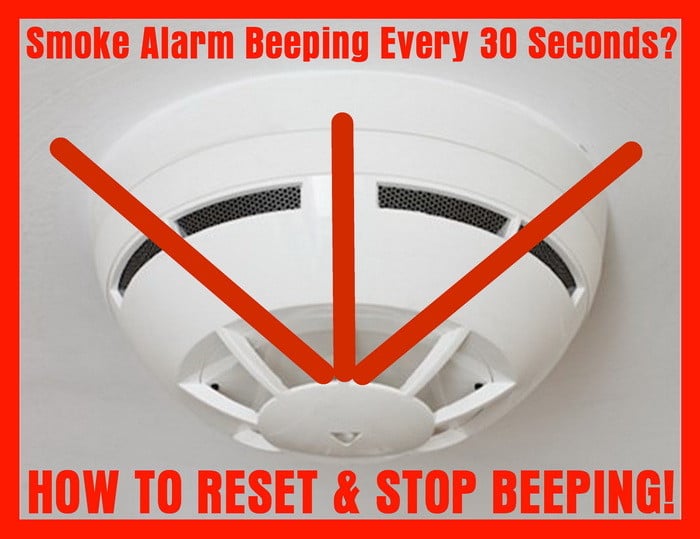
You need to first be sure the smoke alarm is not beeping because of a fire or smoke coming from somewhere! If there is a fire, leave your home immediately and call 911. If there is no fire and your smoke detector beeps every 30 seconds or so, see below.
A smoke detector or smoke alarm in your home or apartment will beep or chirp if the batteries need to be replaced. The smoke alarm will make this noise to alert you that soon the batteries will be completely dead. When you start to hear the beeping or chirping, replace the battery with the exact same type that is in it. This will reset the smoke detector and will make it stop beeping and chirping.
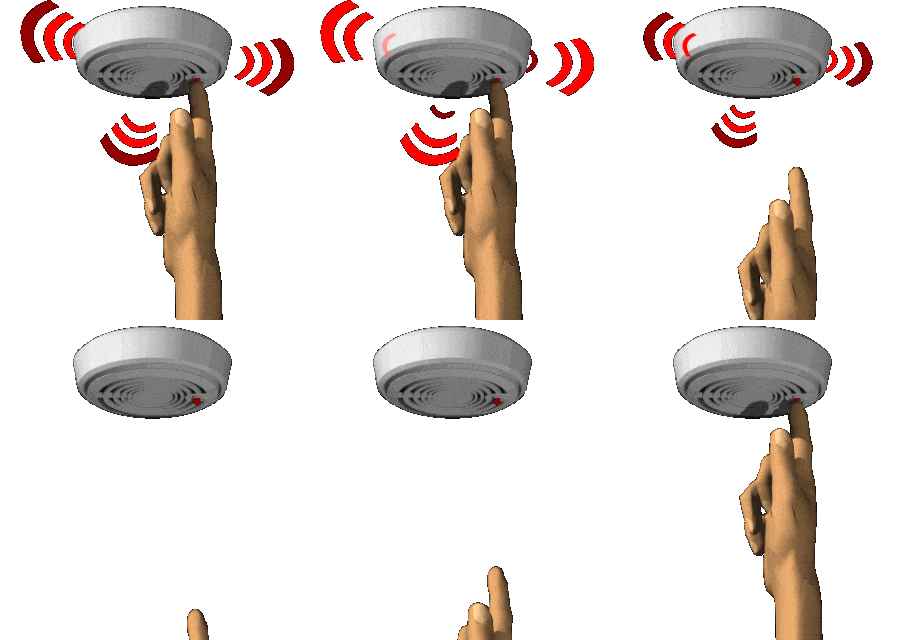 Smoke detector alarm reset / test – Smoke detector beeping
Solution #1 – Your smoke detector needs new batteries. You can twist the detector off the wall or ceiling counterclockwise (or turn to the left and pull to remove). On the back of the smoke detector you will see a battery panel door. Open it and replace the old battery with a new one. The battery is usually a 9 volt battery. Once you add the new 9volt battery, shut the battery door. Test the smoke detector by pressing the test button and make sure it beeps. If it does, you have reset it by putting a new battery in it. Once the new battery is installed and you have tested it with the button, put it back on the wall or ceiling by turning it the opposite way it came off. Your smoke alarm should now be reset and installed properly.
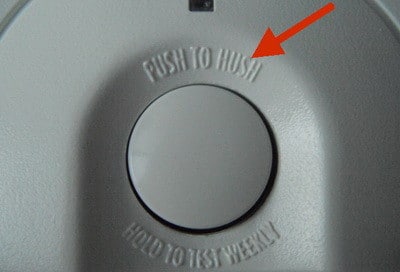 Smoke alarm reset button
Press this button to STOP the beeping or to test your smoke detector
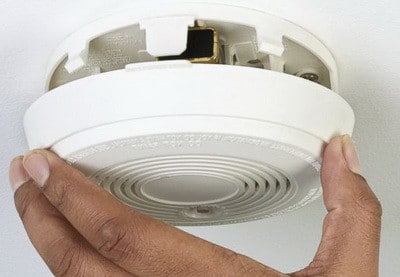 If smoke alarm is beeping replace the battery
Smoke detector removal to replace battery – Twist to the left to remove
This will give you access to replace the 9 volt battery
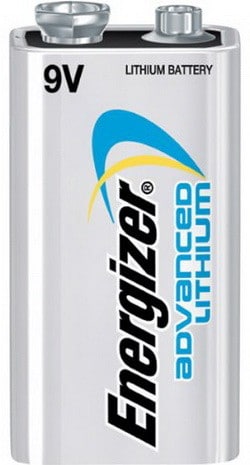 Best smoke detector battery – Lasts long with powerful lithium 9 volt battery!
Solution #2 – Your smoke alarm may be wired into the wall. When they make the “chirp” noise it could be one of two things. Either the power has gone out to your complete home or apartment and your detector is telling you NO POWER, or the battery is dead and needs to be replaced. The smoke alarm has a back-up battery in case the power goes out. If the power has not gone out, then the battery needs to be replaced. To replace the back-up battery in a hard wired smoke alarm, turn off power breaker for safety first, then remove the detector from the wall or ceiling. It may not fully come off as the wires go from the detector to the wall as seen in picture below. Remove the back cover to expose the battery. Remove and replace the back-up battery. After installing the battery, press the test button to see if it beeps. If it does the battery is installed correctly and it is ready to be put back on the wall or ceiling. Reinstall the smoke alarm back on the wall or ceiling, turn power breaker back on (if applicable) and it is all set.
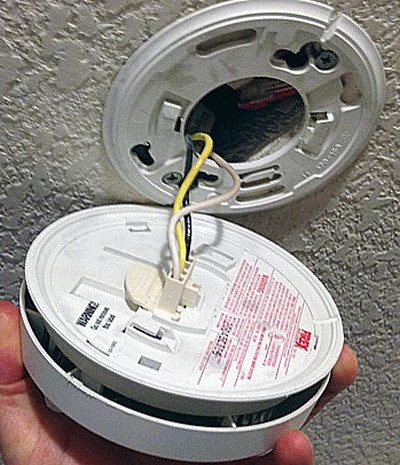 Hard wired smoke detector
Replace back up battery but do not disconnect wires
NOTE: A smoke detector may need to be cleaned. At times, the smoke detector cover can get coated with grease, dirt and dust that needs to be washed off. The dirt and dust on the smoke alarm may trigger it to chirp or beep. Keeping it clean will prevent this from happening. The dirt can restrict airflow and make the smoke detector think it is hot and therefore setting it off to beep.
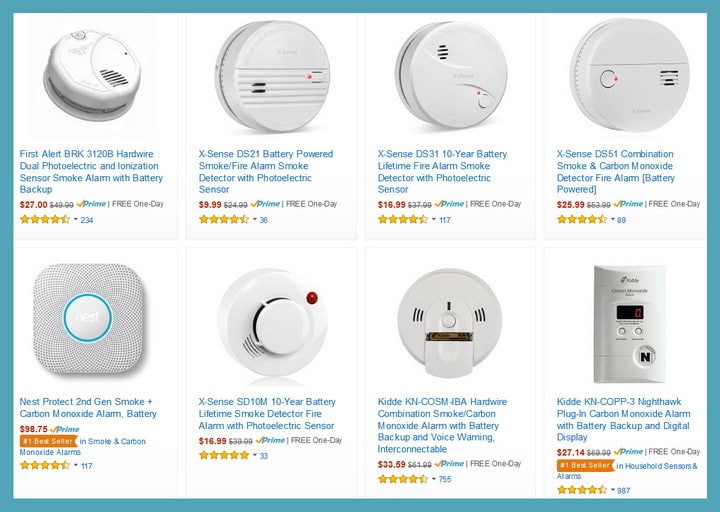 Broken smoke alarm? – Buy a new one!
Most smoke detectors require a certain brand of battery. Check the detector manufacturer requirement for the correct brand of battery. The wrong battery will cause the smoke detector beep and chirp.
How to stop the smoke detector from chirping or beeping
Smoke Detector battery replacement fix chirping or beeping Fire Alarm
How to change out battery on Kidde Firex hardwired smoke detector to stop chirping and beeping fire alarm
How to stop fix a Smoke Alarm chirp beep
This is a Firex brand but this will work on most other brands like Kidde and First Alert as well
Smoke alarm replacement
Step by step instructions for replacing a smoke alarm
Smoke detectors are an important safety feature in any home.
Replace a faulty smoke alarm with a new Kidde Firex smoke alarm. These alarms are interconnected on a single 120V circuit, so as with any electrical work you do around the home be sure to turn of the circuit breaker before making a repair.
Have other suggestions for a smoke detector beeping every 30 seconds and what may cause it? Please leave a comment below.

Clean the face of the detector. Gets dusty. Especially if it is located near an outside door.
Use a damp cloth and wipe the face clean. Replace the battery for sure.
Should work.
A green light should appear on the face plate to denote battery is working.
How do i take the battery out of a FS-MIMI-S smoke alarm it keeps beeping about every 2 minutes
I cut the wires from ceiling and put smoke detector in the garage, still does one chirp every 45 seconds and it can drive you crazy, someone let me know their suggestion please?
The chirping is NOT coming from the detector itself. It is coming from the ceiling where it is wired in. Shut off power. Still beeps. changed batts. Moved to another area. Still beeps. It is almost like there is another alarm inside the ceiling. No I am not nuts yet. Can’t sleep with this and of course it is a weekend.
I have same problem. I would cut electrical wires, but afraid of making it worse.Chirps every 2-3 minutes. shut off breaker. No help. removed the detector completely from the ceiling. driving me crazy. someone help
Mine is beeping every 30 seconds. It is hard-wired, and I have replaced the battery backup. It continues to beep and has a flashing green light.
I tried all of those suggestions that you made above but it still is chirping. Now I even took it off of the wall but revising my question , after I took the hard wired smoke detector off the wall the chirping did stop. I will try cleaning it and reinstalling it again.
Firex 120-10728
Followed the reset process – no success. Switched places with another identical unit located in a different area of our house, switched unit now chirps but original unit no longer chirps. Even with the circuit breaker off, a chirp is still coming from our ceiling. Wiring looks fine but how does it chirp w/o power?
Take the battery and switch it to the opposite end. Close the lit. Problem solved.
I’m having the same problem and cannot figure out why.
Shut off power and took alarm off the ceiling but still beeping every 45 seconds.
Mine is hard wired. We replaced the battery and it still chirps. Help!
Removed smoke alarm from ceiling.
It is hard wired and battery from unit.
Ceiling chirps/shrieks every 3 minutes.
How can we get this to stop?
Same problem here! I’ve replaced every single alarm’s battery and they still chirp.
Annoying…
I have hard wired smoke detectors throughout my house. I have replaced the battery in one of the units 3 times in the past 2 to 3 weeks. The unit continues to chirp after a few days. What else could I do to avoid this
Lili,
If your smoke detector is NOT HARD WIRED it will beep until the 9 volt battery or AA or AAA batteries are completely dead.
If it is constantly beeping, simply replace the battery and it will stop the noise.
If hard wired, you can turn the breaker off to the smoke detector and remove the wires from the smoke detector and cap the wires with wire nuts.
You can then remove the smoke detector if not needed or you have multiple in one area.
We recommend to keep the smoke detector in place and simply replace the battery.
Get cheap 9 volt batteries at the dollar store if you are in the USA.
-RR
I have a smoke detector that keeps beeping intermittently.
How long before it completely stops or will it keep on beeping even though battery is dead.
I don’t want to replace the battery.
This may happen due to battery life and replace the battery. If you need to reset, please follow the above procedure as well.
But, never ignore this beeping sound of the carbon monoxide detector!
Mine too, took it down, took out the battery, pressed the test button to drain it, (ceiling still chirping) replaced battery, reconnected and tested it. Still chirping..
Niki,
Wires do not beep… there may be another smoke detector in the ceiling possibly?
Do you live in a home or an apartment?
-RR
I have a smoke alarm attached to the ceiling hard-wired, and when I remove it from the ceiling, the beeping comes from the ceiling (where there are the wires), and not from the smoke detector itself. Is there anyway I can stop the beeping sound from the ceiling?
Ryan,
Replace both batteries with high quality 9 volt batteries (not the dollar store type) or buy new 15 dollar smoke alarms as some do not last very long.
Your smoke alarms are not hard wired, correct, just 9 volt battery?
-RR
I have 2 smoke alarms in the same room across from each other. The east side one keeps chirping 45 second interval. I replaced the batteries in both. Still beeping in east side one.
I then switched them around to see if the east side was defective but the east side still beeping. The power is on to the unit. What can it be?