If you own a Kindle, Kindle Fire or Kindle Fire HD, you probably already realize that it does not come with an adapter plug for the wall. When purchased brand new from the manufacturer it only gets shipped to you with the USB cable to charge it by connecting it to a USB port on your PC. 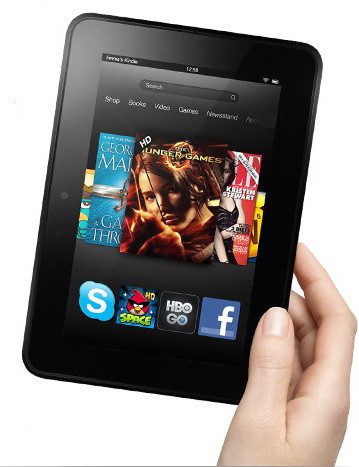
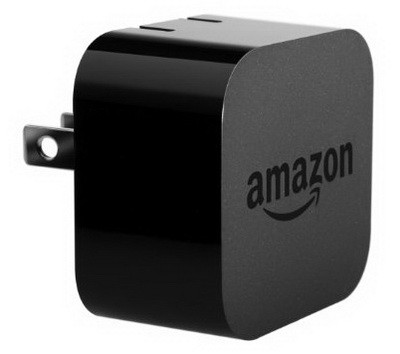
REMEMBER – You cannot efficiently use your Kindle Tablet while charging via USB because it’s using more power than you are supplying to it. If charging your Kindle by USB is not charging fast enough, then you will have to purchase a separate power adapter. You may try using your Smartphone charger and see if that works. There is no risk of overcharging it as an iPhones charger wattage or amp rating is always lower than tablets. However you can purchase a genuine Kindle Charger (it will charge a Kindle Fire HD in under 4 hours while charging from a PC can take up to 12 hours) and you will be able to use it with any Kindle device.
 There is no charging light indicator on the Kindle Fire HD because of all the issues that the kindle fire had. Amazon decided to not include it in the new Kindle Fire HD because of this issue. You can still check and make sure the battery is charging by looking at the battery indicator at the top right.
Buy a “Kindle Approved Charger” and make sure the specs are AT LEAST 5V / 1.8Amps. This would be known as an “Accelerated Boost Charger“. So make sure the charger is 1.8 amps or higher.
Another suggestion would be to buy a “USB Power Outlet” at Home Depot or Lowes and use that with your supplied USB cable.
Remember if your Kindle is older and you use it all the time, then that could indicate a faulty battery that needs to be replaced.

Written by Keith Schneerer
Certified Appliance Tech · Founder, RemoveAndReplace.com
Keith has spent 30+ years repairing machines, starting as a military mechanic and later maintaining food processing equipment before moving into appliance repair. He founded RemoveAndReplace.com to share field-tested repair advice.
More about Keith →

Be’onssa,
If the USB plug going to your Kindle is only charging if you hold it a certain way, either the USB cord is damaged, or the USB input on the Kindle is damaged or may have something stuck in it. Check the USB cord for damage and try another USB cord. See if the USB input on the Kindle has anything that may be inside of it making the USB cord not connect properly. Use a toothpick to remove lint, etc… If nothing is jammed in there, you probably have a damaged USB input on the Kindle itself and you will have to either fix it, use the USB charging cord a certain way, or replace your Kindle.
-RR