Tired of spending too much money on your Satellite TV bill? Well for around $50 you can purchase and easily install an HDTV Antenna that will give you quality HD TV programming. Of course you will not get as many channels as before using DirecTV, but there are hundreds of channels available broadcast into the airwaves for free from the stations you already know and love. This is a tutorial for most people who can no longer afford the cost of satellite television. Cancelling DirecTV or Dish Network will save you from $75 to $300 dollars a month. Admit it, most of the channels that you are paying your hard earned dollars for are completely worthless. Cancel the service, buy an HD Antenna, and get Netflix. You will not miss most of the TV you watch and you will be saving mountains of money per year. So ditch the monthly bill and follow our tutorial below for saving your money…
Step 1: CANCEL SATELLITE TELEVISION
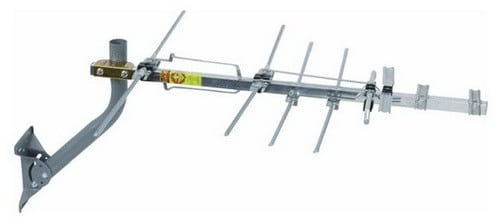 Step 2: Buy an HD (High Definition) Television Antenna.
Here is the HDTV Antenna we purchased from Amazon for around $50 dollars.
(You may also need a coax cable splitter, antenna amplifier signal booster, or new coax cable)
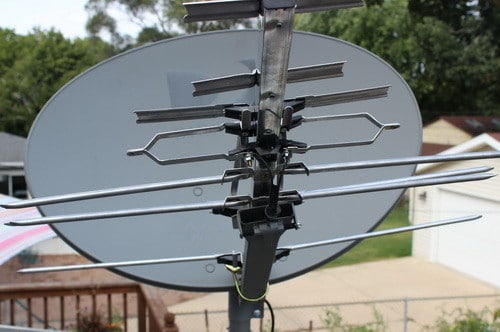 Step 3: Remove the cone and place the HD Antenna on your existing Satellite Dish.
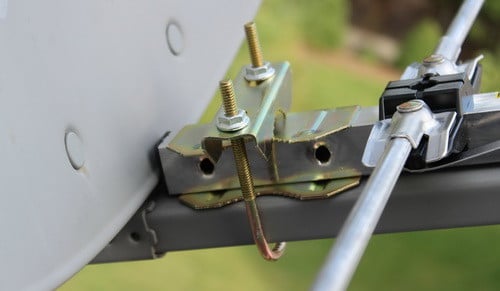 Step 4: Install the U-bolt that is included with the antenna and secure it tightly in place.
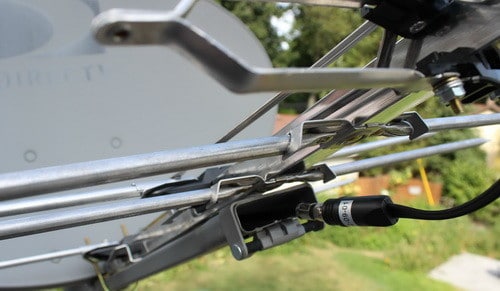 Step 5: Connect the already existing coaxial cable to the HD Antenna.
(The cable is already going from your TV from the dish, so just disconnect and re-attach to the hd antenna)
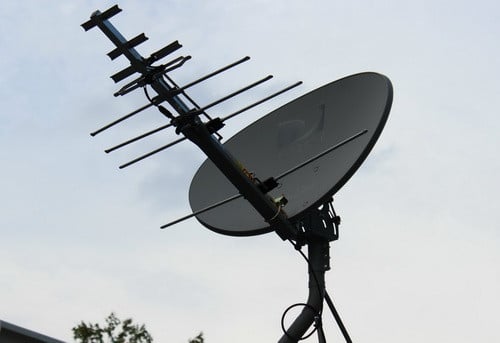 Step 6: Check all connections to make sure everything is secure and tight.
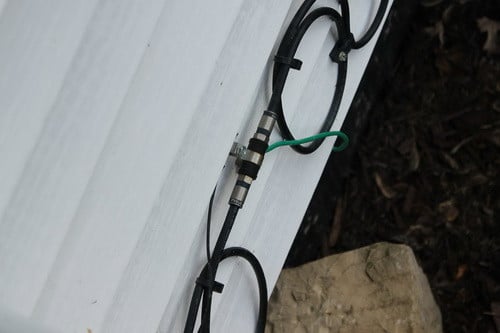 Step 7: There should already be a coaxial cable going into your home from the roof.
If it was disconnected then look along the side of your home for a connection like this and plug back in.
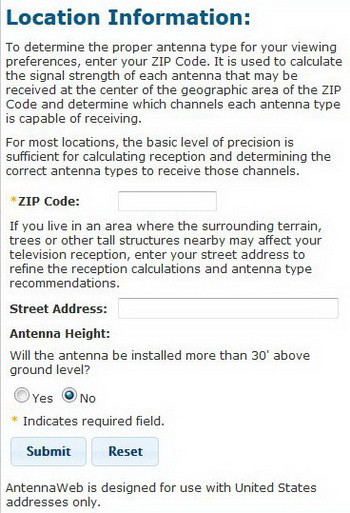 Step 8: The next process involves finding out which direction in the sky your local channels are in.
You will need to point your antenna in a certain direction for best reception depending on where you live.
Go to Antenna Web, FCC DTV MAPS, or Antenna Point and type in your info to find out which way to point your HDTV antenna.
Once you have the correct direction located, point your antenna/dish in that direction.
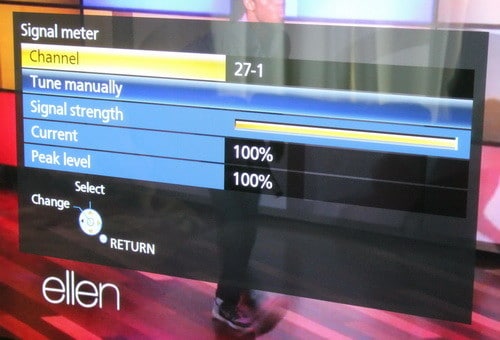 Step 9: Turn on your TV and set it to “Antenna” and let it “Find” the available free stations.
Then check the signal meter to see if it is strong.
If all is good you are done! Free HDTV!
HDTV That is broadcast free is from 720p to 1080p HD quality!
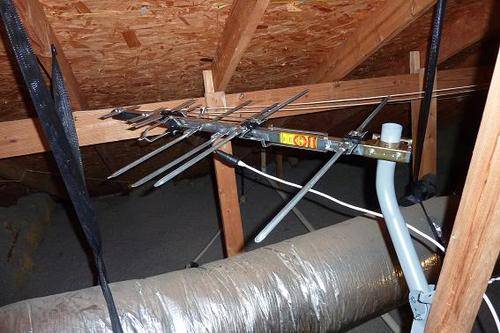 Of course you do not need an old dish to install a new HD Antenna.
You can install one in your attic too if you desire.
But remember that HDTV Antennas work best when attached to a roof and there are no obstructions.
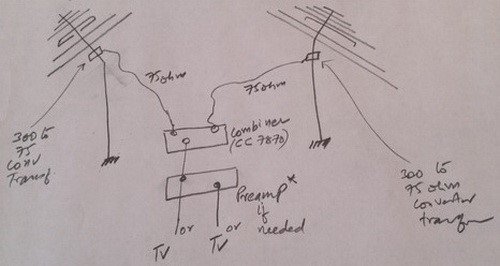 Here is a small chart for “how to connect and combine signals from 2 antennas facing different directions” if needed.

Written by Keith Schneerer
Certified Appliance Tech · Founder, RemoveAndReplace.com
Keith has spent 30+ years repairing machines, starting as a military mechanic and later maintaining food processing equipment before moving into appliance repair. He founded RemoveAndReplace.com to share field-tested repair advice.
More about Keith →


Dave,
55 miles is quite a distance. Buy an antenna that has a 75 to 100 mile range. That way you should have no issues.
-RR
The antenna looks great. I live approximately 55 miles from transmission towers and was wondering – will I have much luck pulling those signals with this antenna or should I invest in making/buying a larger one?
Theresa,
Replace the DIRECTV-Single multi switch with something like this:
Bi-Directional-Amplifier-Splitter-Booster-Passive
This is what I bought. Your antenna may not like to be split with splitters that are non- amplified. Every time you split a signal you will have signal lost. If you live close enough and are receiving strong signals from your TV towers you can generally split using a regular splitter to- 2 TVs at most without pre-amplification. In your case (and mines as well-just did this about 3 weeks ago) you will need an amplified splitter or pre-amp to compensate signal loss for your splits. I have the item in the link above hooked up on 5 TVs and our picture quality is excellent on all TV’s. I live about 35 miles away from our towers. I also have the same antenna the OP referenced, but splitting your signal is all the same regardless of brand. Be sure to place this unit as close to the antenna line in as possible, I would say no more than 20 feet or so(keep line- in as short as possible).
So basically I have:
1) Antenna on the roof- mounted on old satellite mask with a single line going into my attic
2) The single coax line (about 8 feet) feeding into the amplified splitter (“in” on box) in the attic bolted to one of the rafters
3) I had coax runs where DIRECTV had 2 coax lines feeding into one room when they where using the dual tuner DVRs that required 2 separate lines. Being that I only need one line for the TV in our master bedroom, I used the additional line to power the unit. The unit receives it power via coax so I took the end of the unused cable, plugged it into the adapter and into the wall. Then you take that cable and plug it into the “power” section on the amplified splitter. The splitters led will light up when it has power.
4) The splitter is located in the same place the DIRECTV Splitter-Swim unit was hooked up. So all the lines to all my rooms are already there. At this point you just connect all the lines you want for each room into the “out” ports.
(If you decide to go the preamp route you would just need to get power to the preamp and use a regular non amplified splitter.)
Hope this helps.
Thanks for the response. I figured it out. When I followed the cords from the DirectTV dish under the house, I found the wires had been cut altogether from my system. I couldn’t get into the Cable junction box on the outside of the house (I’m assuming because I currently have internet and they didn’t want me adding something), so I ran the cut directtv cord right below the spot where the tv is located. I cut the cord from the wall and connected the direct tv cord to the wall.
I had direct TV. It was set up to operate 4 TVs. On the satellite the LNB had 4 connectors. These cables are connected at the bottom of another box (16 Channel SWM) (go here if you want to see what the box looks like: DIRECTV-Single Multi Switch Channel which is connected to the side of the house. On the other side 2 more cables that indicate swm are attached on one side. No cables are attached on the opposite side. It says Legacy. My question is where do I connect my outdoor antenna (It’s a Taotronic and I’ve read it doesn’t like splitters) so I can have the option of sending that signal to all the TVs in the house. I’ve read the above comments but don’t see an obvious answer to my problem.
Richard,
Usually DirectTV will not use the same coax as your cable internet company. Should be separate if there are 2 companies involved. If they are “Sharing” the same coax, buy new coax cable and use that one for the TV.
-RR
I currently have cable internet and a flat antenna behind the TV. The previous owner of the house left me a direct TV satellite in the back yard, so I’m going to try this idea to see it it improves my signal. My one worry, however, is reconnecting the direct tv cord will interrupt my cable internet since the signal travels through the same coaxial cables through the house. Will I have to run a second coaxial with the antenna signal behind my tv?