How to repair an LCD flat screen TV that won’t turn on? I have a 55″ inch flat screen TV that is not working properly and would like to repair it. The TV works but I think maybe a board or a cap inside is bad. Can you give me some advice as to what may be the issue? I will explain what I have found so far. TV has power and it stays on standby just fine, the red light turns on when plugged in but no turned ON. Once turned ON, the light turns orange for a few seconds and then it goes to the ON green light. Sometimes it starts going only to orange but then back to the standby red light. The TV will work but only after turning it ON and OFF like 15 to 40 times. Do you think the power board or power supply is going bad therefore the TV will not turn on properly? Any help is appreciated.
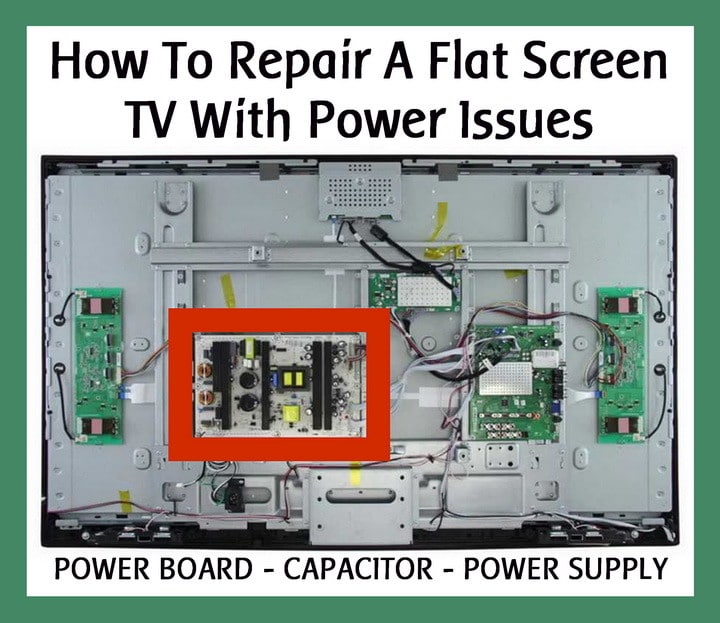 How To Repair An LCD Flat Screen TV With Power Issues
 We have seen many large flat screen TVs do this. It is usually one or more bad capacitors on the power board.
- A cap is a few bucks and easy to replace if you can desolder and solder.
- You need to identify the bad capacitor.
- The bad cap will look buldged out or extra fat and deformed.
- The small cross on the top of the cap usually splits when they go bad.
- (This is because of a chemical reaction in the capacitor that expands therefore leading to the buldging.)
- Find the bad cap and replace it.
UNPLUG THE TV FIRST… Then open the TV case carefully and gently. Gain access to the inside of the TV so you can see all the boards inside. Look at the capacitors on the power board for any signs of buldging. If you see no buldging caps then you may need to just replace the complete power board which are not expensive.
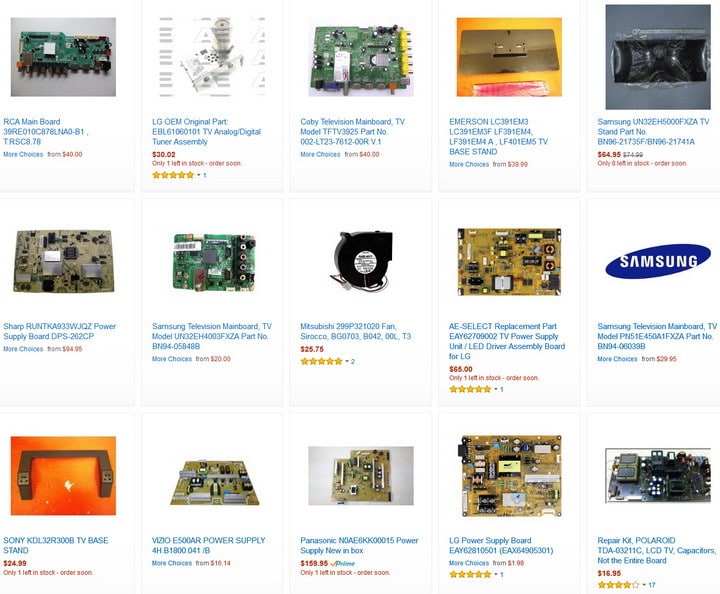 LCD LED TV Repair power boards
At times, caps don’t always bulge out & you cannot measure capacitance with a regular volt meter. You COULD order all the electrolytic capacitors you need for the TV power board. This would be time consuming and might not even work. A new power board would make the most sense. Need to find a special part for your LCD or LED flat screen TV? Here is a Parts Store for LCD TV Parts.
TV Power Supply: The power board converts the ac line voltage which is 110 volts AC to lower voltages that are required for the operation of the television, very important is the stand by 5 volts needed by the microprocessor to stay wake so when it receives a command such as power on to turn on the power supply, then the power supply generates the secondary voltages needed which can vary by television, some are 12 to 18 volts needed by the audio circuit and 24 volts supply to the inverter board and numerous other voltages.
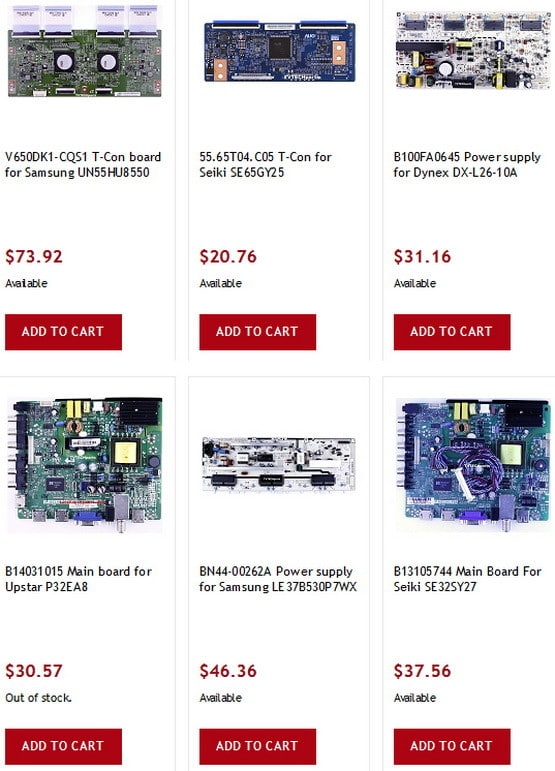 LCD LED FLAT SCREEN TV power boards
Here are some videos for Repairing an LCD LED flat screen TV with power issues…
LCD TV Repair – No Power, Power Supply Common Symptoms & Solutions
How to Replace Power Supply
LCD TV Power Supply Tutorial Help for LCD TV Repair Fix
Element Hisense Dynex Insignia LCD TV Power Supply Repair Fix
Involves troubleshooting and repair of the power supply board
Testing LCD TV Power Supply Boards~STEP BY STEP
Need to know for sure if your power supply board is faulty before buying a replacement?
Easy way How to test Capacitors, Diodes, Rectifiers on Powersupply using Multimeter
Best Easy Way How to Accurately test Diodes, Capacitors, bridge rectifiers in TV power supply boards,
“how to use multimeter” to test or read TV parts in power circuit boards commonly in LCD, Plasma, DLP TVs
How to Troubleshoot an LCD TV
Three main ways to troubleshoot an LCD TV that does not require in depth knowledge of TV repair
Do you know of easier ways to diagnose and fix an LCD LED TV with power issues? Please leave a comment below.

Written by Keith Schneerer
Certified Appliance Tech · Founder, RemoveAndReplace.com
Keith has spent 30+ years repairing machines, starting as a military mechanic and later maintaining food processing equipment before moving into appliance repair. He founded RemoveAndReplace.com to share field-tested repair advice.
More about Keith →

I purchased in 2013 a Samsung 46 inch LED HDTV; S/N z4nf3cxd103278v; model un46eh6000.
It does not turn on – no power.
If I try remote off and on, I can see faintly the red light go on and off.
It is plugged in my power strip which is working.
I do not know what to do.
I have a Sony LCD TV KDL 52v4100 it was flashing the code that it needed a new power board so I ordered 1,.
Put it in and nothing.
So assuming it was the power board I ordered, I sent it back and put the old one back In.
It gave me the flashes again so I ordered another power board and put it in and again nothing.
I checked all the capacitors they all look good on the new board and the old one.
So now can anyone give me an idea of what else may be wrong?
I have an LG 55lm6410
No picture, backlights function, and I have sound.
The boards present are a power supply board and a main board
When I test all voltages on the output pins leading to the main board (from the power supply board) the 24v line only reads 3v.
So I’m assuming this will prevent my main board from being able to operate.
I couldn’t see any visual damage on the power board.
I have a Samsung PS51E6500 – It had vertical lines which looked a bit like 2 or 3 rows of dead pixels.
One day, mid watch, the line became thick and black and then thin again, but now a multicolour, seeming to have movement up and down.
PICTURE TOTALLY DISAPPEARED Sound not affected, Turning on/off at turn on the screen grey colour seems to get lighter.
Seems to indicate power board – If I got one is it a task for a layperson with a suitable instruction video?
I have a 49″ Insignia 1080p 120 Hz TV that I bought two years ago.
The red power light turns on when plugged in but the TV itself will not respond when the power button on the TV is pressed or the remote power button is pressed.
Do you possibly know what might be causing this or how to fix it?
I have a Samsung plasma 61″ it turns on I have sound just no picture.
I’ve checked capacitors don’t seem to be damaged.
Model PN60E55OD. Sn/ SNZ4SQ3CZD1001156H.
Can tv power supply boards exhibiting scorch marks under the transistors connected to a heat sink be repaired by just replacing the blown caps and transistor that went bad or will the entire board need to be replaced?
This is a Samsung which made a pop noise and now just clicks when one tries to turn it on.