Hold the Control Lock button for about three seconds first, because a Whirlpool washer control panel unresponsive to touch is often just a lock setting. If nothing changes, unplug the washer for several minutes, then restore power. Still no response points to a lid or door lock, or to a control board.
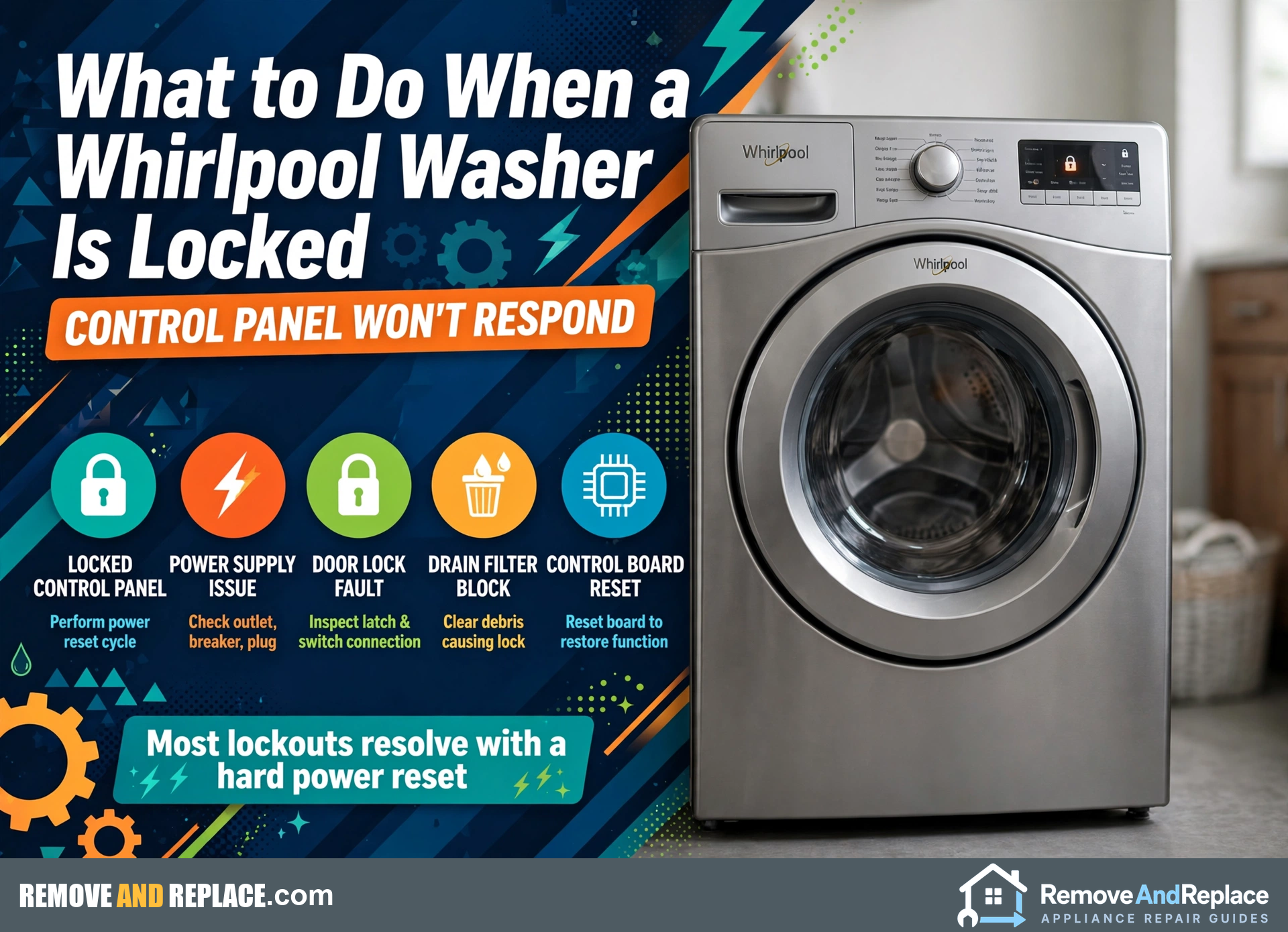
- Free checks first: the lock button, then a power reset.
- A dark panel, a lit panel that ignores touches, and a lit lock light each point to a different cause.
- Never force a locked lid or door. Drain the tub and let the lock release.
- Don’t order a board until you’ve worked out whether the lock or the board is failing.
Is the Washer Broken, or Just Locked?
Start with the dull possibility: somebody tapped Control Lock, and the panel is doing exactly what it was told. It’s the cheapest fix there is, and it’s the check I run first, a habit that’s served me well across 30+ years of repair work. If the lock isn’t it, you’re looking at a power glitch, then a lid or door lock that never released, then a user interface board or the main control board. A Whirlpool washer control panel unresponsive to every touch can look the same across all of those, so what matters is what the panel does besides ignoring you. Lights on but no response, a fully dark panel, and a lock light that won’t clear each point somewhere different. Front loaders and top loaders also behave differently, which most guides gloss over. Work through the free steps below in order and you’ll know whether you’re buying a part or just pressing a button. If your front loader is throwing a door-lock code, the F5 E2 door lock error guide covers that case.
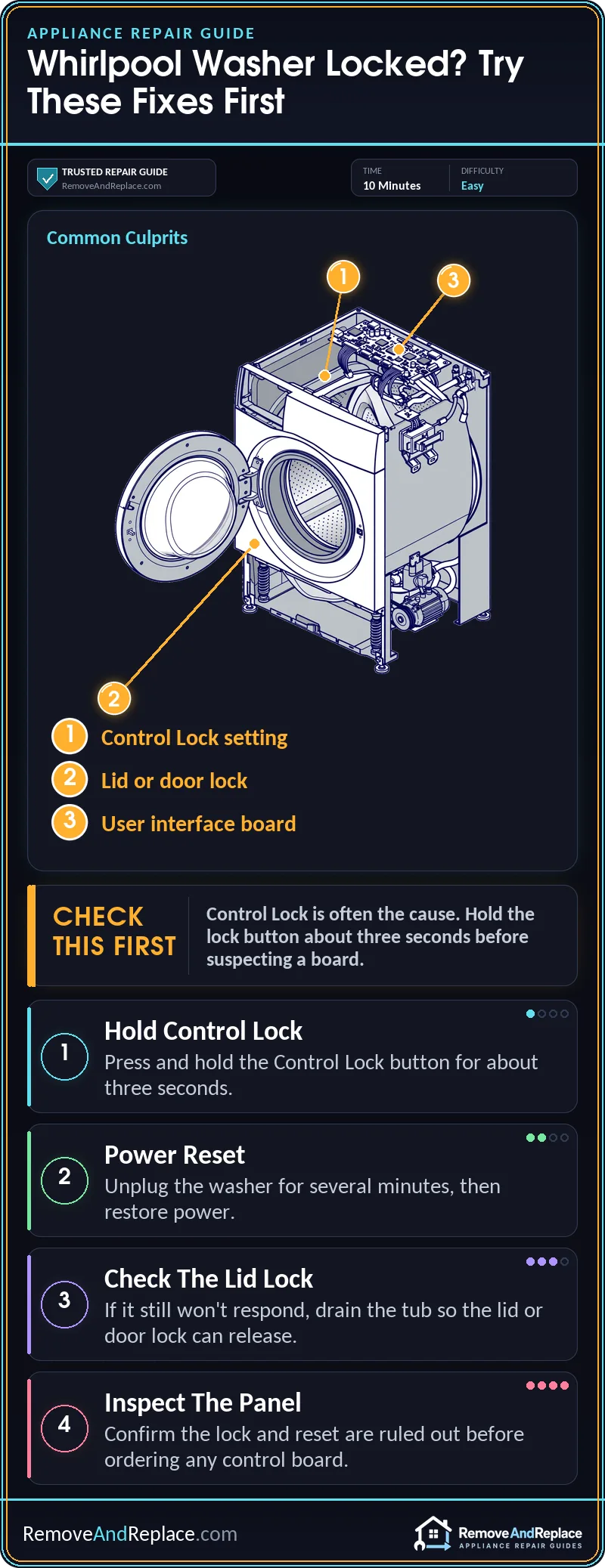
Sort Out Which Kind of “Dead” You Have
Most people assume a locked, frozen washer means a dead control board. That assumption costs real money, because the lock setting, a power glitch or a stuck lid or door lock can all look like a board failure. Rule those out before you shop for anything.
Lit panel, ignores touches, lock icon on. That’s the Control Lock feature doing its job. Some Whirlpool models show “LoC” or “LC” in the display. Hold the lock button for about three seconds, and check your use and care guide for the exact button on your model. Whirlpool’s own LoC or LC help page describes the same three-second hold for front-load models.
Lit panel, no lock icon, still no response. That’s a true freeze. It could be a software hiccup that a power reset clears, or a user interface board with a dead button area. If only some buttons fail and the rest work, the interface board is the suspect more than the main board. If nothing responds and a reset doesn’t help, the board gets harder to rule out. That’s also when I’d look at the wiring and connectors behind the console before I’d order anything. A panel that works but throws an error is a different job. For example, the F7 E1 motor speed sensing error comes from a sensing fault, not a frozen panel.
Completely dark panel. Think power first: the outlet, the breaker, the cord. A dark panel with a healthy outlet points to the main control board or an internal power connection, which is where this repair gets more involved.
| Cause | Likelihood | What to do |
|---|---|---|
| Control Lock turned on | Common | Hold the lock button about three seconds |
| Power glitch or freeze | Common | Unplug for several minutes, then restore power |
| Lid or door lock stuck | Less common | Drain the tub, wait, then test the lock |
| User interface board | Less common | Confirm the lock and reset are ruled out, then replace |
| Main control board | Rare | Confirm by elimination, or call a technician |
The video walks through getting a Whirlpool washer to respond again, starting with the simple lock and reset checks. It then shows what to look at if the machine still won’t wake up. Watch it before you open anything up.
Free Fixes: The Lock Button and the Power Reset
Do these in order. A top-load washer may use a different button hold than a front loader, so check the use and care guide for your model if the first try does nothing.
- Look for the lock indicator. If the display shows a lock light or “LoC”/”LC,” that’s your answer.
- Hold the Control Lock button for about three seconds. Watch for the light to go out, then press Power or Start.
- Reset the power. Unplug the washer, leave it for at least five minutes, and plug it back in.
- Try the panel again. If it wakes up, fine. If it stays dark, plug something else into that outlet and check the breaker.
How Do I Open a Locked Washer Lid or Door Safely?
Don’t pry it. Forcing a lid or door usually breaks the latch or the lock mechanism, and then you’re buying a part you didn’t need. Whirlpool’s own lid locked help page is worth a read for your top-load model, and Whirlpool also explains how the lid locks on a high efficiency top-load washer.
Unplug the appliance or switch off its breaker before you touch anything. Shut off the water supply to the appliance before you disconnect any hose or valve. A tub full of water is heavy and will come out fast, so have a bucket or pan ready.
- Cut power and shut off the water. Both, before anything else.
- Wait several minutes. Many locks release on their own once power has been off for a while.
- Drain the tub. Lower the drain hose end into a bucket or pan, or use the drain pump filter access if your front loader has one.
- Try the lid or door. If it opens, the lock was holding on a stuck state and the water was never the problem.
- Check the manual for a manual release. Some models have one, but I wouldn’t guess at it.
Door Lock or Control Board?
This is the call that saves or wastes the most money. If the panel responds and the washer shows a lock-related fault or won’t release the door, the lock is the likelier problem. If the panel is dark or frozen but you can hear the lock click when power returns, the board is more suspect. A lock that stays latched every time after a reset is a lock problem more than a board problem.
Give it time after a power cut before you decide. The lid lock assembly guide covers parts that fit several brands, so you can see what the swap involves before you commit.
Before You Order a Part
Run the one check first: after the lock button and reset, does the panel respond at all? A pass means you’re done. A fail means you need your washer’s model number from the tag, usually inside the lid or on the door frame, so the part fits. PartSelect has a useful guide to opening up a Whirlpool washer if you want a second walkthrough of the lock steps.
Call a pro if the panel stays dead after the reset and you can’t rule out the lock, or you suspect the main control board. A scorched smell or visible heat damage is another stop sign. If a hot, melted part is the problem, see what a melted washer capacitor means.
From the Bench
If you smell burning, see smoke, or the washer keeps tripping the breaker, stop and call a licensed appliance technician. Most of these turn out to be a lock button someone pressed, which is why I check that before I do anything else.
Common Questions
Will unplugging the washer erase my cycle settings?
Some saved cycle or status settings may reset, but the washer itself isn’t harmed by it.
Why does the panel work but the door won’t open?
That points more to the lock than the board. I’d drain the tub, cut power for several minutes and retry before replacing anything.
Can I just force the lid open?
No. Forcing it usually breaks the latch or lock mechanism. Drain the tub, cut power, wait, and let the lock release on its own.

Written by Keith Schneerer
Certified Appliance Tech · Founder, RemoveAndReplace.com
Keith has spent 30+ years repairing machines, starting as a military mechanic and later maintaining food processing equipment before moving into appliance repair. He founded RemoveAndReplace.com to share field-tested repair advice.
More about Keith →