Tired of spending too much money on your Satellite TV bill? Well for around $50 you can purchase and easily install an HDTV Antenna that will give you quality HD TV programming. Of course you will not get as many channels as before using DirecTV, but there are hundreds of channels available broadcast into the airwaves for free from the stations you already know and love. This is a tutorial for most people who can no longer afford the cost of satellite television. Cancelling DirecTV or Dish Network will save you from $75 to $300 dollars a month. Admit it, most of the channels that you are paying your hard earned dollars for are completely worthless. Cancel the service, buy an HD Antenna, and get Netflix. You will not miss most of the TV you watch and you will be saving mountains of money per year. So ditch the monthly bill and follow our tutorial below for saving your money…
Step 1: CANCEL SATELLITE TELEVISION
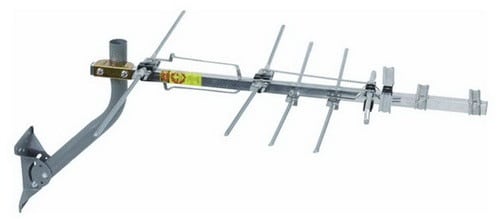 Step 2: Buy an HD (High Definition) Television Antenna.
Here is the HDTV Antenna we purchased from Amazon for around $50 dollars.
(You may also need a coax cable splitter, antenna amplifier signal booster, or new coax cable)
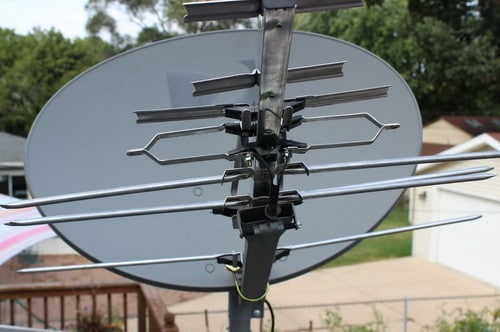 Step 3: Remove the cone and place the HD Antenna on your existing Satellite Dish.
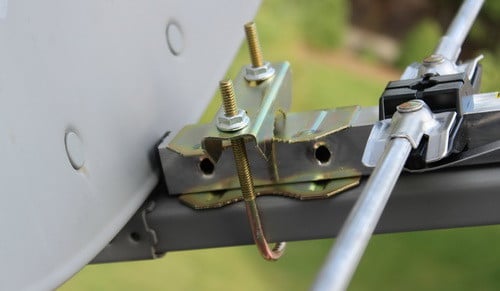 Step 4: Install the U-bolt that is included with the antenna and secure it tightly in place.
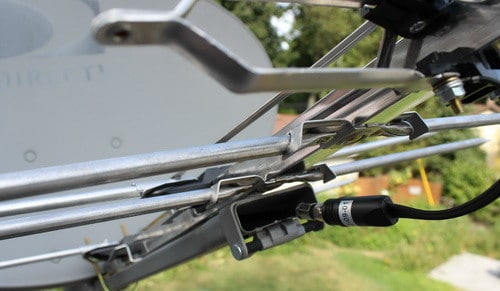 Step 5: Connect the already existing coaxial cable to the HD Antenna.
(The cable is already going from your TV from the dish, so just disconnect and re-attach to the hd antenna)
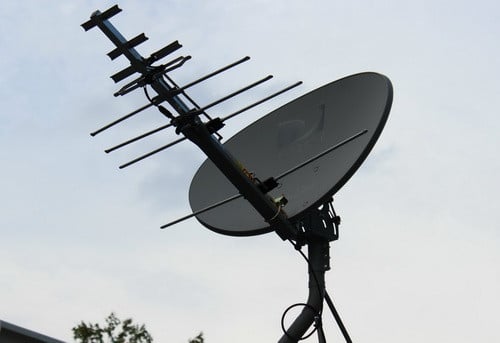 Step 6: Check all connections to make sure everything is secure and tight.
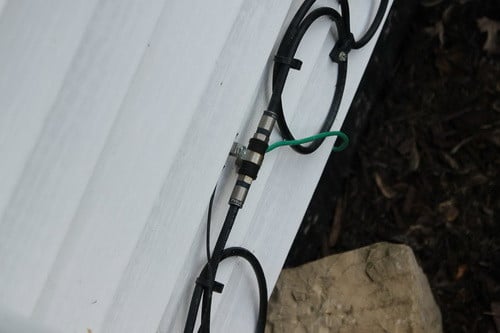 Step 7: There should already be a coaxial cable going into your home from the roof.
If it was disconnected then look along the side of your home for a connection like this and plug back in.
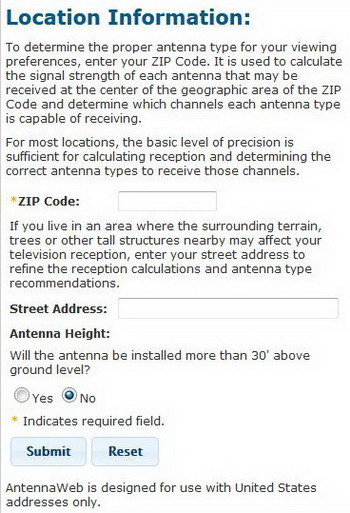 Step 8: The next process involves finding out which direction in the sky your local channels are in.
You will need to point your antenna in a certain direction for best reception depending on where you live.
Go to Antenna Web, FCC DTV MAPS, or Antenna Point and type in your info to find out which way to point your HDTV antenna.
Once you have the correct direction located, point your antenna/dish in that direction.
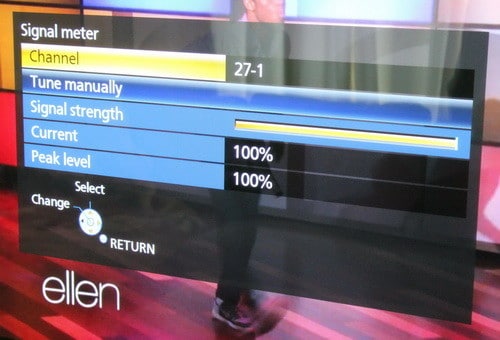 Step 9: Turn on your TV and set it to “Antenna” and let it “Find” the available free stations.
Then check the signal meter to see if it is strong.
If all is good you are done! Free HDTV!
HDTV That is broadcast free is from 720p to 1080p HD quality!
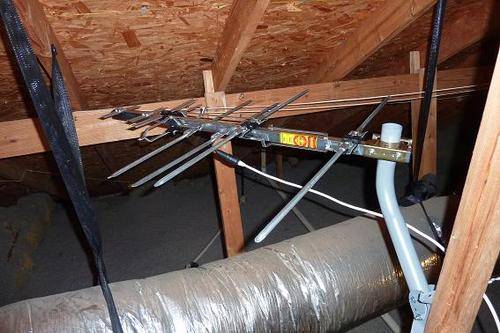 Of course you do not need an old dish to install a new HD Antenna.
You can install one in your attic too if you desire.
But remember that HDTV Antennas work best when attached to a roof and there are no obstructions.
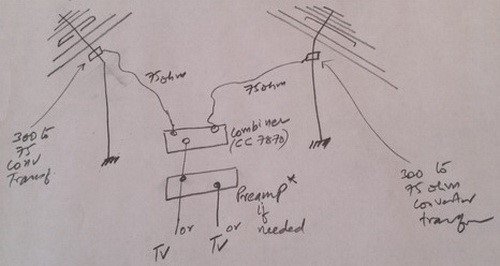 Here is a small chart for “how to connect and combine signals from 2 antennas facing different directions” if needed.

Written by Keith Schneerer
Certified Appliance Tech · Founder, RemoveAndReplace.com
Keith has spent 30+ years repairing machines, starting as a military mechanic and later maintaining food processing equipment before moving into appliance repair. He founded RemoveAndReplace.com to share field-tested repair advice.
More about Keith →


Kerri,
If you use this method you should be able to use the Direct TV and the antenna. You will have to run separate coax cable and then change the input on your TV when you want to switch from watching Direct TV to antenna.
-RR
I currently have Direct TV with one dual tuner in the living room. I only have Direct TV channels in the living room and bedroom. If I use this method would I be stuck with the same option of only receiving the antenna channels on those two TVs or can I make it work for more room?
I have read about how some satellite companies put scramblers on their coaxial lines. Do you know if Dish does this to theirs? Also I am about 36 miles away from where a majority of the TV towers are and I am looking at going with the ClearStream 2V Long Range Indoor/Outdoor HDTV Antenna. Does anyone have any experience with using this antenna and what are your thoughts of it?
Josh,
A splitter should be the only item you will need in your situation. If the picture or reception is not satisfactory, use an amp inline.
-RR
I am wanting to convert my old Dish network satellite to HD OTA antenna. I know how to mount an HD OTA antenna on the mast. The problem is there is dual coaxial running out of the old Dish network satellite and into the house. Do i need to use 2 separate antennas for each coaxial or just put a splitter on the antenna and hook the dual coaxial to it?
My antenna is a “1byone” Amplified UHF TV antenna Kit sku: OUS00-0551. It’s has a 80 mile range.
It seems to be well made and sturdy. I would like to go to a Radio Shack but they all closed down in our area this past year. I have checked on Amazon but I wasn’t sure of what I was supposed to be looking for at the time. I will look again to see if I can match the specs for the one I have.
Jim,
You can buy another amplifier for the second TV or cut into the wiring on the antenna and add an amplifier before the splitter. If you are unable to do this then yes adding another amplifier to the second TV coax cable is your best bet. A good place to buy splitters and amplifiers for cable coax wiring is Amazon (online) and Radio Shack (in store). What antenna brand and model are you using?
-RR