Tired of spending too much money on your Satellite TV bill? Well for around $50 you can purchase and easily install an HDTV Antenna that will give you quality HD TV programming. Of course you will not get as many channels as before using DirecTV, but there are hundreds of channels available broadcast into the airwaves for free from the stations you already know and love. This is a tutorial for most people who can no longer afford the cost of satellite television. Cancelling DirecTV or Dish Network will save you from $75 to $300 dollars a month. Admit it, most of the channels that you are paying your hard earned dollars for are completely worthless. Cancel the service, buy an HD Antenna, and get Netflix. You will not miss most of the TV you watch and you will be saving mountains of money per year. So ditch the monthly bill and follow our tutorial below for saving your money…
Step 1: CANCEL SATELLITE TELEVISION
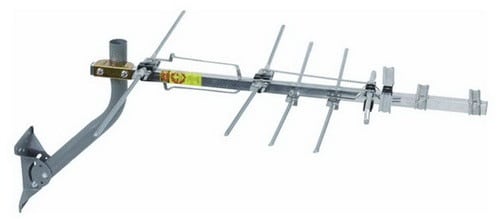 Step 2: Buy an HD (High Definition) Television Antenna.
Here is the HDTV Antenna we purchased from Amazon for around $50 dollars.
(You may also need a coax cable splitter, antenna amplifier signal booster, or new coax cable)
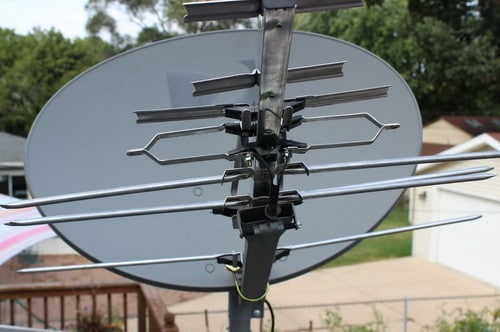 Step 3: Remove the cone and place the HD Antenna on your existing Satellite Dish.
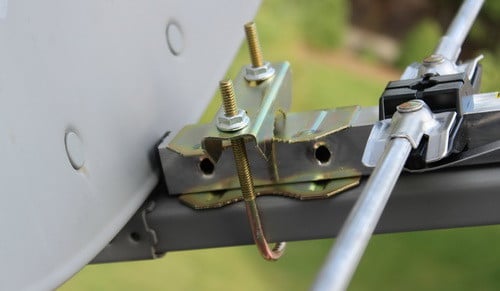 Step 4: Install the U-bolt that is included with the antenna and secure it tightly in place.
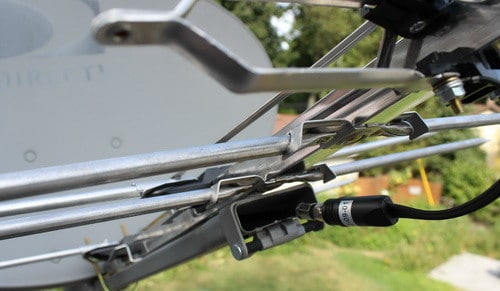 Step 5: Connect the already existing coaxial cable to the HD Antenna.
(The cable is already going from your TV from the dish, so just disconnect and re-attach to the hd antenna)
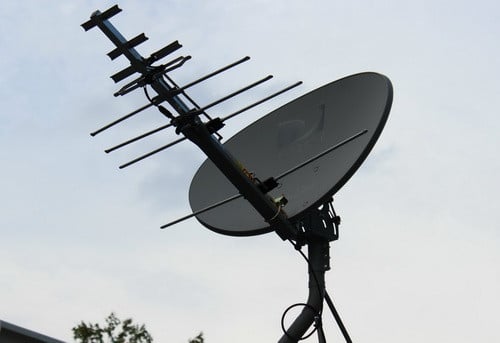 Step 6: Check all connections to make sure everything is secure and tight.
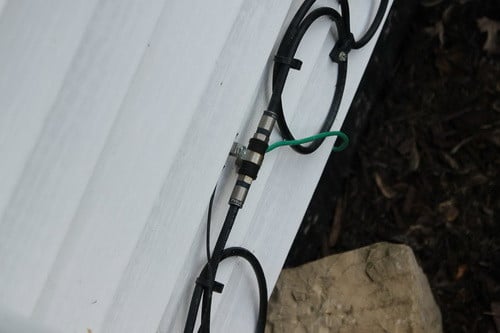 Step 7: There should already be a coaxial cable going into your home from the roof.
If it was disconnected then look along the side of your home for a connection like this and plug back in.
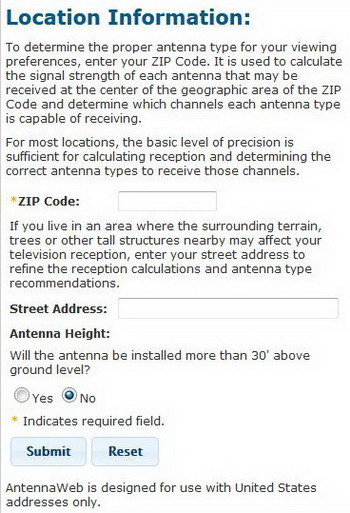 Step 8: The next process involves finding out which direction in the sky your local channels are in.
You will need to point your antenna in a certain direction for best reception depending on where you live.
Go to Antenna Web, FCC DTV MAPS, or Antenna Point and type in your info to find out which way to point your HDTV antenna.
Once you have the correct direction located, point your antenna/dish in that direction.
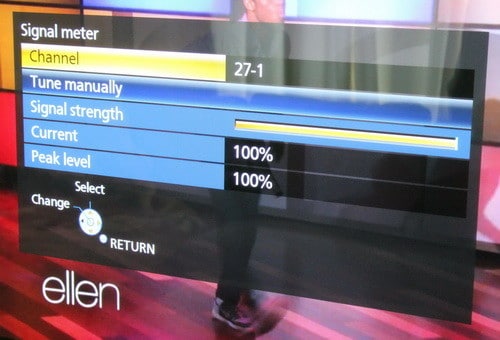 Step 9: Turn on your TV and set it to “Antenna” and let it “Find” the available free stations.
Then check the signal meter to see if it is strong.
If all is good you are done! Free HDTV!
HDTV That is broadcast free is from 720p to 1080p HD quality!
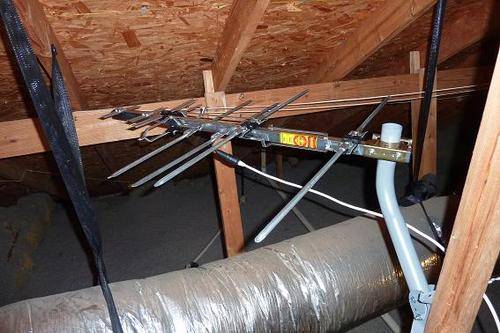 Of course you do not need an old dish to install a new HD Antenna.
You can install one in your attic too if you desire.
But remember that HDTV Antennas work best when attached to a roof and there are no obstructions.
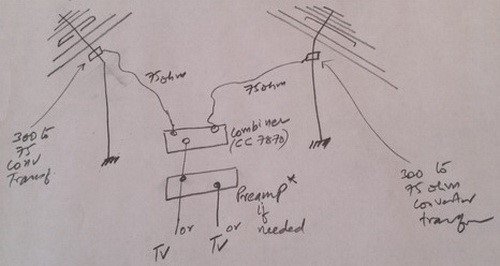 Here is a small chart for “how to connect and combine signals from 2 antennas facing different directions” if needed.

Written by Keith Schneerer
Certified Appliance Tech · Founder, RemoveAndReplace.com
Keith has spent 30+ years repairing machines, starting as a military mechanic and later maintaining food processing equipment before moving into appliance repair. He founded RemoveAndReplace.com to share field-tested repair advice.
More about Keith →


My direct tv had 2 coaxial cables hooked to the dish and in side my home it all has 2 coaxial cables to connect to the tv or box. Is thete an adapter or does anyone know how to do it with this kind of hook up?
Kenneth Halpine,
You should be able to use the existing cables. Most people do with NO issues. The cables from the dish to the box are the same you would use if you were starting from scratch. You are good to go.
-RR
I just did this today. Works perfectly! I bought the suggested RCA antenna and this amplifier.
I have four cables on my dish since I had the Genie and two DVR’s with DirecTV. So a lot of tuners = multiple cables on your dish. I took the cable with the red ring around the base of the connector which is the main line and plugged that into my antenna. Then I went into my attic and found where they had attached their equipment and lines, found the lead from the dish. (Again it had a red stripe so was easy to find.) I plugged that into the 8 port amplifier above, removed all the lines from DirecTV’s splitters, and plugged each of the lines to the five TV’s in my house into the 8 port amplifier. I then capped the three extra ports with F-Port Terminator Caps since I only have five TV’s. Once I plugged the power in and scanned for channels…Voila!!! crystal clear reception on all five TV’s with over 40 channels! You just have to be sure to remove ALL of DirecTV’s boxes from your lines including the power box that they plug into one of your cables. I live in Downtown Orlando and I didn’t even have to move my Dish to the east which is recommended. I left it pointed southwest and it picked up all the OTA channels in my area. I have added a Channel Master DVR+ to my main TV and I now have a complete 2 week program guide and can record up to two shows at a time on that TV with no monthly fees at all! Thanks so much for this post because it led me in the right direction!! Hope my information helps those with multiple tuners on their DirectTV. Only a hundred bucks to make the switch! (If you aren’t adding the cost of the Channel Master DVR which is $300.00 plus $50.00 for a One TB Hard Drive…but…No Monthly Fees EVER and you get an onscreen program guide similar to DirecTV. That is so worth it to me) This is the best day EVER!
I will be using the Direct TV dish to mount the antenna. My question is will I need to disconnect from my direct TV receiver box or will the new antenna work through the box? My TV is mounted on the wall with all cables hidden in the wall. If I have to disconnect the receiver it will be a major pain to reroute the cables.
Jennifer,
If the SAT dish has a clear unobstructed view of the correct position in the sky, then no it does not need to be on your roof. Just be sure it has a clean view of the sky in the right direction. Some people have them on the patio, or mounted near a window.
-RR
Does the Satellite and antenna have to be on the roof to work? Our Satellite is not on the roof.
This works perfectly for us in Mentor Ohio. I had to add a RCA preamp but everything was so easy to hook up and it works for 2 TV’s in the house because the previous cable lines already had the splitter. I suggest everyone to switch to OTA and cancel your cable… all we pay for here is internet and Netflix and we save over $100 a month now! Best information and instructions. It’s not rocket science anyone can do this.