We have a Samsung HDTV 55″ inch LCD TV which is showing lines (vertically) and getting extremely hot. At times it powers on at only half of the brightness for a 20 seconds or so and then goes completely black like it is turned off. I do not know what I should be looking for or how to diagnose these TV problems. Do you think that replacing the power boards would be a good place to start? Maybe I need to open up the TV and start to check to see if the capacitors are okay? Where do I even get these TV repair replacement parts? Please help.
The issue could be related to a bad capacitor or capacitors. Maybe 10 years ago there was a Chinese capacitor supplier company selling faulty and low quality caps. Your TV may have these.
THINGS TO TRY TO FIX YOUR TV FAST:
- Try to connect all connectors including HDMI, coax, etc, to be sure all inputs are producing same issue.
- Push the HDMI connector firmly into the back of the set.
- Be sure your actual cable is not bad and causing the issue.
First: Open up the TV case (unplugged of course) and look for a bulging or leaking capacitor. If you see any that are leaking or fat and bulging, replace them. If you find no bad caps, you could replace the complete circuit board but that may be more than the TV is worth. Some of these issues are common on Samsung, Sony, Vizio, and Toshiba. Here are some places to buy caps and circuit boards for replacement HDTV parts.
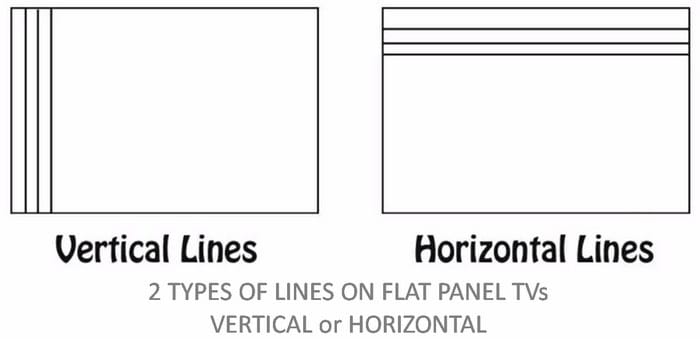 2 Types of lines on a broken LCD TV screen
Possible Components That Could Be Bad:
Bad T-Con Main Control Board can cause vertical lines or half of the screen is black. Horizontal lines usually indicates a defective screen not a bad t-con board.
Bad Power Supply (Bad Capacitors, Blown Fuse, Bad rectifier) This means that the TV won’t turn on or shuts off randomly.
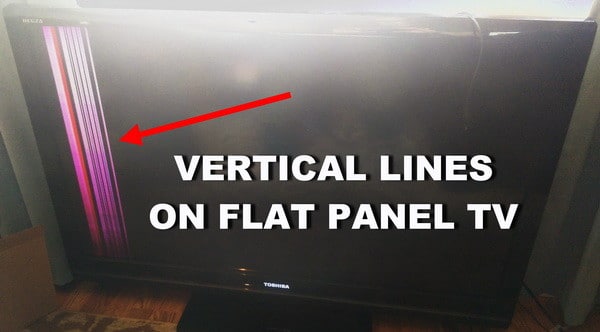 TV repair – Vertical lines on flat panel TV
- You have to find out, are the lines vertical or horizontal?
- Are the lines a certain color or black and white?
- What section of the TV, do the lines show up in?
- The top half?
- The lower half?
- The right side?
- Or the left side
- Is your screen discolored?
- Do the lines always appear on the screen when using different inputs?
- If you switch from HDMI-1 input to HDMI-2 input, are the lines still there?
- Do the lines on the screen show up over the menu or behind the menu?
- Do the lines always appear on the screen or are they intermittent?
HOW TO FIX LED TV VERTICAL LINES ON SCREEN
Do you have experience in fixing these types of TV issues? Please leave a comment below.

Written by Keith Schneerer
Certified Appliance Tech · Founder, RemoveAndReplace.com
Keith has spent 30+ years repairing machines, starting as a military mechanic and later maintaining food processing equipment before moving into appliance repair. He founded RemoveAndReplace.com to share field-tested repair advice.
More about Keith →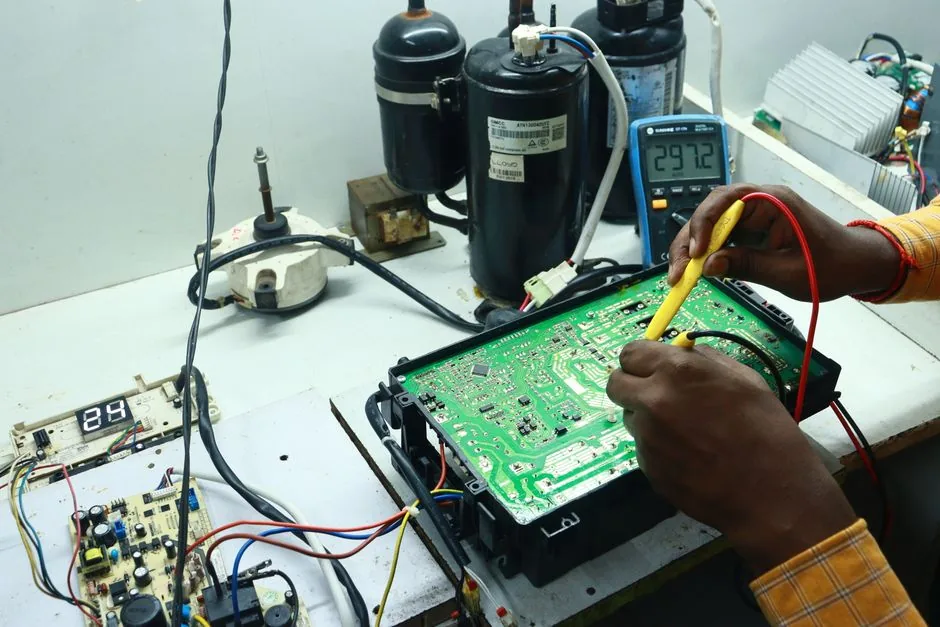

My Samsung 46d8000 shows thin vertical lines on the left of the screen.
This lines are barely visible during a movie, not visible when the screen is black, very annoying during football match.
This semi transparent colored lines (red, blue, white) are shown every time, with all source.
My TV ( Vizio XV471XVT ) after 6 hours the screen randomly goes white and it has vertical and horizontal lines going through it… it’s crazy because the sound is still on but screen looks white with lines also when I push on the screen it goes back to normal then 10 sec’s later then it goes right back to the white lines.
Kevin,
Try switching the ribbon cables if that will prove if either the board or cables are bad.
If you use new ribbon cables, get the correct length.
If you are using ribbon cables already in the TV, you may run into one too short and one too long.
Also the ribbon connector ends may not be the same for all boards so be aware.
-RR
I’m thinking of switching the ribbon cables to see if it changes where the bar displays, then i would know if its a bad screen or just a t-con board. Is there any reason i could not switch them?
How do i tell if i have bad t con board vs a bad panel? Vertical bar shows on one side of my screen. After it was taken apart i found a blueish residue on the ic board that feeds directly to the lcd panel. I am assuming it was corresion. Just dont know how to tell if it shorted out the tcon board or is its the whole panel.
Stephan,
Try this… disconnect the set from AC power, then press and hold the power button on the TV itself not the remote control for 20 seconds. After another few minutes, plug the set back in and press power once. Do you still have the same problem?
The thin lines on the screen are common when capacitors on the power supply board are failing, causing one of the outputs to drop in voltage. Open the TV and check the boards for popped or blown caps.
-RR
I have a LG 55LM4700. TV has been on for about 13 hours, all of a sudden I notice very thin black horizontal lines on the left half of the screen. They start pretty noticeable all the way to the left then gradually fade until they disappear halfway in the screen. When I change the input or channel they are still there. They show up over the menu and everything. Not really sure what it could be.