How to fix your KitchenAid Stand Mixer. If you are having problems with your KitchenAid stand mixer, here are some ways to troubleshoot the issue and repair it yourself. The beater attachment and the bowl need to be connected properly for the unit to operate. If the beater blades hit and vibrate the bottom of the bowl or side of the bowl they will need to be readjusted. When your mixer will not start, you may have a motor that has overheated as the mixer motor is thermally protected. An electrical issue such as a reset GFCI outlet or electrical breaker may also be causing the problem. Here is a KitchenAid Stand Mixer Troubleshooting page if you need further assistance.
 KitchenAid Stand Mixer – How To Repair
KitchenAid Stand Mixer Will Not Turn On
Check that the mixer is plugged in. If the outlet the mixer is plugged into is GFCI, check to be sure it is not reset. If the mixer is plugged in and the GFCI is not reset, check the breaker for that outlet.
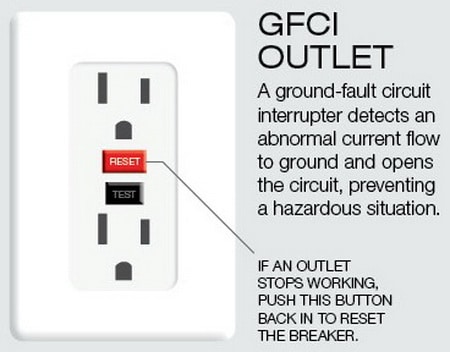 Check and Reset GFCI Outlet If KitchenAid Mixer Has No Power
If you determine the mixer is getting power, the issue may be the cord on the mixer is damaged or an internal part inside is faulty. The speed control plate could be faulty, the mixer phase control board may be bad, you may have worn carbon motor brushes, or the wiring inside the mixer could be damaged.
If needed take the mixer apart and check the parts and components we have listed.
NOTE: The motor on your KitchenAid mixer is thermally protected. If it overheats, the motor will temporarily shut down for safety reasons. Wait around 15 to 30 minutes if you suspect this has happened.
Below are some electrical and motor parts for your KitchenAid stand mixer that may be needed.
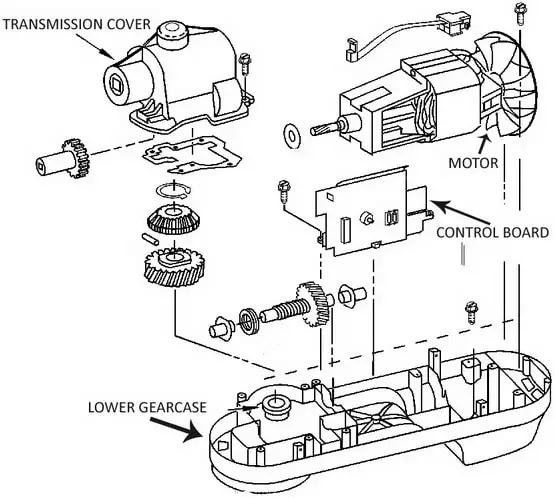 KitchenAid stand mixer internal parts
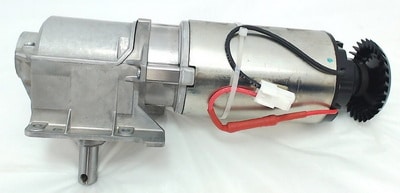 KitchenAid Stand Mixer Motor & Transmission
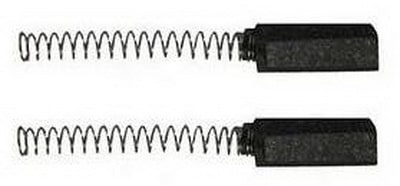 KitchenAid Mixers Carbon Motor Brushes
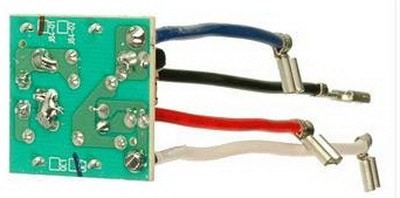 KitchenAid Mixer Phase Control Board
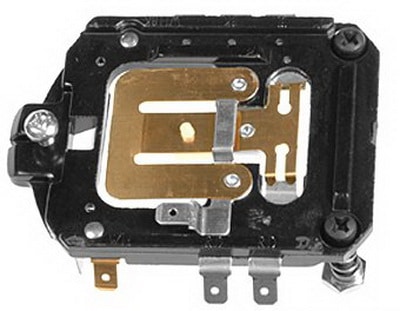 KitchenAid Mixer Replacement Speed Control Plate
KitchenAid Stand Mixer Vibrates Beater Hits Bottom Of Bowl
Check the adjustment of the bowl clearance. To raise or lower the bowl, turn the flat head screw that is located under the head portion of the mixer. Turn the screw clockwise to lower it and counterclockwise to raise the bowl.
Also adjust the height of the mixing bowl so the beater will not hit the bottom or the sides of the bowl.
If the pivot pin is not centered and secured, try centering the pin. Turn the mixer onto its side and tighten the screw underneath the mixer to secure the pivot pin.
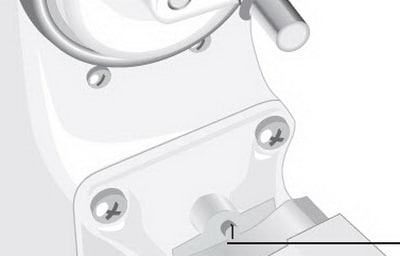 KitchenAid Mixer – Bowl Adjustment Screw
KitchenAid Stand Mixer Works But Making Grinding Noise
The most common reason for your KitchenAid mixer to work but make loud internal grinding noises is a worn worm gear.
You could also have an issue with the transmission in the mixer. To replace the worm gear or transmission on your mixer, it needs to be taken apart and removed and replaced.
Below is the worm gear part for your KitchenAid stand mixer that may be needed.
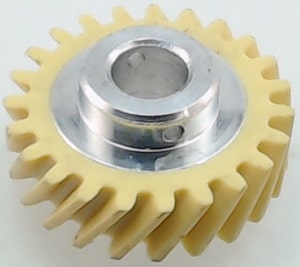 KitchenAid Stand Mixer Worm Gear
KitchenAid Stand Mixer Motor & Transmission
Below are KitchenAid Stand Mixer Repair Manuals in PDF.
Click one of the images depending on if your KitchenAid Stand Mixer is 4.5, 5, or 6 quart.
 PDF FILE – KitchenAid 4.5qt 5qt stand mixer service manual
 PDF FILE – KitchenAid 5qt 6qt stand mixer service manual
BELOW IS AN ILLUSTRATION OF PARTS AND THE MOST POPULAR REPLACEMENT PARTS
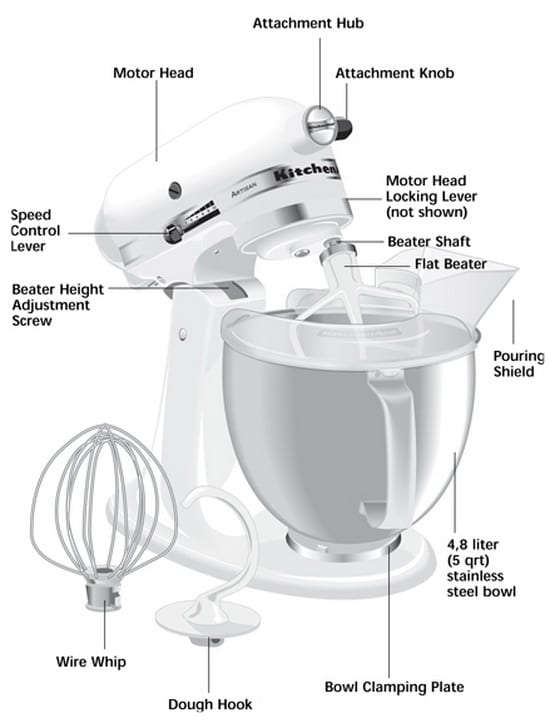 KitchenAid stand mixer parts identification
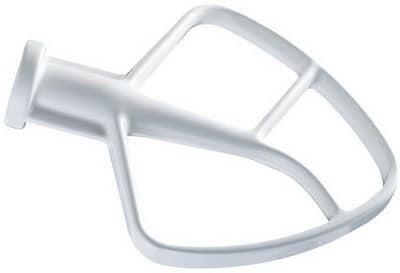 KitchenAid Coated Flat Beater for Tilt-Head Stand Mixers
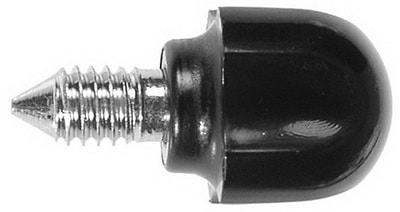 KitchenAid Replacement Screw Parts
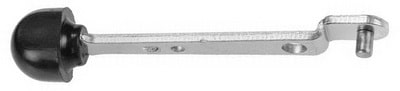 KitchenAid Replacement Lever
How to Fix a KitchenAid Mixer That Isn’t Spinning
Other KitchenAid stand mixer issues are:
– Unable to get the head to lock open or closed.
– Mixer is slow to work and cannot whip or mix.
– Vibrates and beater hits bottom of bowl.
Here is a KitchenAid Stand Mixer Troubleshooting page if you need further assistance.
If you have other issues with your KitchenAid Stand Mixer that we
have not listed above, please leave a comment below and we can assist.
Please Share The Love


Written by Keith Schneerer
Certified Appliance Tech · Founder, RemoveAndReplace.com
Keith has spent 28 years repairing machines, starting as a military mechanic and later maintaining food processing equipment before moving into appliance repair. He founded RemoveAndReplace.com to share field-tested repair advice.
More about Keith →
I found a Kitchen Aid mixer thrown away outside a rubbish store. I took it home plugged it in but it would not work. I took the back cover off and checked for power and there’s power even when it is turned off. There is power to the two cables that lead to the motor, could it be a reset button?
Gary, I have exactly the same problem. Did you ever figure out what was the problem with the mixer not being able to be powered on. I did the same thing – replaced the worm gear (that was damaged) and then when I went to turn it on – nothing.
Hi. I have a Kitchenaid stand mixer. It worked fine. I went to use it again and the speed control lever was bent and would not move. I bent it back and it was able to move. But, when I plugged in the unit and turned it on, nothing happens. I opened the back and the lever still moves the speed control plate. So, I cannot figure out what the issue is.
Any ideas?
Same here (minus the pin). There is power, as I got a small shock touching the wire connection, but nothing when I turn it on. Did you ever find a solution?
Hello. I need to find the engine cooling fan for the kitchenaid model: 5KSM7580X. You can help me?
I took my mixer head apart to give it that extra deep clean and now it won’t turn on. I do however have a 2 1/2 – 3 inch pin left over lol. It looks like a large watchband pin and i believe it must be the safety pin of some sort. I would appreciate any help you could give me.
Thanks in advance.
KItchenAid K5SS mixer. Using it… worked fine. Then turned back on and stopped working. Motor is not working as if no power but plug and all are fine. Flicking switch off and on several times there is a short burst of motor engagement then stops. Checked brushes… look good. Dusted off parts inside the back housing… no difference.