Does your GE Dishwasher have Blinking Lights or Beeping Sounds? Most GE Dishwashers that have a control panel can display blinking lights or have audible beeping noises. The blinking lights and the beeping sounds indicate certain issues with the many model number GE dishwashers. There is a common way to reset most GE dishwashers. Find the information you need below to reset the dishwasher and stop the lights from flashing.
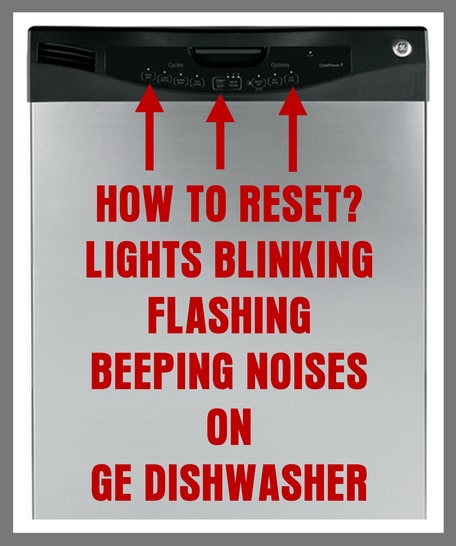 GE Dishwasher Flashing Lights And Beeping – How To Reset GE Dishwasher
How to Reset Flashing lights and Beeping Noises for most GE dishwashers models:
– If you have blinking lights on the display panel of your GE dishwasher: Try pressing the START/RESET button. If this does not reset the dishwasher and stop the blinking lights or beeping sounds, then simply unplug or remove power to the dishwasher for 10 minutes. Plug the dishwasher back in and it should be reset and ready to begin a wash cycle.
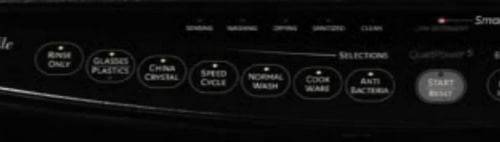 GE Dishwasher – All Lights Are On – Blinking
– When your GE dishwasher wash cycle will not start and all the lights are on, the START/RESET button may have been pressed more than once. Pressing the button once starts the cycle. Pressing the button twice resets the dishwasher.
– If ALL the lights are either blinking or constantly ON, the START button on the dishwashers display was accidentally PRESSED MORE THAN ONCE. (Only press the START button 1 time when you begin a wash cycle) To stop the flashing lights or steady ON lights, press the START button 1 more time to resume normal operation. This should get the dishwasher working again. NOTE: The GE dishwasher wash cycle can always be canceled by pressing the START/RESET button.
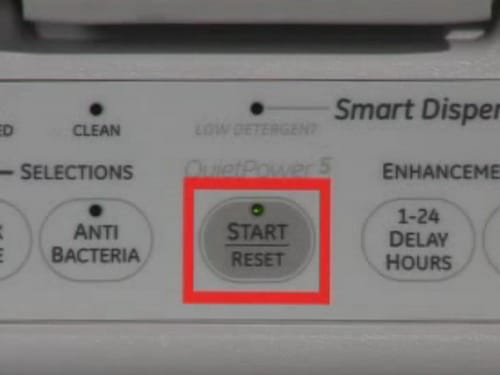 GE Dishwasher – Press START button Once To Start – Twice To RESET
– If there is a power failure, the START button may blink when the power comes back ON. Pressing the START button once again should reset the dishwasher. Once the START/RESET button is selected, the drain pump will remove any residual water left over in the bottom of the dishwasher. When the drain pump is pumping out the leftover water, the START/RESET button will blink. Wait for the dishwasher to remove any leftover water. After the dishwasher removes the water, it should be back to normal and you can begin a normal wash cycle.
– If you hear a beeping noise every 30 seconds, this means the GE dishwasher door was opened during the cycle. Simply shut the door to continue with the wash cycle.
– If the START/RESET button light is Blinking, this means the dishwasher has been reset. The blinking light means the dishwasher is in the process of shutting off. The START/RESET button light will blink for 70-90 seconds. NOTE: This will depend on the model number dishwasher you have.
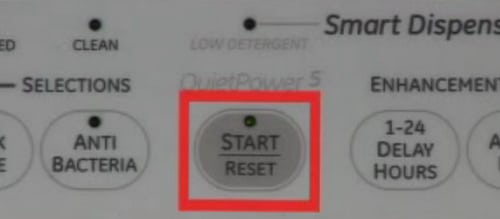 START Light Blinking on GE Dishwasher
– Blinking lights and beeping sounds can be caused from a power surge. Press the START/RESET button to reset the dishwasher. Wait for 3 minutes and the dishwasher should resume normal operation. If the issue comes back, you can reset the dishwasher by unplugging it for 30 seconds to 10 minutes. Once you plug the dishwasher back in, the dishwasher should resume normal operation.
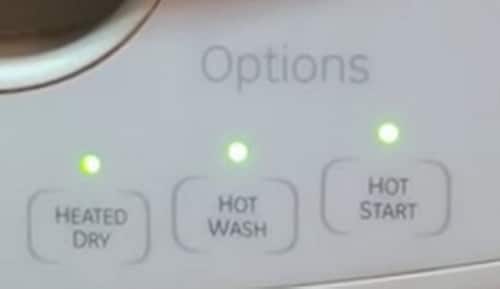 GE Dishwasher – Heated Dry – Hot Wash – Hot Start – Buttons Flashing
For GE dishwashers with the model numbers: GDT580, CDT725SSF, GDT720SSF, GDF/GDT/PDT/CDT/DDT/ADT/ZDT:
GE dishwasher model numbers starting with GDF/GDT/PDT/CDT/DDT/ADT/ZDT will BEEP when the the control panel is pressed or the START button is pressed. To turn off the control pad sounds simply press the HEATED DRY BUTTON or the POWER DRY BUTTON 5 times in quick succession. Pressing the buttons 5 times will turn off all sounds.
For GE dishwasher LCD models that have a display (Models GDT580, CDT725SSF, GDT720SSF) Press the HEATED DRY BUTTON or the POWER DRY BUTTON 7 times in 5 seconds. Pressing the buttons 7 times will stop all beeps and noises.
 GE Dishwasher – Press Start Button To Resume Wash Cycle
To fully determine why your GE dishwasher is beeping and has flashing lights, you can find your specific GE dishwasher owner’s manual here.
Do you have an issue with your GE dishwasher flashing lights or beeping noises? Please leave your question below and we can assist you in troubleshooting your dishwasher.

Written by Keith Schneerer
Certified Appliance Tech · Founder, RemoveAndReplace.com
Keith has spent 30+ years repairing machines, starting as a military mechanic and later maintaining food processing equipment before moving into appliance repair. He founded RemoveAndReplace.com to share field-tested repair advice.
More about Keith →
I have been battling these same symptoms for the last year. Replaced the door latch and the motherboard…and it worked ok for a little while. Maybe weeks. Then, same stuff. No lights, no response from buttons. I left breaker off all night last night, and no luck this morning when powering back on.
My GE dishwasher won’t wash GDF650SMJ0ES,start light keeps blinking.
Any thing to do to get it to work?
GE GDT630PFMDS brand new, just put in a few days ago. Every time I start to run it, the light flashes and it beeps 3 times every 30 seconds. Tried unplugging at the power source. Still the same blinking and beeping. Brand spanking new!! So frustrating!!
GE Dishwasher Model Number DDT700SMNOES
We did all the things above and nothing stops blinking and lights, no buttons work.
This is a brand new machine.
How do I fix my GE Dishwasher?
My GE dishwasher start status light and the cycle status light (on front of door) keeps flashing with a beeping sound every minute or so. When I close the door and push start it looks like it’s going to start but about 3-5 seconds later it starts beeping and flashing lights again. I’ve tried everything the manual stated including unplugging and turning off power from fuse box for at least 30 seconds (I did it for one whole hour too!) and it still comes back on with the same issue. My 4 year old was pressing buttons while I was sleep and that’s why we I have this problem in the first place. Not sure what to do :-(
My GE Adora dishwasher makes a 3-note crescendo beep every half-hour or so. When that happens, the Normal, Boost Wash Temp and Heated Dry lights come on and stay on for a little while and then they all go out. I’ve had repair out three times and still not fixed. Last time they replaced the harness in the door. The machine isn’t working – again – after having gone through the beeps cycle over the last week. Obviously this is a known problem. Why won’t GE publish the problem and/or do a recall?
My GE Cafe DW makes a 3-note crescendo beep every half-hour or so. When that happens, the Normal, Boost Wash Temp and Heated Dry lights come on and stay on for a little while and then they all go out. I shut off the circuit breaker for 3 minutes and turned it back on. It still does it. I went through the Trouble Shooting Guide and found nothing about this. Please advise. (Same issue as another user)