Does your GE Dishwasher have Blinking Lights or Beeping Sounds? Most GE Dishwashers that have a control panel can display blinking lights or have audible beeping noises. The blinking lights and the beeping sounds indicate certain issues with the many model number GE dishwashers. There is a common way to reset most GE dishwashers. Find the information you need below to reset the dishwasher and stop the lights from flashing.
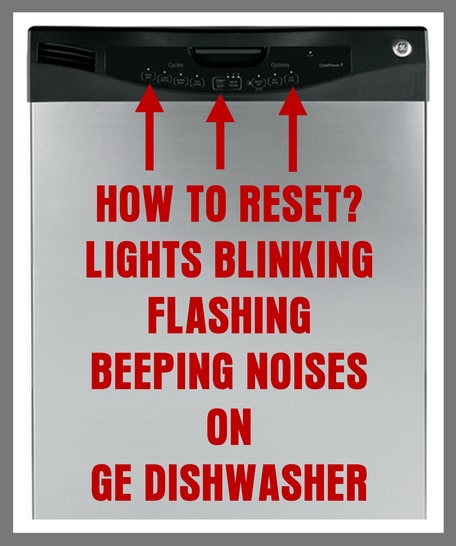 GE Dishwasher Flashing Lights And Beeping – How To Reset GE Dishwasher
How to Reset Flashing lights and Beeping Noises for most GE dishwashers models:
– If you have blinking lights on the display panel of your GE dishwasher: Try pressing the START/RESET button. If this does not reset the dishwasher and stop the blinking lights or beeping sounds, then simply unplug or remove power to the dishwasher for 10 minutes. Plug the dishwasher back in and it should be reset and ready to begin a wash cycle.
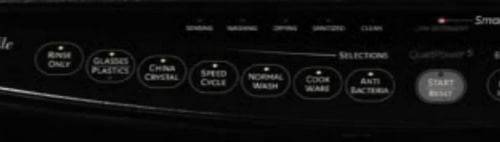 GE Dishwasher – All Lights Are On – Blinking
– When your GE dishwasher wash cycle will not start and all the lights are on, the START/RESET button may have been pressed more than once. Pressing the button once starts the cycle. Pressing the button twice resets the dishwasher.
– If ALL the lights are either blinking or constantly ON, the START button on the dishwashers display was accidentally PRESSED MORE THAN ONCE. (Only press the START button 1 time when you begin a wash cycle) To stop the flashing lights or steady ON lights, press the START button 1 more time to resume normal operation. This should get the dishwasher working again. NOTE: The GE dishwasher wash cycle can always be canceled by pressing the START/RESET button.
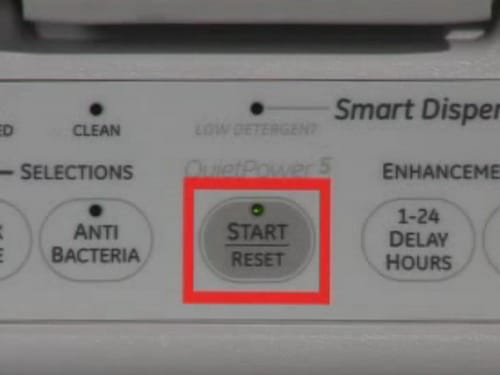 GE Dishwasher – Press START button Once To Start – Twice To RESET
– If there is a power failure, the START button may blink when the power comes back ON. Pressing the START button once again should reset the dishwasher. Once the START/RESET button is selected, the drain pump will remove any residual water left over in the bottom of the dishwasher. When the drain pump is pumping out the leftover water, the START/RESET button will blink. Wait for the dishwasher to remove any leftover water. After the dishwasher removes the water, it should be back to normal and you can begin a normal wash cycle.
– If you hear a beeping noise every 30 seconds, this means the GE dishwasher door was opened during the cycle. Simply shut the door to continue with the wash cycle.
– If the START/RESET button light is Blinking, this means the dishwasher has been reset. The blinking light means the dishwasher is in the process of shutting off. The START/RESET button light will blink for 70-90 seconds. NOTE: This will depend on the model number dishwasher you have.
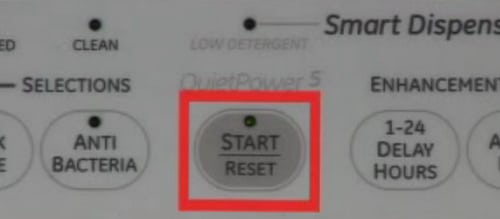 START Light Blinking on GE Dishwasher
– Blinking lights and beeping sounds can be caused from a power surge. Press the START/RESET button to reset the dishwasher. Wait for 3 minutes and the dishwasher should resume normal operation. If the issue comes back, you can reset the dishwasher by unplugging it for 30 seconds to 10 minutes. Once you plug the dishwasher back in, the dishwasher should resume normal operation.
 GE Dishwasher – Heated Dry – Hot Wash – Hot Start – Buttons Flashing
For GE dishwashers with the model numbers: GDT580, CDT725SSF, GDT720SSF, GDF/GDT/PDT/CDT/DDT/ADT/ZDT:
GE dishwasher model numbers starting with GDF/GDT/PDT/CDT/DDT/ADT/ZDT will BEEP when the the control panel is pressed or the START button is pressed. To turn off the control pad sounds simply press the HEATED DRY BUTTON or the POWER DRY BUTTON 5 times in quick succession. Pressing the buttons 5 times will turn off all sounds.
For GE dishwasher LCD models that have a display (Models GDT580, CDT725SSF, GDT720SSF) Press the HEATED DRY BUTTON or the POWER DRY BUTTON 7 times in 5 seconds. Pressing the buttons 7 times will stop all beeps and noises.
 GE Dishwasher – Press Start Button To Resume Wash Cycle
To fully determine why your GE dishwasher is beeping and has flashing lights, you can find your specific GE dishwasher owner’s manual here.
Do you have an issue with your GE dishwasher flashing lights or beeping noises? Please leave your question below and we can assist you in troubleshooting your dishwasher.

Written by Keith Schneerer
Certified Appliance Tech · Founder, RemoveAndReplace.com
Keith has spent 30+ years repairing machines, starting as a military mechanic and later maintaining food processing equipment before moving into appliance repair. He founded RemoveAndReplace.com to share field-tested repair advice.
More about Keith →
GBT632SSMSS
RR806199C
My panel is blinking every light as if I’m changing the options every 1second. The lights will stop on whatever option it lands on when I close the door with a “beep” but won’t start. None of the buttons except the power button works.
I have a 2 year old Model GDF640HMM2ES. I rarely use it, however I do run it once a month or so. The unit will randomly chime and lights come on (START, the lock controls and the cycle lights) multiple times a day. Is this normal? If not, how do I get it to stop?
Door got opened last 14 min of wash I have gotten door closed press start now just blinks and beeps lock controls light on start light flashing and light on door flashing
I have a GE dishwasher, model GDF. The start light is flashing and the dishwasher will not do anything. I’ve pressed start to reset… still blinking. I’ve reset the breaker to the washer, still blinking. Once i reset it, i press start, it starts blinking after about 3 seconds and just continues to blink. There is water in the bottom (not much) and the pump is not coming on to drain it. It just blinks and blinks and nothing else happens. It did this once before, and resetting the breaker fixed it.
Side note: i can’t unplug it without pulling out my dishwasher and i can’t do that by myself. But i figure resetting the breaker would cure all… but no!
I had this issue and finally found a sequence of reset actions that worked. I was on the verge of thinking I would be buying a new dishwasher this weekend. The symptoms for my dishwasher were: it was blinking every 30 seconds. I could turn it off – but if I closed the dishwasher and tried to start it again, it would start the blinking thing again. I turned off the breaker to the machine several times for extended periods (more than an hour), but the same cycle happened. It wasn’t until I managed to 1) turn the washer off so the power light was on 2) close it 3) turn the breaker off – for me I waited over an hour again 4) and then turn the breaker on and attempt to start it by pressing Start *just once* – like normal – did it work.
My GE dishwasher is not starting and it is making a beeping sound and the lights are flashing. I try everything I think. I shut the breaker off for 30 seconds to 10 minutes. I reset the panel by holding the start button for several seconds and no luck. Does anyone have any suggestions??