I have an HD Flat Screen TV and when I turn it on it says NO SIGNAL. I have not seen this before as my CABLE BOX is connected and turned ON. I do not know if there may be something wrong with my Samsung TV or if it is the cable box causing my problem. I know my TV works because I can see it displaying the words “NO SIGNAL”. Is there maybe something wrong with the TV where the cables go in on the back of the TV?
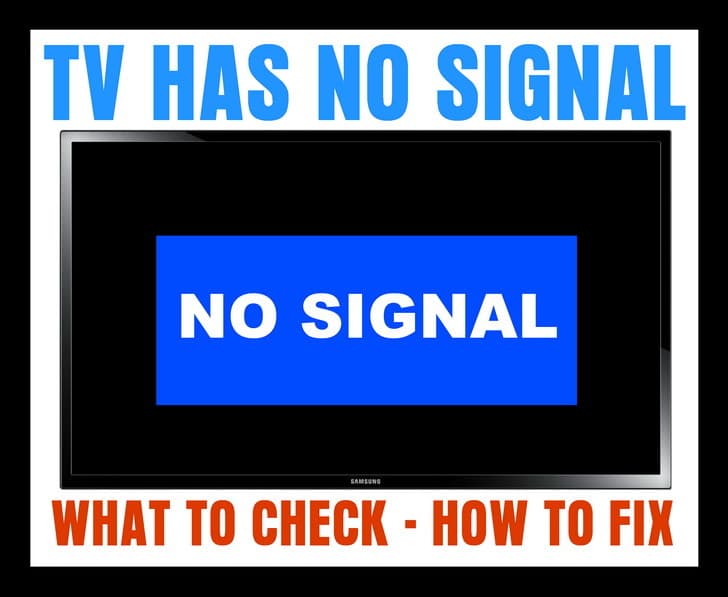 TV NO SIGNAL
If your TV displays a “No Signal” message on the screen (HDTV or Standard TV) it could be one of the 4 issues we have listed below…
1 – Is the NO SIGNAL issue happening on just one TV?
CORRECT INPUT or SOURCE
If it is just one TV that is showing the NO SIGNAL…
-Be sure your TV is on the correct source or input as your CABLE or SAT BOX.
-Press the TV button on TV remote control to turn your TV ON.
-Press the INPUT button on your TV remote control.
-Cycle through all the inputs on your TV.
-Do this until you are on the INPUT your CABLE or SAT BOX is plugged into.
-You should then see the CABLE or SAT programming show on your TV.
HINT: Your TV will most likely list the TV INPUTS as: HDMI 1, HDMI 2, HDMI 3, VGA, Component 1, Component 2, and so on.
If you still see NO SIGNAL on your TV screen, see the next step below…
2 – If you have your TV on the correct INPUT or SOURCE and you still see NO SIGNAL…
CABLE OR SAT BOX NEEDS RESET
-Remove or unplug the power cable from the Cable TV or SAT set top box.
-Keep it unplugged for 2 to 3 minutes.
-Plug the power cable back into your Cable or SAT set top box.
-Give it some time for the Cable or SAT box to power up, get the signal, and initialize.
If you still see NO SIGNAL on your TV screen, see the next step below…
3 – If you have reset the Cable or SAT box and still have the NO SIGNAL…
UNPLUG THE CABLE GOING FROM THE TV TO YOUR CABLE OR SAT BOX
-Remove the HDMI cable or other cables from your Cable TV or SAT set top box.
-Keep the cable unplugged for 2 to 3 minutes.
-Plug the HDMI cable or other cables back in.
-Give it some time for the Cable or SAT box to get the signal and initialize.
HINT: Make sure all the cables that are connected to your Cable or SAT box and your TV are tight, undamaged, and secured.
4 – If all of your TVs are affected with the NO SIGNAL screen…
BE SURE THE COAX CABLES OR ETHERNET CABLES ARE SECURE or CABLE OR SAT IS DOWN TEMPORARILY
-Be sure to check the ones where the CABLE or SAT come into your home.
-Be sure ALL Ethernet and Coax cables are secure.
-Call your CABLE or SAT provider to see if there is an outage.
-Realign your Dish if you have SATELLITE.
If you need more help with a TV that says NO SIGNAL, please leave a comment below and we will be happy to assist.

Written by Keith Schneerer
Certified Appliance Tech · Founder, RemoveAndReplace.com
Keith has spent 30+ years repairing machines, starting as a military mechanic and later maintaining food processing equipment before moving into appliance repair. He founded RemoveAndReplace.com to share field-tested repair advice.
More about Keith →
This morning there was a loud crack of thunder & a lightning strike near our home. Cable blinked & now LG TV says NO SIGNAL. Cabel company says no outages. We have unplugged, let it set, & replugged both cable box & TV. All are on a surge protector. Any thoughts??
I switched DVD players and now my Roku won’t work – it says no signal. Tried unhooking the new dvd player but it didn’t help.
My TV says no signal. I have no cable or satellite, only an antenna. I bought a new antenna and still no signal. I tried both antennas on a different TV a d they both work and the TV gets a signal. A very good signal. I have reset the TV and I have tried every input. Still… no signal. Is something inside that TV malfunctioning?
Tv has a firestick and says no signal we dont have cable
I was watching tv and suddenly it went off and said No Signal. My Dish receiver controls 2 TVs. One tv works but the other one says No Signal. I have unplugged the receiver and the tv that doesnt work and waited several minutes, but it still says No Signal when I turn it back on. Has that tv died?
W e use an antenna for our tv, no cable. I accidentally changed the setting on my antenna mode while in MENU to the second setting and since then I get NO SIGNAL . I think I am on a cable setting, but we do not have cable. I cannot get back into the TV menu to fix. Please help.
I have a Vizio TV and suddenly is showing no signal for my cable box and DVD.
I followed all the steps but nothing worked.
I used a 2nd cable box that it works in my 2nd TV but still not signal.
I see the TV menu but when i tried the HDMI inputs none work.
Also, i tried the white/red cables (Comp) to connect the DVD but no signal.
Is there something i can do?
If not, is it worthy to try to repair?