I have an HD Flat Screen TV and when I turn it on it says NO SIGNAL. I have not seen this before as my CABLE BOX is connected and turned ON. I do not know if there may be something wrong with my Samsung TV or if it is the cable box causing my problem. I know my TV works because I can see it displaying the words “NO SIGNAL”. Is there maybe something wrong with the TV where the cables go in on the back of the TV?
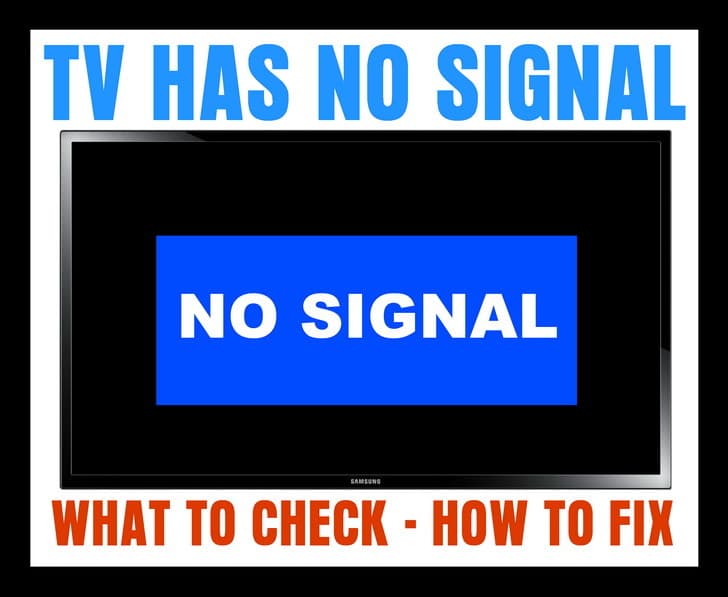 TV NO SIGNAL
If your TV displays a “No Signal” message on the screen (HDTV or Standard TV) it could be one of the 4 issues we have listed below…
1 – Is the NO SIGNAL issue happening on just one TV?
CORRECT INPUT or SOURCE
If it is just one TV that is showing the NO SIGNAL…
-Be sure your TV is on the correct source or input as your CABLE or SAT BOX.
-Press the TV button on TV remote control to turn your TV ON.
-Press the INPUT button on your TV remote control.
-Cycle through all the inputs on your TV.
-Do this until you are on the INPUT your CABLE or SAT BOX is plugged into.
-You should then see the CABLE or SAT programming show on your TV.
HINT: Your TV will most likely list the TV INPUTS as: HDMI 1, HDMI 2, HDMI 3, VGA, Component 1, Component 2, and so on.
If you still see NO SIGNAL on your TV screen, see the next step below…
2 – If you have your TV on the correct INPUT or SOURCE and you still see NO SIGNAL…
CABLE OR SAT BOX NEEDS RESET
-Remove or unplug the power cable from the Cable TV or SAT set top box.
-Keep it unplugged for 2 to 3 minutes.
-Plug the power cable back into your Cable or SAT set top box.
-Give it some time for the Cable or SAT box to power up, get the signal, and initialize.
If you still see NO SIGNAL on your TV screen, see the next step below…
3 – If you have reset the Cable or SAT box and still have the NO SIGNAL…
UNPLUG THE CABLE GOING FROM THE TV TO YOUR CABLE OR SAT BOX
-Remove the HDMI cable or other cables from your Cable TV or SAT set top box.
-Keep the cable unplugged for 2 to 3 minutes.
-Plug the HDMI cable or other cables back in.
-Give it some time for the Cable or SAT box to get the signal and initialize.
HINT: Make sure all the cables that are connected to your Cable or SAT box and your TV are tight, undamaged, and secured.
4 – If all of your TVs are affected with the NO SIGNAL screen…
BE SURE THE COAX CABLES OR ETHERNET CABLES ARE SECURE or CABLE OR SAT IS DOWN TEMPORARILY
-Be sure to check the ones where the CABLE or SAT come into your home.
-Be sure ALL Ethernet and Coax cables are secure.
-Call your CABLE or SAT provider to see if there is an outage.
-Realign your Dish if you have SATELLITE.
If you need more help with a TV that says NO SIGNAL, please leave a comment below and we will be happy to assist.

Written by Keith Schneerer
Certified Appliance Tech · Founder, RemoveAndReplace.com
Keith has spent 30+ years repairing machines, starting as a military mechanic and later maintaining food processing equipment before moving into appliance repair. He founded RemoveAndReplace.com to share field-tested repair advice.
More about Keith →
My Sharp LED TV shows no signal even when I have a signal from the cable box.
I’ve tried the unplug everything and plugging it back but it still shows up.
How do I get rid of the message?
I have a Spectrum HD TV. I recently cancelled my Direct so I have been trying to use my Roku. The TV continues to show no signal floating around on the screen. Please help.
For My VIZIO
To Fix VIZIO No Signal
When TV OFF
Hold Down 2 Buttons MENU + INPUT
Power will ON
Change INPUT quickly within 3 Sec.
To HDMI or Others
I have a Veon 32 inch LCD TV.
I moved to a new house and I still have a no signal on the screen.
It’s like I’ve lost all my channels.
I have retuned it multiple times.
I’ve switched sources and everything and it still doesn’t work.
Turn off TV, unhook cable from outlet, wait 60 seconds, plug it back in. Remove all TV remote batteries then start clicking all buttons including the back of VIZIO remote, click all buttons, even better to click all twice, do the same on Cable remote, click all buttons once or twice, put batteries back, turn TV & cable on and everything would be back to mormal, as if nothing happened.
My LG TV in the bedroom goes off with a “No Signal” message at exactly 01:08 every morning.
It is not a signal loss as other TV’s still work at this time.
There is an RF loop through from a BT Vision box which if bridged out makes the TV show a picture very briefly then goes back to No Signal or shows a very poor picture for a moment then goes to No Signal.
There are no regular ‘off times’ set in the menus and nothing to suggest why this is happening.
I’m assuming it’s some kind of software/programming issue but updates have not solved it.
If we switch the Youview on, the TV works perfectly via the HDMI input.
I have tried everything.
It still comes up no signal.
I even hooked another TV up and it works.
The model #e422va.