I have an HD Flat Screen TV and when I turn it on it says NO SIGNAL. I have not seen this before as my CABLE BOX is connected and turned ON. I do not know if there may be something wrong with my Samsung TV or if it is the cable box causing my problem. I know my TV works because I can see it displaying the words “NO SIGNAL”. Is there maybe something wrong with the TV where the cables go in on the back of the TV?
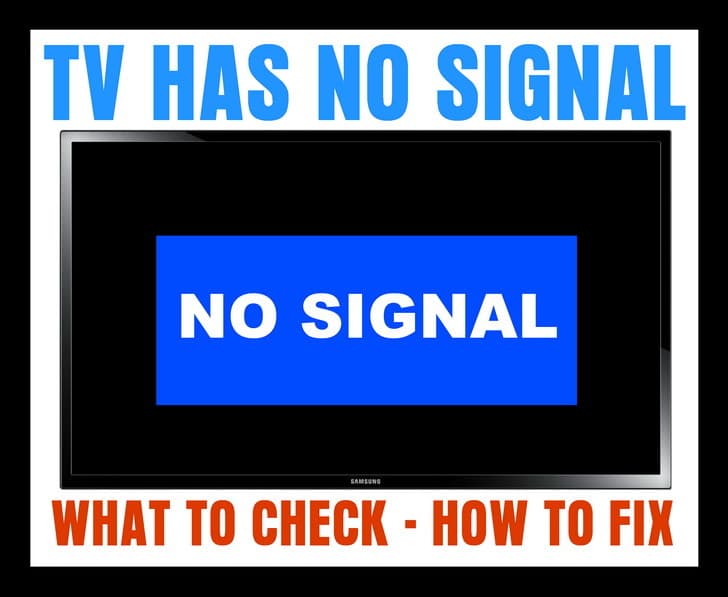 TV NO SIGNAL
If your TV displays a “No Signal” message on the screen (HDTV or Standard TV) it could be one of the 4 issues we have listed below…
1 – Is the NO SIGNAL issue happening on just one TV?
CORRECT INPUT or SOURCE
If it is just one TV that is showing the NO SIGNAL…
-Be sure your TV is on the correct source or input as your CABLE or SAT BOX.
-Press the TV button on TV remote control to turn your TV ON.
-Press the INPUT button on your TV remote control.
-Cycle through all the inputs on your TV.
-Do this until you are on the INPUT your CABLE or SAT BOX is plugged into.
-You should then see the CABLE or SAT programming show on your TV.
HINT: Your TV will most likely list the TV INPUTS as: HDMI 1, HDMI 2, HDMI 3, VGA, Component 1, Component 2, and so on.
If you still see NO SIGNAL on your TV screen, see the next step below…
2 – If you have your TV on the correct INPUT or SOURCE and you still see NO SIGNAL…
CABLE OR SAT BOX NEEDS RESET
-Remove or unplug the power cable from the Cable TV or SAT set top box.
-Keep it unplugged for 2 to 3 minutes.
-Plug the power cable back into your Cable or SAT set top box.
-Give it some time for the Cable or SAT box to power up, get the signal, and initialize.
If you still see NO SIGNAL on your TV screen, see the next step below…
3 – If you have reset the Cable or SAT box and still have the NO SIGNAL…
UNPLUG THE CABLE GOING FROM THE TV TO YOUR CABLE OR SAT BOX
-Remove the HDMI cable or other cables from your Cable TV or SAT set top box.
-Keep the cable unplugged for 2 to 3 minutes.
-Plug the HDMI cable or other cables back in.
-Give it some time for the Cable or SAT box to get the signal and initialize.
HINT: Make sure all the cables that are connected to your Cable or SAT box and your TV are tight, undamaged, and secured.
4 – If all of your TVs are affected with the NO SIGNAL screen…
BE SURE THE COAX CABLES OR ETHERNET CABLES ARE SECURE or CABLE OR SAT IS DOWN TEMPORARILY
-Be sure to check the ones where the CABLE or SAT come into your home.
-Be sure ALL Ethernet and Coax cables are secure.
-Call your CABLE or SAT provider to see if there is an outage.
-Realign your Dish if you have SATELLITE.
If you need more help with a TV that says NO SIGNAL, please leave a comment below and we will be happy to assist.

Written by Keith Schneerer
Certified Appliance Tech · Founder, RemoveAndReplace.com
Keith has spent 30+ years repairing machines, starting as a military mechanic and later maintaining food processing equipment before moving into appliance repair. He founded RemoveAndReplace.com to share field-tested repair advice.
More about Keith →
Hi I have a LG 50 PT 250 is the model number the picture is really distorted like the reception is bad but it’s only happening on this TV could it be from a buildup of dust in the back of the TV or does this particular model need a set top box with it
I’ve tried all the steps listed (& then some).
The one thing I’m noticing on the tv menu is that it’s not giving me the option to stop at “analog”.
It just skips past it. I have an antenna on top of my roof on a 2 story home.
My other tv is working fine, but I still checked the cables in the basement, the splicer & unhooked, then rehooked up everything.
(The one that’s not working is running with a DVD player, so I unhooked that & still nothing.)
This all started a few days ago & the tv kept shutting off (by itself).
Today, it worked fine & then the picture froze. When I changed the channel that’s when it said “no signal”.
I’ve cleaned every opening (vacuumed), I’ve unplugged, changed remote batteries, etc.
I even tried the “factory reset” & now it won’t pick up any channels when scanned, but the other tv is working just fine.
Thank you… finding the TV button & pressing the Input button worked! I was able to get HDM1 working again…
Nja
My Nada 19″ tv has worked well for years on regular digital channels across the United States.Tv was working well at first then all the sudden I got NO SIGNAL. I unplugged, I double checked with my roommates tv, hers works. I plugged into her antenna NO SIGNAL again. Checked DTV signal is bad. We are hooked to same antenna just two cables with a splitter. Did fine for two months. Throw away tv?
Thank you…the first step it says to try, fixed the problem. My TV said No Signal component 1 . I wasn’t sure what that meant, but when it said to scroll through the options after pressing input button, I realized the hdmi cable was plugged into hdmi2. When I highlighted that option, it instantly fixed the problem. Once again, thank you. I was seriously considering getting rid of my cable….not that that would be a bad thing!!
Hi, I Already follow the instructions above, but still the error was no signal, it can’t even search a channel. What should I do now??
I have a Vizio tv. The cable hdmi1 just suddenly went out. I performed all the steps above multiple times. I called my cable provider and they reset my box. I changed coax cables and got a new mini box. Still no signal.This tv is secondary and in my bedroom. The main tv and cable box in my living room is working perfectly. When i hook up my dvd player and change the input to AV i am able to watch dvds. Ive hooked up a different tv and it works perfectly. Unfortunately the tv I’m having issues with is much bigger and better quality. Any help would be greatly appreciated!