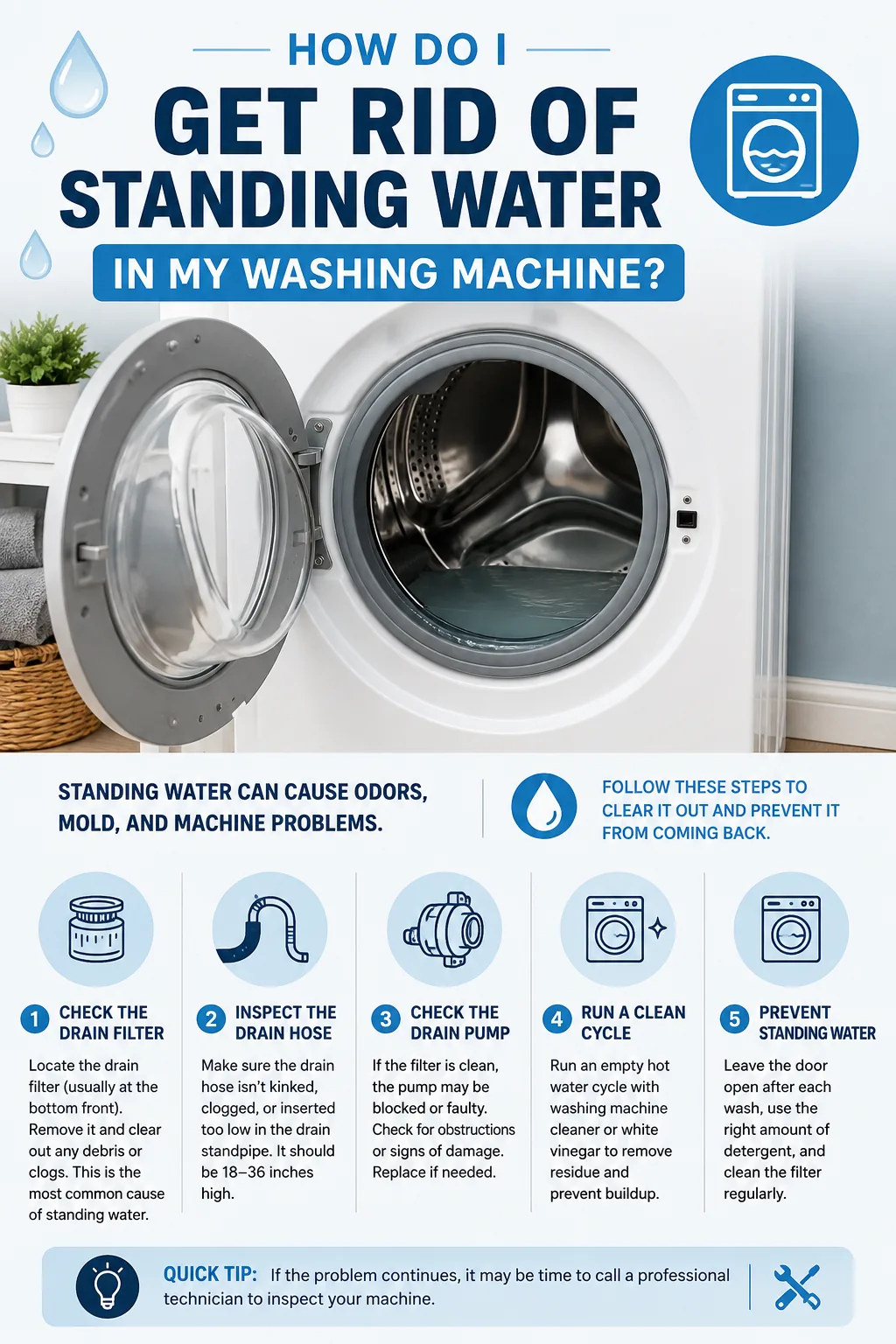
Do you see the ‘OE’ error code on your LG washing machine? This code signals a “No Drain” issue telling you it is a potential drainage problem. The cause usually falls into one of three categories: a bent drain hose, a clogged drain pump filter, or an obstructed drain pump. Kinks in the drain hose can restrict water flow, while accumulated debris can block the drain pump filter. Foreign objects like coins or hairpins may lodge in the drain pump and cause this issue.
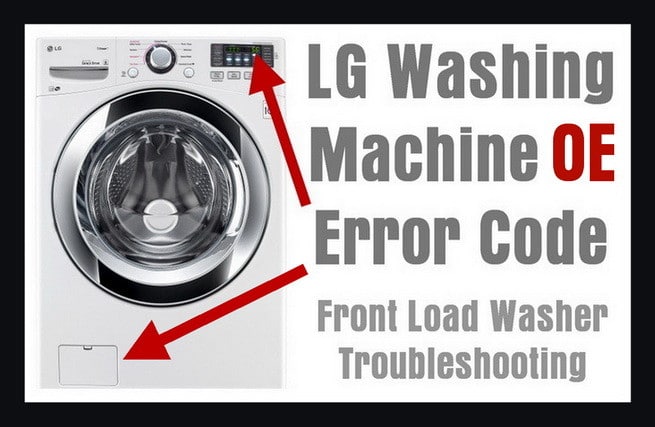 LG Washer Error Code OE
Use this table to quickly clear the error code:
| Part to check | Why check it | How to clear the error |
|---|---|---|
| Drain Pump Filter | Catches stuff so it doesn’t go down the drain. Could be full of lint or gunk. | Unplug the washer. Open the bottom front door. Take off the hose and plug. Clean the filter and housing. Put everything back. |
| Drain Hose | Tube where water goes out. Could be bent or twisted. | Find the hose at the back of the washer. Check for bends or kinks. Straighten the hose. Make sure nothing is blocking it. |
| Drain Pump | Pumps out the water. Could be blocked by objects. | Unplug the washer. Open the panel to find the pump. Check for blockages. Watch the video for step-by-step guidance. |
LG Front Load Washer Says ‘OE’
If your LG washing machine shows an ‘OE’ on the screen, that means it’s having trouble draining the water out. Here are the 3 places you should check:
- Drain Pump Filter: This is like a little basket that catches stuff so it doesn’t go down the drain. If it’s full of lint or other gunk, you’ll need to clean out the pump filter.
- Drain Hose: This is the tube where the water goes out. If it’s twisted or bent, the water can’t get through. Make sure it’s straight.
- Drain Pump: Sometimes things like coins or hairpins get stuck here and stop the water from going out. Check to make sure nothing’s blocking it.
So, if you see ‘OE,’ it’s time to look at these 3 parts. Fixing them will help your washing machine get back to work and clear the LG washer error code.
Fix The ‘OE’ Error: Clean The Drain Pump Filter
- Turn Off the Washer: First, make sure to unplug the washing machine so it’s safe to work on.
- Find the Filter: Look at the bottom front part of your washing machine. You’ll see a little door—that’s where the filter is.
- Open the Door: Take off the cover of that little door to see the filter.
- Unhook the Hose: There’s a hose near the filter. Take it off carefully.
- Remove the Plug: There’s a small plug on the hose. Take it off.
- Drain the Water: Some water will still be inside the washer. Use a small bowl to catch this water as it comes out.
- Take Out the Filter: Turn the filter counter-clockwise (like turning back time on a clock) to take it out.
- Clean the Filter: Put the filter under warm tap water to clean it.
- Clean the Housing: Use a brush or a cloth to clean inside the place where the filter goes.
- Put Everything Back: Put the plug back on the hose and hook the hose back up. Slide the clean filter back in its place and make sure it’s secure.
- Close the Door: Put the cover back on by turning it clockwise (like moving time forward on a clock).
- Test it Out: Plug the washer back in and wash a small load to make sure the ‘OE’ message is gone.
And that’s it. If you did everything right, your washing machine should work like new again. We even have a video below to show you how it’s done.
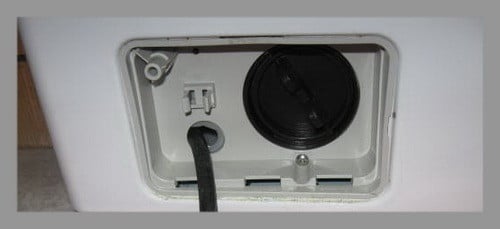 LG front load washer drain pump filter location
LG Washer – Cleaning the Drain Pump Filter
Check The Drain Hose On Your Washer
- Find the Hose: Go to the back of your washing machine and look for a tube or hose that’s attached to it. This is the drain hose.
- Check for Bends: See if the hose is bent like a twisty straw or squished. If your washer was pushed against the wall, the hose might get bent and stop the water from going out.
- Straighten the Hose: If you see any bends or kinks, make the hose straight so water can flow through it easily.
- Look for Blockages: Make sure nothing is stuck inside the hose, blocking the water.
- Test the Washer: Now, plug your washer back in and wash a small load of clothes. If you did everything right, the ‘OE’ message should be gone and your washer should be working great.
And that’s it. You’ve checked the hose, and your washing machine should be back to draining water like it’s supposed to.
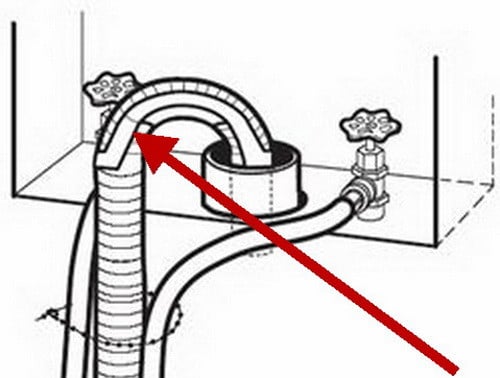 Washing machine drain hose location
How To Check The Drain Pump In Your Washer
- Unplug the Washer: First, make sure the washer is unplugged so it’s safe to check.
- Open the Panel: You’ll need to open up a part of your washing machine to find the drain pump. It’s inside the washer.
- Be Sure You Can Do It: This step is a bit tricky. Only try this if you’re really sure you know how to safely take apart the washing machine.
- Watch the Video: We have a video below that shows you how to get to the drain pump. Watching it will help you understand what to do.
- Check for Blockages: Once you get to the drain pump, look to see if anything is stuck in it, like lint or small toys. That could be causing the ‘OE’ message to show up.
Remember, only try this if you’re sure you can do it safely. And after you’ve checked, your washer should be back to working perfectly.
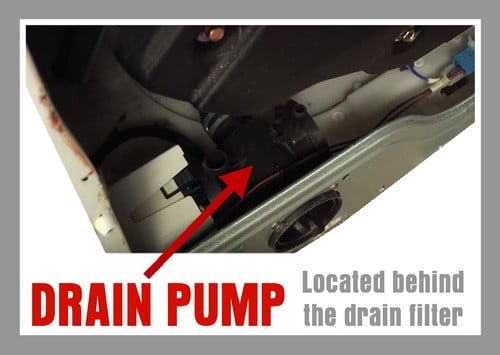 LG front load washer drain pump location
How To Access The Drain Pump On LG Washer
Parts You May Need To Fix Your LG Washer
| Part Name / Part Number | Description | Part Sources |
|---|---|---|
| LG Washer Drain Pump Part# 4681EA2001T |
Helps expel water from the washing machine, activated post spin cycle. | Part Select / Appliance Parts Pros |
| LG Washing Machine Drain Hose Part# AEM73732901 (Primary) 5215ER2002G, AEM69493808, 5215EA4001G (Alternative) |
Conveys used water from the washer to the drain. | LG / Amazon Parts |
| LG Washer Drain Pump Filter Part# AP4440367 (Primary) 383EER2001A (Alternative) |
Traps lint and debris from drain water during wash cycle. | Appliance Parts Pros / Amazon Part |
Tips To Keep Your Washer Running Smooth
- Regular Checks: Examine the drain pump filter, hose, and pump on a monthly basis. This allows you to catch and resolve minor issues before they develop into larger problems.
- Lint Bag Strategy: Consider utilizing a lint bag or net in your washing machine. This simple addition is effective in trapping lint, hair, and small debris. This prevents these items from clogging your drain pump.
- Load Management: Avoid overloading your washer. This places unnecessary strain on the motor and can also lead to drainage issues. To maintain peak performance, adhere strictly to the manufacturer’s recommended load sizes.
- Choice of Detergent: The type of detergent you use can impact the cleanliness and lifespan of your drain pump filter. Use a detergent specifically formulated for front-loading washers.
- Drain Hose Alignment: Ensure that your drain hose is positioned according to the manufacturer’s guidelines. Incorrect placement can mess up the proper drainage and may even trigger the OE error code.
Need More Help?
Still having issues or questions about your LG front load washer and the ‘OE’ error code? Feel free to leave a comment below with your LG washer model number and we can assist.

Written by Keith Schneerer
Certified Appliance Tech · Founder, RemoveAndReplace.com
Keith has spent 30+ years repairing machines, starting as a military mechanic and later maintaining food processing equipment before moving into appliance repair. He founded RemoveAndReplace.com to share field-tested repair advice.
More about Keith →
shafruddin shuib,
LG WASHER IE ERROR CODE = WATER INLET ERROR = NO WATER ENTERING WASHER is the definition of the IE or 1E error code on your LG washing machine.
Here is the page describing it in detail = How to fix LG washer with IE error code.
-RR
I have IE error code on LG direct drive 14 washing machine. The machine run for about 10 min then the error IE comes out. What is the problem?
Meenal,
We have seen moisture on boards, sometimes when they fully dry out they are operational, other times not.
Probably a 1 in 10 chance.
Try this to attempt to save money….
Remove the PCB board and let is dry in the sun for a day.
If that does not work, replace board.
-RR
I have the same problem getting LG WASHER OE error code.
Called up for service but problem is not solved.
He is saying PCB has got moisture on it.
Please help how do I solve this problem.
After replacing the pump motor, everything works as expected. The shaft seal behind the impeller appears to have failed allowing moisture/water inside the motor.
David,
You may have a main control board that is on the fritz.
If you know the drain pump works, but does not activate when it is supposed to, then either the board, or a wiring harness is bad, loose, damaged, etc…
-RR
I finally found a Service Manual for my model and it shows a ‘streamlined’ guide for drain issue on p25;
Is the drain hose twisted or frozen?
Repair the DRAIN HOSE ASSEMBLY.
NO
Is the impeller of the drain pump clogged?
Remove foreign material.
NO
Is the connector disconnected, disassembled?
Reconnect or repair the connector
NO
Is the coil of the drain pump too high or low? (resistance of the coil is 10-20 Ω)
Replace the DRAIN PUMP ASSEMBLY
NO
When checking voltage between connectors during spin, is the voltage 120 V AC as in the figure?
Replace the MAIN PWB ASSEMBLY.
I will find out tomorrow if new pump solves the problem. :-)
[my pump motor resistance appeared to be out of range.]