Here are 11 common issues that we have seen on Samsung front load washers. The problems below show up often and this guide is to help you to fix it after reading each issue. This page explains the most common issues and certain error codes that might appear on your machine.
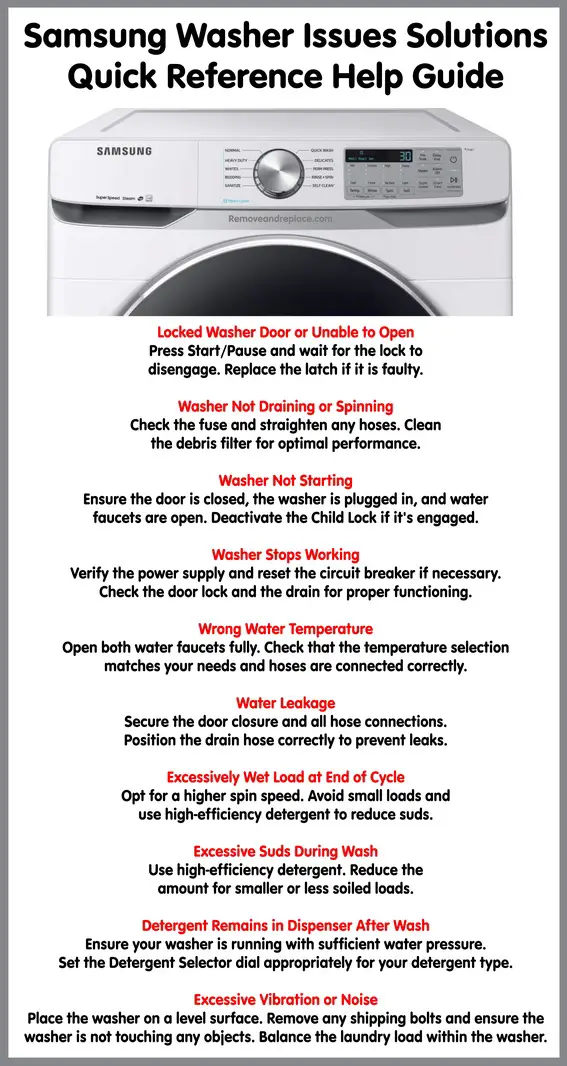 Samsung washer quick reference guide for troubleshooting
1. Washer Door Locked or Will Not Open
Samsung Washer Fix/Solution:
- To halt your washer, simply press the Start/Pause button.
- Note that the washer door stays locked during the Sanitize cycle’s heating phase.
- The door lock mechanism might take a short period to disengage after the cycle.
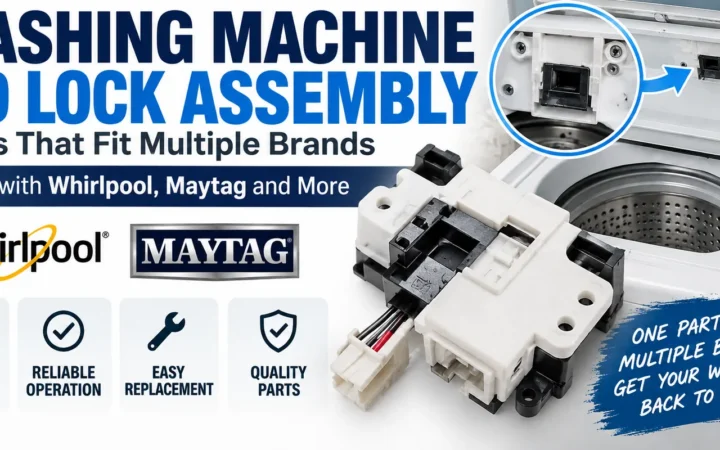
- Should the door switch latch be defective, consider a replacement. Replace Samsung washer door latch if necessary.
2. Washer Does Not Drain or Spin
Samsung Washer Fix/Solution:
- Start by checking the fuse or resetting the circuit breaker.
- Make sure to straighten any bent drain hoses.
- Remove any kinks from the hoses to ensure proper water flow.
- Address any drain restriction issues promptly.
- Ensure the door is closed before pressing the Start/Pause button.
- Remember, the washer will not spin or tumble unless the door is securely closed.
- A crucial step is to maintain the debris filter. Clean out the debris filter regularly, especially if it’s clogged, to prevent drainage issues.
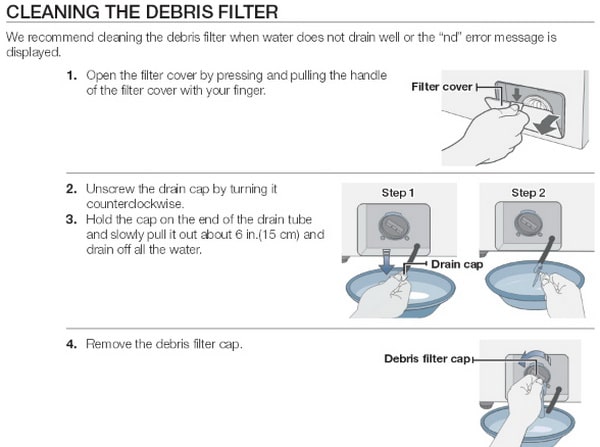 Clean debris filter on Samsung front load washer
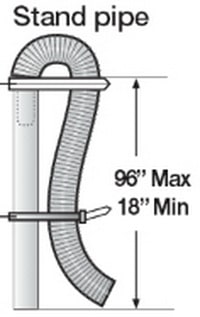 Be sure drain hose is inserted correctly into stand pipe so the washing machine can drain
3. Washer Will Not Start
Samsung Washer Fix/Solution:
- Confirm that the door of the washer is securely closed.
- Ensure that your washer is properly connected to a power source.
- Check that the water source faucets are fully open.
- To initiate the washing process, press the Start/Pause button.
- Verify that the Child Lock feature is not activated. To deactivate it, press and hold both the Spin and Soil Level buttons for about 6 seconds.
- Prior to filling with water, your washer will perform a series of checks, including clicking sounds for door lock verification and a quick drainage test.
- If the washer still doesn’t start, inspect the fuse or reset the circuit breaker as needed.
4. No Water or Insufficient Water
Samsung Washer Fix/Solution:
- Turn on both water faucets completely to ensure adequate water flow.
- Double-check that the washer door is firmly closed.
- Straighten any twists in the water inlet hoses to promote better water flow.
- If you suspect a blockage, disconnect the hoses and clean the screens.
- It’s common for hose filter screens to become clogged; ensure they are clear.
- After addressing these issues, open and close the washer door and then press the Start/Pause button to restart the cycle.
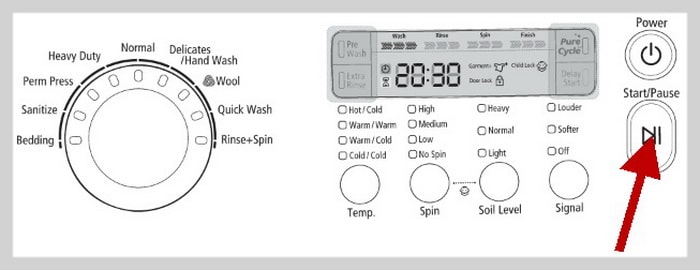 Press START/PAUSE button to pause and restart programs
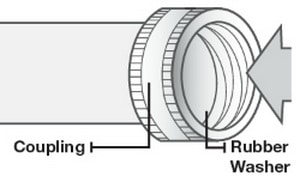 Washer water supply hoses – Be sure screens are not clogged and rubber washer is installed
5. Washer Stops Working
Samsung Washer Fix/Solution:
- Ensure that the power cord is connected to an active electrical outlet.
- Inspect and reset the fuse or circuit breaker if necessary.
- To restart your washer, close the door and press the Start/Pause button.
- Keep in mind that the washer will not operate, including tumbling or spinning, unless the door is securely shut.
- At the beginning of a cycle, your washer may produce clicking sounds as it checks the door lock and performs a quick drainage.
- Your washer might pause or enter a soak period during its cycle. If this happens, wait a little while as it should resume shortly.
- Regularly check the screens on the inlet hoses attached to the faucets to ensure they are free from blockages.
- It’s a good practice to clean these screens periodically to maintain optimal water flow.
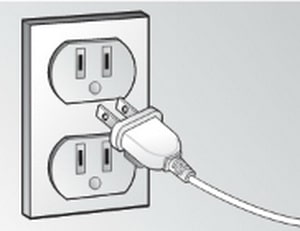 Be sure washer is plugged into the outlet and is getting power
6. Washer Fills with the Wrong Water Temperature
Samsung Washer Fix/Solution:
- First, verify that both hot and cold water faucets are fully open.
- Check if the temperature setting on your washer matches your desired water temperature.
- Confirm that the washer’s hoses are correctly attached to the corresponding hot and cold faucets.
- Perform a flush of the water lines to clear any potential blockages.
- Inspect your home’s water heater. It should be set to provide at least 120°F of hot water at the tap.
- Additionally, assess your water heater’s capacity and its recovery rate to ensure it meets your household’s hot water needs.
- If the problem persists, disconnect the hoses from the washer and clean the screens within them. Sometimes, these hose filter screens can become clogged, affecting water temperature.
 Make sure both faucets are fully OPEN If WRONG TEMPERATURE or NO WATER
7. Washer Leaks Water
Samsung Washer Fix/Solution:
- Ensure that the washer door is securely and properly closed.
- Check all hose connections to make sure they are tight and secure.
- Verify that the end of the drain hose is correctly inserted and firmly attached to your home’s drainage system.
- Avoid overloading the washer, as this can lead to imbalance and potential leakage.
- Opt for high-efficiency detergent, which helps prevent excessive suds that could cause leaks.
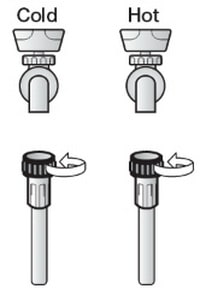 Make sure the water supply hoses to the washing machine are connected securely and correctly
8. Wash Load is Wet at End of Wash Cycle
Samsung Washer Fix/Solution:
- Opt for the High or Extra High spin speed option to effectively remove more water.
- Utilize high-efficiency detergent to minimize over-sudsing, which can affect the spin cycle.
- If the load is too small, consider adding a few more items. Very small loads can become unbalanced, leading to incomplete spinning.
9. Washer Has Excessive Suds
Samsung Washer Fix/Solution:
- Always use high-efficiency detergent to prevent over-sudsing.
- For soft water, small loads, or lightly soiled laundry, reduce the amount of detergent used.
- Avoid using non-HE (high-efficiency) detergent as it’s not recommended for these washers.
10. Detergent Remains in Dispenser After Cycle
Samsung Washer Fix/Solution:
- Ensure your washer is receiving enough water pressure, which is crucial for proper dispenser functioning.
- When using granular detergent, make sure the Detergent Selector dial is positioned correctly, typically in the upper position.
11. Washer Has Excessive Vibration or is Noisy
Samsung Washer Fix/Solution:
- Place your washer on a level surface. If needed, adjust the washer feet to stabilize the unit.
- Confirm that all shipping bolts have been removed post-installation.
- Keep the washer from touching any nearby objects, as contact can cause additional noise or vibration.
- Ensure that the laundry load is balanced. An unbalanced load can cause significant vibration and noise during operation.
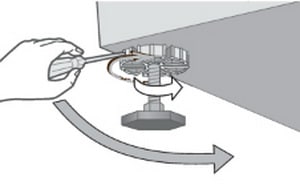 Be sure washing machine is level – Use a wrench on the legs to adjust
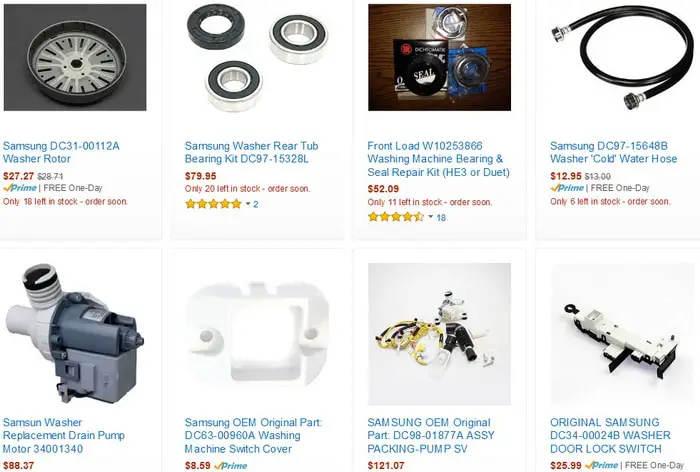 Samsung Front Loading Washer Replacement Parts
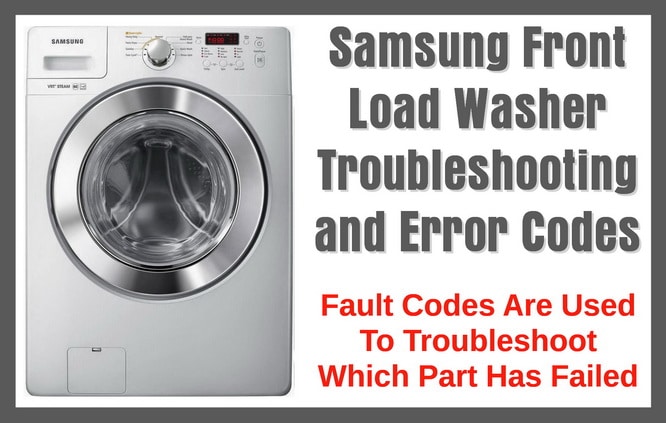
Samsung Front Loading Washer Error Codes
Samsung Front Load Washer Fault Code: OE
Definition: Water level exceeds the safety limit.
Solution/Fix: Check for blockages in the drain hose and ensure it’s properly positioned. If the problem persists, the pressure switch or control board may need inspection.
Samsung Front Load Washer Fault Code: E2
Definition: A key on the control panel is jammed.
Solution/Fix: Inspect the control panel and gently attempt to unjam the key. Persistent issues might require control panel repair or replacement.
Samsung Front Load Washer Fault Code: tE
Definition: Issue with the temperature sensor, affecting water heating.
Solution/Fix: Restart the washer. If the error recurs, the sensor or wiring might need checking or replacing.
Samsung Front Load Washer Fault Code: 3E
Definition: Indicates a malfunction in the motor.
Solution/Fix: Restart the washer. Repeated errors could point to motor or wiring issues, requiring professional assessment.
Samsung Front Load Washer Fault Code: 2E
Definition: Voltage levels in the washer are either too high or too low.
Solution/Fix: Reset the washer. Consistent occurrences might suggest electrical issues in your home or washer’s internal wiring.
Samsung Front Load Washer Fault Code: 7E
Definition: Problem with the Ag+ (Silver Care) Kit, often related to sanitization features.
Solution/Fix: Ensure proper installation and functionality of the Ag+ Kit. Malfunctions may necessitate replacement.
Samsung Front Load Washer Fault Code: AE
Definition: Communication error between the washer’s main and sub control boards.
Solution/Fix: Try resetting the washer. Continued communication problems typically require servicing or board replacement.
Samsung Front Load Washer Fault Code: SF1, SF2, SF3
Definition: General system failure codes, indicating various potential issues.
Solution/Fix: Due to their broad nature, a professional technician’s diagnosis is recommended to identify and fix the specific problem.
Samsung Front Load Washer Fault Code: SUdS
Definition: Excessive suds detected, affecting the wash cycle.
Solution/Fix: Reduce detergent usage, especially if not using HE (high-efficiency) detergent. For persistent issues, a cleaning cycle or drum clean might be necessary.
Samsung Front Load Washer Fault Code: dc
Definition: The load is unbalanced, preventing proper spinning.
Solution/Fix: Redistribute the garments evenly. If the issue continues, check for worn suspension rods or dampers.
Samsung Front Load Washer Fault Code: dL
Definition: The door is not locked while the machine is in operation.
Solution/Fix: Turn off the washer, check for obstructions preventing the door from closing, and restart the cycle.
Samsung Front Load Washer Fault Code: dS or D5
Definition: The door is detected as open during a cycle.
Solution/Fix: Ensure the door is firmly closed. If it continues, the door latch or sensor may need checking.
Samsung Front Load Washer Fault Code: FL
Definition: The door fails to lock properly.
Solution/Fix: Verify the door is closed correctly. Continued problems might indicate a faulty door lock mechanism.
Samsung Front Load Washer Fault Code: Hr
Definition: Issues with water temperature control, potentially due to a heater problem.
Solution/Fix: This error might necessitate checking the heating element and associated circuitry.
Samsung Front Load Washer Fault Code: LE
Definition: The washer is unable to reach the correct water level.
Solution/Fix: Inspect for clogs in the inlet hose and ensure proper water supply. Issues with water level sensors or valves may also cause this error.
Samsung Front Load Washer Fault Code: LO
Definition: The door will not unlock post-cycle.
Solution/Fix: Reset the washer. If the door remains locked, the lock mechanism or control board may need attention.
Samsung Front Load Washer Fault Code: nd
Definition: Drainage issue, possibly due to a clog or blockage.
Solution/Fix: Clean the drain filter and check the drain hose. Persistent drainage problems could be related to the pump or drain system.
Samsung Front Load Washer Fault Code: nF
Definition: Failure to fill with water.
Solution/Fix: Ensure water faucets are fully open and hoses aren’t kinked. Check the inlet screens for blockages. Verify proper connection of the hot water supply hose.
Samsung Front Load Washer Fault Code: nF1
Definition: Incorrect hot/cold water hose connection.
Solution/Fix: Check and correct the water hose connections.
Samsung Front Load Washer Fault Code: Sr
Definition: Control board-related problem.
Solution/Fix: This error usually requires professional service for diagnosis and repair.
Have questions for repairing your Samsung front load washer? Please leave your question below and we will assist.

Written by Keith Schneerer
Certified Appliance Tech · Founder, RemoveAndReplace.com
Keith has spent 30+ years repairing machines, starting as a military mechanic and later maintaining food processing equipment before moving into appliance repair. He founded RemoveAndReplace.com to share field-tested repair advice.
More about Keith →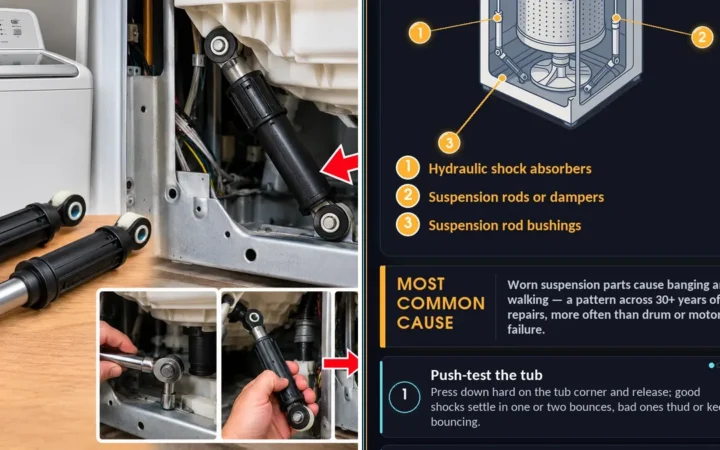
My samsung washing machine stops in the middle of washing and the display icons blinks (no code). The washer turns a few cm, then a click sounds, and it falls back down.. What can be wrong?
When the cycle is done, the washer turns itself off. The door is locked. I have to turn the power on to get it to unlock. Also, when I first start the load of laundry, the door locks, then unlocks, then locks again. Your help would be appreciated.
Joya,
Remove the “TRAY” by pushing a small strip and pull out.
Wash it out with hot water in sink.
Reinstall into your Samsung washer and it should now be unclogged.
-RR
Put powdered detergent in the “liquidity only” section – now it is clogged. Liquid soap will not enter the cycle. How do I clean this?
Mine does the same at 1and a half years. For $75 a repairman came and said to do self clean with vinegar. No results. I have been in touch with Samsung. I want to know if this is a problem which can be solved or do I need a new washer. I am still working on this.
If you watch closely you will see water added before the minutes jump back.
My washer is the same model.
My front load lg washer has been working fine for over 2yrs now lately it goes throught the was cycle vut when it gets down to about 7 mins left it stops and starts flashing (ue) which I didnt see on the list of error codes. And it wont spin the clothes out its full of water. I am lost on how to fix this theirs nothing in the drain the hose is fine
just got a new front load samsung with steam washer. I’m having a problem with the water staying in side and the door a little wet after a week with not using it it smelled like mold. what should i do or is there something wrong with my new unit thank you