

Is your TV turning off by itself? Does it turn off all on its own after a few seconds? There are different reasons why your TV turns itself off or seems to turn off by itself. The different reasons are listed by category below. You can use this “TV turning off” as a troubleshooting guide.
 TV turns off by itself
Is Your TV Turning Itself Off?
There are multiple reasons why your TV may be turning itself off. Will go over a few of the reasons wire TV is turning off by itself and what you can do to prevent this from happening.
TV Timer Set To Turn The TV Off?
Instructions – How to turn off the TIMER on your TV… (works on most TVs)
- Turn your TV ON.
- Press the MENU button on your TV remote control and enter SETUP menu.
- Press the ENTER button on your TV remote and enter the TIME menu.
- Use the arrow buttons on your TV remote to select the TIMER and press ENTER and the TIMER screen will appear.
- Use your TV remote and turn the TV TIMER mode to off.
- Press the EXIT button on your TV remote control to exit settings.
If your TV has the SLEEP TIMER set, follow the same steps above but go into SLEEP TIMER instead.
NOTE: It is possible to set the Sleep Timer by mistake by pressing the Sleep button on your TV remote control.
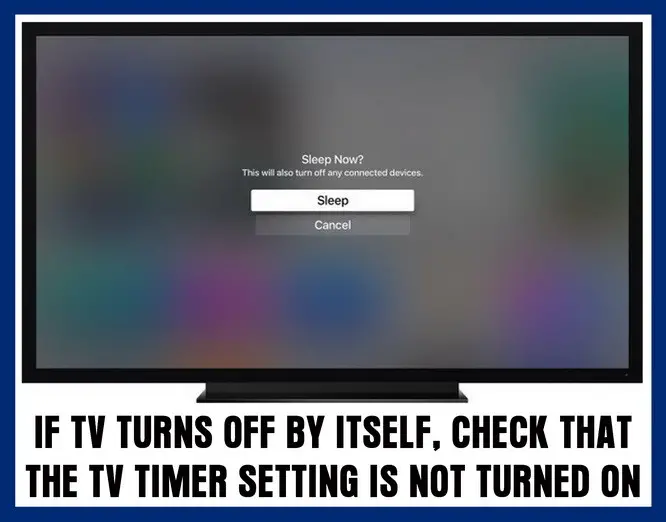 TV turns off by itself with timer or sleep timer?
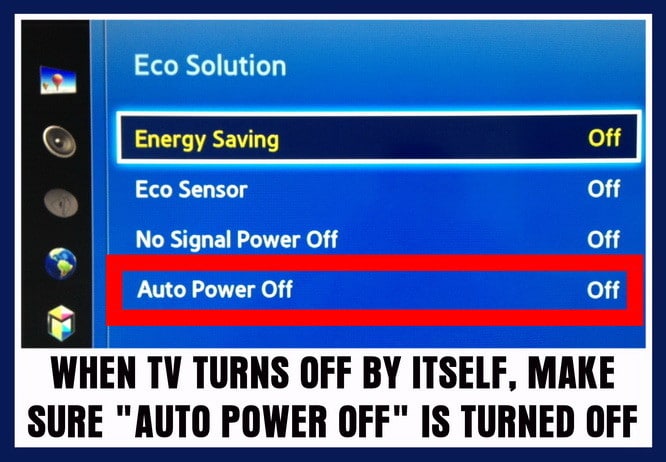 TV turns off after a few seconds? – Check timer and AUTO OFF settings in the TV menu
Using Your TV With A CAB or SAT Box?
If so your TV may seem to be off but the cable or SAT box is not turned on.
- Make sure the Cable Box Or Satellite Box is turned on and the input on the TV is set to that box.
- If the Cable Box Or Satellite Box is turned on, your cable or SAT box may not be sending your TV a signal.
- Test the cable box or satellite box signal output by pressing the info/guide button on the satellite box or cable box remote.
- After pressing the info/guide button, if the TV screen displays the guide data then your issue is caused by the cable or SAT box.
- If your TV screen will not display the guide data then be sure to change the input source on your TV using the input button on your TV remote.
Using The TV As A Computer Monitor?
Is the stand-by TV light blinking for a few moments after you press the power on button on your TV remote?
If so, then your PC is in sleep or hibernate mode. Wake up your PC by moving the mouse and the TV should turn back on.
NOTE: If your TV screen does not turn back on then be sure to change the input source on your TV using your TV remote control.
If the above TV WILL TURN OFF BY ITSELF methods did not work, try a MASTER RESET or FACTORY RESET on your TV. You will find this in the main settings of the TV menu. Try the Master reset and that may fix your TV from turning off by itself.
How to master reset a TV?
Also, if you have a Smart TV that is connected to the internet by WIFI, try updating the system bios or the TV software that controls it. Look for TV update settings in the menu. Try the reset and the system update and if that does not FIX your TV, you may have an issue with a component in the TV.
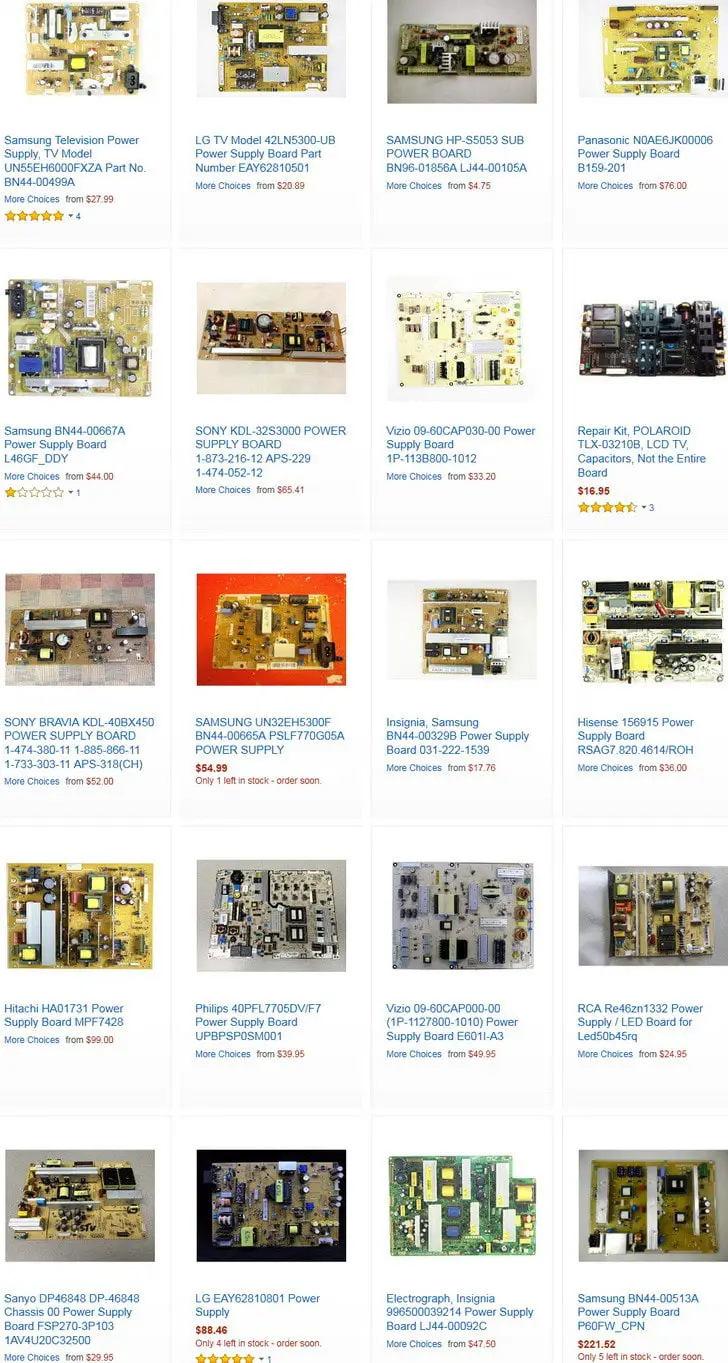
If all the above has failed to work, and you have checked and rechecked that the components attached to your TV ARE working properly, and have tried the reset and update options, you may have an issue with the TV itself. You could have a power board issue or other board issue. To fix a blank TV screen or find out if a board in your TV may be bad, try reading this page here about TV has sound but no picture.
The methods to fix or troubleshoot why your TV will turn off all by itself will work on Samsung, Vizio, Mitsubishi, LG, SONY, Panasonic, HiSense, Hitachi, Element, Magnavox, Sanyo, and all other TV models.
If you have tried all the above and you still have issues, please leave a comment below and we will be happy to assist.

I have a Emerson TV that works good for 30 to 45 minutes then it will turn off I turn it back on and after about 2 to 3 minutes it will shut off again and will continue to shut off every few minutes. Their isn’t a sleep timer or anything on its menu. Can you help me with the issue? Also can you tell me how to do a factory reset on it as well please?
Taofeeq,
If your TV turns on by itself, it is either updating its firmware, or something else in your house has sent a signal to the TV to turn ON.
Do you have a similar remote control in another room?
Another Panasonic remote in another location can be sending the same signal to that TV.
If you turn the TV ON in another room, is that when this happens?
-RR
My Panasonic 42inch LED tv will just OFF by itself for a month and come ON back for like a month And it’s been doing like that for while now. What my be the cause?
I have a flat screen Vizio, when I plug it in the white light comes on and goes out within 5 to 10 seconds what could the problem be
I have a 42″ Panasonic Viera LED Smart TV TH42AS610M. It trips off after few minutes of working, I’ve checked all connections, I try several times but it remains. I send it to a technician for a repair. It was troubleshoot and the system board was bad according to the technician. We have check for the system board for month we couldn’t find it. How do I get the system board?
I have a LG 47″ inch TV. Model: LG47LK520. The TV only stays on for 1 mute if that and shuts right off. I checked, timer, power control settings and all are off.
Besides replacing the power supply board is there anything else to check for?
Do you see the power supply board? Where to get one? How much?
I had the problem with my LED TV turning off about 20-30 mins after it was turned on and it kept turning off after turning it back on. Tonight i was looking for the sleep timer to see if it was on, and it didnt have one. So i tried turning on the energy saver and lowering it to -2 and it didnt turn off again. Even after it was on for a few hours. So saved the TV. I read above to check sleep timer, so thank you very much who said it. I wouldnt have seen the energy saver option and tried that
I have a 42 inch element flat screen television that has started turning itself off as though a timer or sleep is turned on but in the settings all the timer off automatic TV off automatic TV on sleep timers everything is in the off setting after watching the TV for approximately 5 to 10 minutes the timer will come up on the screen saying that it’s going to shut off in one minute 60 seconds and then to push any button on the remote to stop it you can push a button on the remote it stops the TV stays on but if you do not catch the setting for to turn to push the button to stop it then the TV will turn off you can turn it back on it works fine 5-10 minutes same thing it comes up on the TV saying that there’s a timer on push any button to stop it but all my settings for the timers to turn the TV off or on automatically or in the off position what can I do??????
I have an Emerson TV I turn on and it starts blinking and then it shuts off?
My Panasonic tv just turned off. Tried to turn it back on with remote-didn’t work. Tried to turn with power button on tv itself-didn’t work. Cable box that is coming from same power source is still working.
Is my tv broken or is there something else I can try?
I also have a 55 inch dynex that just started doing this last night. Shut off on me 6 times within an hour before I just gave up. My husband just thinks it’s going out. We’ve had it almost 10 years now.
I have a Sanyo 42 inch and it just shuts itself off after about hour it started this morning . I have tried everything suggested and can not figure it out .
Guy, have you figured out the issue? My 55″ Element tv just started doing the exact same thjng you described.
TV goes off after like 2-5 minutes. Tried unplugging, reset factory settings, changed out hdmi cable, happens on both hdmi 1 cable and hdmi2 fire stick this is a 55” dynex … lockdown with no TV ?!?
I turn power on! And in a second it goes off! It has never done that! FW55D25F Sanyo has it about 5 years
I have a 2013 Loewe individual 46″ 3D TV have problem with tv switches itself off intermittently, but sometimes also asking after being on for 4 hrs asking if still required press ok to keep tv on, but not just this instance.
I checked the turn off settings timer option but doesn’t work as have options on No
So ???
I have a Linden L55HD17 55’ UHD LED LCD tv, I am getting an issue where the image on screen does a sort of fragmented jump, before the screen switches off, but sound keeps running as normal.
I have an RCA 50” flat screen that was purchased in 2014. It’s been working fine until 3 months ago. The power button is red when it’s off/standby and blue when power is on. The power would go off for no reason. I did a reset and unplugged it for 3-5 minutes, it would gone back on. After 2 1/2 months the frequency of this happening is now where I unplug it for 5 mins, turn the power on, the power button turns blue like it’s powering on, but power goes off within 5 seconds. I’ve tried all the fixes you’ve suggested with no luck. Is it time to purchase a new tv or do you recommend calling a technician out. They can probably fix it, but I don’t want to spend $200-$300 on a repair when I can get a decent Samsung for $300-$400. Your thoughts Thanks
Our Samsung is about 6 years old. At random times it will turn off, then back on, while we’re watching tv. Sometimes it does this multiple times in a row. Sometimes it correlates to a high volume. Otherwise we have no idea why it does this. We can go months without and then it starts up again. It’s not a smart tv. Any thoughts? It’s plugged directly into the wall. No cable box. Just an antennae.
Hey, I have a Hisense 55 inch tv, I’ve had it about a year, but every now and the the tv will turn off, and when I turn it on again it shows on the screen asif I have unplugged the tv from the power source, I’ve checked cables are working and they seem to be working correctly.
Just abit frazzled to be honest.
Thanks in advance.
HISENSE – H49N5500UK 49″ Smart 4K Ultra HD HDR LED
Just looking for some advice, in the last few weeks when playing on the PlayStation 4 the TV has randomly been turning itself off, as though certain scenes were causing issues. I’ve changed hdmi cables and ports but the problems persists. Yesterday it extended to Amazon Prime, one scene in Parks and Rec kept causing it to flip to standby.
Any advice would be lovely.
My Philips smart tv was manf in June 2015 I was watching it this morning & it just cut its self off & when I turn it back on the power light blinks 5 times & cuts of again
I have an insignia tv model number is NS-LTDVD26-09, a neighbor was getting rid of presumably for the issue I discovered, the tv turns on and the picture is good and you’re able to use all of the controls just fine to open and navigate the menu but then after being on for less than a minute it shuts off. As I turned it back on several times after it shut itself off the duration it would stay on shorted to less than 10 seconds. I was asseing maybe it was overheating but it does not feel warm at all.
Any ideas as to how I can proceed?
My TV is Sony LED, Model # KLV-40R472A, Made in Malaysia, bought from LULU hypermarket, Riyadh about 3 years ago, having the same problem, on for 3 seconds and off by itself, for three times like this, then gone off completely, tried all the above options, but no use, one technician here told me that the LED bulb has fused or expired its life time, so it has to change, is it correct?
Hi,
The tv (Sony XBR-65X810C) was working fine last week then I went to go turn in on this week and it looks like its gonna turn on the white LED at the bottom illuminates but nothing comes on the screen, and within 5-10 seconds it turns off without anything ever coming on the screen. Any ideas? I tried unplugged it for a day, that didnt work, i tried to force a reset by holding down the power button and that didnt work either. No matter what nothing comes on the screen and the tv turns off after 5-10 seconds.
Thanks,
Mike
Hello, i have a Luxor 32” Smart TV, it switches on but then off within seconds. Before this the volume used to go down on its own. Any suggestions would be fantastic.
My TV Samsung will just shut itself off fir just a couple seconds and turn back on at the same point in programming. Any ideas??
Thank you
Nancy
I had this same problem, was trying to fix it for a good twenty minutes. Then I realized the power button was stuck down. Unstuck it, tv worked fine. I’m an idiot.
i have a 55 inch roku TCL TV and it turns on but it takes like 10 or 20 minutes and then it starts to shut off by itself.
My Samsung TV just went off leaving to red indicator on standby have tried to use the remote to power it back on no response
My Sanyo TV just started this last night. I turned it on and within 3 seconds it shuts off. This happened 3-4 times then it would not even turn on. This morning I unplugged the tv then plugged it back in and it came on then off in 3 seconds. This did this twice and now won’t even come on again. I can’t get a screen long enough to do anything else. The TV is not connected to the internet, it did not have a sleep timer that we ever used. Any other suggestions? Thank you.
The sleep function is popping up on the TV and is scrolling fast through all the different minutes. How can I get it to stop and not appear, since I do not use the sleep function at all. 55 flat sanyo
I have a 43” Hisense TV purchased in September 2017. It turns itself off and on constantly more so when connected to Netflix or the Xbox but does also occasionally on free to air. It is attached via Telstra Wifi box. It’s only started doing it in the last 2-3 weeks and is doing my head in.
Any ideas?
I have a element 55 tv that shuts itself off every 15 seconds, you turn it on the red light turns blue I get the element logo then a blank screen except the channel in upper right hand corner no response to Manuel or remote then it just shuts off, if you turn it back on same thing happens, it’s about 5 yrs old but I consider that still fairly new I had a council tv back in the 70,s that lasted 35 yrs and these plastic flat screen jobs aught to be held at a higher standard remember the slogan quality goes in before the name goes on? Zenith.
Ok, so i bought my Vizio d40-d1 one year ago. Dang it. This mind reading weirdo TV shuts off if i get up from chair and move two feet sometimes. No wires getting pinched. This TV is about 14 feet from chair. Laptop by chair. The Vizio is set for no tracking and is not connected to internet. I do sometimes connect laptop to TV via hdmi cord, but not often.
What makes it shut off like that ? No light either. Is something causing that phenomena in anyway related to the WIFI router in other room , TV, then laptop, in a line like that. Right, i know it makes no sense but my moving a few feet must disturb something, waves? , in the space around. I was dumb when i bought a smart TV. Miss my old square 700lb bulky TV. O, back in the good ‘ol days – yea whatever.
So, anyone notice Vizio turn off when they move in room ? That is the only time it turns itself off too. Restarts fine.
I have an rca smart TV and I’ve traced the problem back to the ethernet connection. I had every component checked and they all check out ok. I’ve tried to connect wirelessly but after inputting the WiFi password there is no enter button to acknowledge the password. I need help to fix this. Any ideas?
I had the same issue with my RCA HDTV STV. The way I fixed it was by making sure it’s not connected to internet.. if you have Ethernet cord, unplug it, turn TV on, and factory reset like new. If it’s connected to wifi, and turns off rapidly, unplug the wifi box, then turn the TV, reset it as new. However, I’m still trying to figure a way out on how to use the SMART TV functionality without it turning off, which will be the only problem I have now. Exhausting all options, I would make sure to post here if I do.
I am having the same exact problem with my RCA which is only about a year old. I can’t get it to stay on for longer than 10 seconds.
I have a rca tv that I’ve only had for a year and a half now . It was working fine until a couple days ago it randomly shut off on its own. I turned it back on and it was fine but it keeps shutting off every couple minutes after I turn it on. I unplugged it , resetted it , and I even changed the power surge but it’s still doing it. I’m not really sure what else to do , I don’t know if it’s something inside the tv that is messed up but I don’t understand why it would considering the fact that I rarely every watch tv on it
My Emerson tv will not turn on I press the on button and my and the red light will blink and then it will go black and then it will go back to red but the TV will not come on .
I have a 60 inch Vizio TV that keeps turning off.
It used to turn off every now and then and i could just turn it back on.
But now its doing it more often.
I used to just unplug it and plug it back in and it would come on.
Now that’s not working.
I know trying to get it fixed is probably going to be expensive.
I am trying to see if i can fix it myself.
I have a 32 inch Emerson and soon as I try to turn it on it cuts right back off
I have a kenmore elite 55 tv and it randomly shuts off. It happens in 15 or 30 minute intervals. I checked manual and can’t figure out why it fix it
My vizio m series 65in is doing this. It turns off randomly than turns back on..?? Any fix for this???
I have same set up with PS4 mine doing same thing I unplugged the TV to pull off the wall and when I did I notice the the plug was melted and burnt I cut plug off and replaced with new one and now works fine so might wanna check plug in
I have a Magnavox flat screen TV. I have Comcast cable and occasionally ps4 is hooked to it. But,it shuts off constantly. Before it shuts off, the source screen, menu screen, or “no registered channel” screens pop up before it shuts off. When I press the HDMI it comes back on for about 3 min. But will shut off again. Please help me figure this out.
Sincerely, IRIS GAMBLE
I have the same problem. When I power it back up the red light turns on for several seconds and then the blue light blinks 11 times and then it works for a while again. Is there a solution to this problem?
I have a Vizio TV that I’ve only has few months I turn it on and out comes on but shuts off again once it comes on or sometime it comes on then switches inputs by itself then turns off after few seconds of being on I tried checking the auto off but isnt staying on long enough to even do that
My TV is a 55″ Proscan.
It turn’s off by itself.
Been doing that for a couple days now.
Have sound but no picture.
I have a new vizio 55″ smart tv.
It turns on play’s for a bit then shuts off on its own.
Then restarts on its own again.
I took the batteries out of the remote so it’s not causing interference.
Disconnect net and put it straight to outlet so the surge protector isn’t the problem.
My tv turns on and the power light will be green a few seconds then all of the sudden it shuts off and the light is red…but the direct tv cable box power remains on…it started happening out of the blue and we have 3 other tvs that are working normally which leads me to think it’s not a direct tv problem but rather a tv problem…help! It’s our tv in den -65 inch
Sylvania LCD flat screen t.v. turns on but off immediately
Element 60 in sometimes will just turn off by itself and when I turn it back on the screen will be black on the right side about six inxhs also sometimes the sound will be gone you can fix the sound and black screen issue usually by unplugging the tv and plugging it back but usually it won’t fix the turning off problem
I have a 22 inch LG TV (flat screen) which turn off by itself for about three month now after displaying that this system will shut down in ten minutes time.
I have a 55 inch flat screen rca…it eont let me in the menu after i turn the tv on…..tv comes on for 3seconds and cuts off…there is no sound either…please help…
I have a 52 inch sanyo that powers on, and about 8 seconds later turns off. No time for the screen to turn on.
i have TV samsung UNF406300AF turns off by itself every two minutes. I tried all the suggestions above and not resolved my issue. Do you have any other suggestions? my tv has 3 years old.
My Phillips 42″ HD flatscreen TV turns itself off and will only stay on after repeatedly 4-5 times turning it on. After being on for a time and then turning it off, I can turn it back on within about 2 hrs without any problems. Otherwise, if I wait longer between turning it on, I have to go through 4-5 times turning it on before it stays on. What’s the problem?
Okay, my 55 inch flat screen TV turns on normaly with remote and by TV. It stays on for about 30 to 45 seconds then flashes fuzzy grey like old school TV’s then goes black….
What could be causing this to happen?
We have an element TV and it shuts off after a few seconds. Not enough time to get to the settings menu to reset. Not sure what to do.
I have the same issue with Haier 42″ TV. L42B1180. The green light stays illuminated.
I have a flat TV Screen, The power light shows up but there is nothing displaying on the screen. I try pressing the remote controller but nothing came back but just the black dark screen. The previous night I accidently set the Sleep timer button to 130 seconds. The next night trying to put on the screen nothing came on except the power light. I tried turning off the screen using the screen Power Button but it seems to be freezing. Nothing happen, just the power light – (Red) plus the Black Screen.
My 55 inch Magnavox flat screen will come on for about 4 seconds then cuts off. It won’t let me go to the menu and has no sound when it comes on.
Did you fix it??!
Mine does same thing but less seconds! Maybe 4 seconds you see the logo on the screen and then turns off
TV wouldn’t come on when I push the button on remote except hearing a click followed by another and a black screen, no picture and no sound.
I disconnected it for a month, and by curiosity I tried to put it on, it worked very well for half an hour then turned off by itself.
NB for a year now there is a thin green line, not so observed, from the top to bottom of the screen.
I had been told it is a burned screen????
But how if it turns on ok if left off for a while!!!!
Mike,
Sounds like you may need a new sound board or a power board for your Toshiba TV.
Do you have a multimeter?
-RR
I have a Toshiba 42HL167, the TV will power up and the light in the front will turn green and the light behind the back cover (the sound board I think) is green, after 20 seconds the power board will click and the screen will go black, the green light on the front will remain green but the green light on the sound board will go out for 1 second then come back on green, after 5 seconds the speakers will make a ripping sound then 5 seconds later the power board will click then screen will come back on, and will continue to repeat the process.
I have a brand new Element 4K UHD which keeps powering off. It took hours to get thru setup and by next day I was finally able to get sound/picture! So I feel there is hope but it still powers off after about ten seconds so I am unable to go into menu or any settings. At times it seems that it isn’t responding to the remote if I attempt to try, as if it is frozen. In reading others comments I think perhaps there is a defect in the power board. I see a DIY comment to one person on how to ‘replace caps’ (capacitors?) I am not very savvy but poor enough to try to be. How can I order the board or capacitors? And do you agree this is where I should start?
I have an Orion SLED4668w LED tv. Video and audio works fine with all HDMI connections but when I plug in an antenna or anything else into the coaxial input the tv will suddenly turn off and on by itself with a white line across the screen, sometimes at the bottom, then the middle, then the top. This erratic behavior will continue unless I disconnect the antenna cable from the coaxial connector. I’ve tried different antennas, cables, outlets, even a cable by itself all with the same result. I also tried resetting it. I am able to go through the process of auto scanning channels but after it’s done scanning and tries to go to a channel the process repeats itself. Help!
I have a Luxor smart TV which works perfectly well except when I try to connect to the internet either via WiFi or wired the TV switches itself off if I keep the Ethernet cable in it will turn on and off until I remove the Ethernet cable
Our tv turns off every hour on the dot unless we are watching hulu, netflix, amazon prime, etc. No timer is set. We thought it was the tv but have purchased a new one and it does the same thing. We have plugged a lamp into same outlet and it never flickered. The cable box does not turn off either, just the tv.
Vizio TV VA26LHDTV repeatedly cycles on and off, when plugged in.
Without ever touching any buttons.
Doesn’t stay on long enough to even try any kind of adjustment.
Just repeatedly cycles on for about 10 seconds, then shuts itself off, for about 5 seconds, then back on.
I have a Hitachi TV 42hdx99. It turned itself off after about an hour, had to unplug and plug back in to get it working again.
Then it turned itself off again after about 10 minutes.
When it turns off the power light (red/blue) is off like if its not getting any power.
Unplugging seems to temporarily reset issue but not fix the problem.
Cath ongayo,
If using a hair dryer plugged into the same outlet as the TV, the TV turned off, you simply over-amped the outlet.
You may need to flip the circuit breaker in the room where the TV is.
Check the breaker box to see if the circuit breaker for the room where the TV is being used is not tripped.
Reset it.
Once you reset it, the TV surge protector may also need to be flipped.
After you reset both, turn TV back ON and it should be working.
For future reference, do not use a hair dryer in the same outlet as a TV when the TV is ON
-RR
Our SONY internet TV suddenly turns off while i was standing near the tv and drying up my hair. Is there a chance that droplets of water reach the cord of the tv causes it to turn off suddenly? I heard a loud pop when it off.
Hisense 55 tv. I turn it on and it displays the logo hisense and smart but very dark. Then it shuts off. I unplugged everything and plug it back in. Still didn’t work…
I don’t have my original remote but I have an Xfinity cable remote and the model of the TV is ELDFT406 AND I DID TRY ALL OF THE ABOVE AND STILL CUTTING OFF.
Laura,
Disconnect the LG PLASMA TV from power.
Press and hold the power button on the TV for 15 seconds.
Wait one minute and then plug the TV back in and press power once.
Did that fix the issue?
If not, you may have faulty capacitors on the power supply.
The solution is to remove and replace the capacitors.
-RR
Our LG 50PK550 plasma TV turns off by itself. We have tried all the suggestions above and we cannot find a master or factory reset setting on our TV. How do we find that reset on this model? Do you have any other suggestions? We have had this tv 5-6 years.
S Amoo,
Does the POWER LIGHT stay illuminated regardless of the screen turning OFF on your Haier TV?
Have you tried unplugging the TV for an hour or more to see if it may reset it?
What is the model number of the Haier 32 Inch TV?
-RR
I have a Haier LCD TV 32 inches. It turns off almost immediately as it turns ON with only a flash screen before it goes off. The TV uses a 465-0101-m1901G power board and there isn’t any caps that appears to be blown. What should i do?
Joe,
Have you gone into the MENU of your Sanyo TV and choose FACTORY RESET?
There may be a bug in the software or a setting may have been set to turn the TV off after 10 or 15 minutes.
Are you able to go into MENU and choose DOWNLOAD NEW FIRMWARE?
If it is a SMART TV that is connected to WIFI, you can update the SANYO TV to the newest firmware.
Try that if possible.
-RR
I have a Sanyo 40 TV. It will run for about 10 to 12 minutes and then shut off. It will not turn on for a good five minutes, almost as if it is hot. I tried all of your suggestions, but nothing seems to work.
Maria olivia,
Please supply us with the full Brand Name and the MODEL NUMBER of your TV.
Are you using the remote that came with the TV or a universal remote?
-RR
We bought a tv set with an unknown brand called “mass”. It is hard to turn-on and turning off by it’s own. We have a cable box, but it is always lit so means not part of the problem.
Jennifer Boggs,
Have you checked all connections?
Are you sure it is the TV and not a component, like a cable box turning off?
If you know it is the TV shutting OFF by itself, be sure there is no timer set to turn off in the settings.
If all looks good, you may have a bad power board.
Check everything and get back to us with the model number of your Proscan and what you have found may be the issue.
-RR
I have a Proscan flat screen TV and it cuts off all by itself.
Sometimes it stays on for a couple of hours and sometimes just a few seconds.
I tried going and changing the settings but still nothing… please help!
Dr K N Singh,
To be sure… Your Samsung TV is ON for a few a certain amount of time and the screen goes COMPLETELY BLACK but the audio is still heard?
If this is so, you most likely have a bad board or some capacitors on the video board are popped or blown.
Safely open the TV and inspect for popped or bulging capacitors.
Replace as needed. Either buy new board, or desolder the bad caps and solder in new ones…..
-RR
I have Samsung LCD TV 40 inch. After on both audio and video are OK. After some time may be few minutes or few hours video goes off blank screen black color as if TV is off but audio remains normal. After switch off when again turned on, it behaves like above. Can you suggest remedy?